Skip to content

Workforce

Article Author: Jana Reserva

Jana Reserva is a content manager for Workforce.com.

Posted on May 15, 2025May 15, 2025

What New Jersey’s Pay Transparency Law Means for Payroll

Summary

  • New Jersey’s Pay Transparency Act will be in effect by June 1, 2025.
  • Employees will be required to disclose pay ranges and benefits new hires can expect to receive within 12 months of employment..
  • Payroll software is crucial to ensuring that publicized salary ranges match what employees are being paid.

New Jersey joins a growing list of states that have implemented pay transparency laws, including New York, California, and Colorado. Starting June 1, 2025, the Pay Transparency Act will require covered employees to include pay information and benefits data in job postings, both for new roles and internal opportunities.

The act is designed to improve pay equity by making compensation more transparent to job seekers and employees alike. 

Who’s covered?

The law applies to employers who meet the following criteria: 

  • Have 10 or more employees over 20 calendar weeks 
  • Conduct business in New Jersey
  • Employ workers in New Jersey
  • Accepts applications for employment in New Jersey

What must be disclosed? 

Employers must disclose:

  • The hourly wage, salary, or pay range
  • A description of the benefits an employee can expect to receive in the first 12 months

These conditions apply to external job postings, internal promotions, and transfer opportunities. Employers must disclose any opportunities for promotion to all current staff in the affected department. However, promotions resulting from “unforeseen events” or based on years of service or performance are exempt from the notice requirement.

What happens if you don’t comply?

Employers who fail to comply can be subject to a penalty of $300 for first-time violations and up to $600 for subsequent violations.

What the new law means for payroll teams and how New Jersey businesses can adapt

Compliance with this new regulation has a lot to do with policy changes, and it’s easy to think that this is more of HR’s domain. However, once salary bands are made public, payroll teams must ensure that those numbers align with actual compensation data. 

Here are some practical tips to help payroll teams prepare:

Standardize pay rates across locations

If you’re hiring across state lines, you must ensure that each job post meets corresponding pay disclosure requirements in every state. 

Businesses operating in multiple locations often face challenges with standardizing job titles and pay rates. With Workforce.com, you can set pay rates for different roles or locations, which helps avoid any inconsistency between what’s posted on job listings and what’s paid.

Align job postings with actual pay data

To comply with laws like this, job postings must be audited against internal pay data. But this is easier said than done when compensation information is scattered across different spreadsheets or platforms. 

With Workforce.com, all your pay and role information lives in one system, making it easy to review, audit, and generate realistic pay ranges. 

For instance, instead of posting a vague range of $15-$25/hour, Workforce.com can help you determine the median pay rate for the role across locations, which will help you set a more realistic pay band.

In states that already have pay transparency laws, some businesses have received criticism for posting an overly broad range (e.g. $40,000-$120,000), which feels less like transparency and more like an attempt to skirt the law. If you’re serious about compliance and attracting the right people, realistic ranges matter. 

Audit job titles across roles

Payroll teams should look for pay disparities between employees with similar roles. If two people are doing the same work but receiving different pay, it’s important to understand why. 

Again, addressing these gaps is a matter of having the right data. Workforce.com houses employee records and pay rate history, which enables you to quickly identify inconsistencies among job titles and their pay. Managers can filter reports by job title and location to check whether employees with similar roles are paid within the same pay range.

Maintain clean payroll records

Keeping payroll records organized is a huge part of complying with different labor laws, including pay transparency requirements. Workforce.com keeps this information organized because it unifies time tracking, scheduling, and payroll. Ultimately, it creates a clean audit trail that connects job titles, hours worked, and pay rates. Having that information organized can help with compliance, especially if state regulators and employees ask for proof.

Invest in a good payroll system

Payroll is too complex to manage manually or with outdated tools. More than processing paychecks, a good payroll system centralizes your data such as pay rates, job roles, and other relevant information that can be crucial to compliance. 

Workforce.com was built to simplify this. It brings payroll and HR together, giving you a clearer view of your team and helping you stay compliant with new regulations.

Simplify compliance with Workforce.com

Pay transparency is both an HR and payroll challenge. With New Jersey’s law taking effect, it’s high time to ensure job postings align with what employees are actually paid. Workforce.com has the tools to help audit pay data, standardize pay rates across locations, and make payroll reports—all to help you stay compliant. 

See how Workforce.com makes payroll transparency easy for hourly teams. Book a demo today.

Posted on April 29, 2025May 5, 2025

California Minimum Wage by City and County: What Employers Need to Know

Summary

  • Payroll deductions can be more challenging to manage for hourly teams due to different factors such as variable schedules, different pay rates, higher turnover, and location-based compliance rules.
  • Handling payroll deductions for hourly teams goes beyond automation. It requires a system that can adapt to the complexities of hourly work. 
  • Workforce.com’s payroll software simplifies deduction tracking, ensuring accurate wage calculations and compliance on every pay run.

Effective January 1, 2025, the minimum wage in California is at $16.50 per hour. But that’s not the only thing you should know, especially if you have multiple business locations in the state. Many cities and counties in California have their own minimum wage laws, many with rates higher than the state’s. 

Whether you’re operating in one city or twenty, staying compliant means more than being adept at the law; it’s about having the systems in place to implement it.

The minimum wage landscape in California

California’s state minimum wage is currently $16.50, which is well above the federal minimum, with enforcement being overseen by the Department of Industrial Relations. The 2025 increase was deemed necessary because the consumer price index (CPI) grew by 3% over the previous year, as required by state law. 

California also enforces prevailing minimum wage laws specific to certain industries, such as fast food and healthcare.

  • Fast food employees – $20 per hour, effective April 1, 2024 for covered workers
  • Healthcare workers – $18-23 per hour effective October 16. 2024 for covered workers depending on the type of facility

Beyond statewide and industry-specific labor laws, business owners must also monitor local minimum wage rates. Some localities follow the state minimum wage, but other cities and counties impose their own, which is often higher than the state’s. Cost of living, economic conditions, and local policy goals are typically the factors that drive local regulations for setting unique minimum wage rates.

California minimum wage by city or county

Below is a breakdown of cities and counties in California that have their own, many of which have higher minimum wage rates than the state’s.

City/County2025 Minimum Wage
Alameda$17
Belmont$18.30
Berkeley$18.67
Burlingame$17.43
Cupertino$18.20
Daly City$17.07
East Palo Alto$17.45
El Cerrito$18.34
Emeryville$19.36
Foster City$17.39
Fremont$17.30
Half Moon Bay$17.30
Hayward$17.36

*$16.50 or state minimum wage for businesses with 25 or fewer employers
Los Altos$18.20
Los Angeles City$17.28
Los Angeles County (unincorporated)$17.27
Malibu$17.27
Menlo Park$17.27
Milpitas$17.70
Mountain View$19.20
Novato$17
Oakland$16.89
Palo Alto$18.20
Pasadena$17.50
Petaluma$17.97
Redwood City$18.20
Richmond$17.77
San Carlos$17.32
San Diego$17.25
San Francisco$18.67
San Jose$17.95
San Mateo$17.95
San Mateo County (unincorporated)$17.46
Santa Clara$17.27
Santa Rosa$17.87
Sonoma$18.02

$16.96 for employers with 25 or fewer employees
South San Francisco$17.70
Sunnyvale$19.00
West Hollywood

Local minimum wage variations by size

In some cities, local minimum wages include different rates based on employer size. For example, Hayward and Sonoma set lower minimum wage thresholds for small businesses with 25 or fewer employees. 

This adds yet another layer of complexity for business owners, especially when it comes to calculating pay accurately and staying compliant across multiple jurisdictions. 

Understanding unincorporated localities 

Another detail to watch out for is unincorporated areas. These regions are not part of an incorporated city but fall under the direct jurisdiction of the county government. 

Take Los Angeles County, for example. Cities like Los Angeles or Pasadena have their own local governments and wage laws. But places like Hacienda Heights and Walnut Park are unincorporated and are not part of the City of Los Angeles but within Los Angeles County. This means that the county’s minimum wage applies to them, not the city’s.

Challenges for California employers

Handling minimum wage in California presents unique challenges, especially for businesses operating in multiple areas. Here are some challenges business owners typically face and tips on what to watch out for:

Payroll complexities

Managing payroll is never simple, but it becomes more complex when you’re dealing with multiple locations, varying pay rates, and hourly employees working in various roles. Add to that the different local minimum wages across cities and counties. It could be easy to overlook details, such as mistakenly paying an employee in an unincorporated area the city minimum wage rather than the county wage.

Inconsistent labor costs

Multiple minimum wages in California, along with industry-specific wage laws, overtime and meal/rest break laws, and other labor ordinances, can lead to inconsistent labor costs for businesses in the state. This presents a significant challenge to organizations wanting to keep their labor costs leveled and consistent as much as possible. 

Wage compression issues 

Wage compression occurs when the pay gap between entry-level employees and more experienced workers narrows. This often happens when minimum wage increases outpace raises for more seasoned staff, making the difference between the two smaller. 

To further illustrate, here’s an example. Let’s say your business in Los Angeles used to pay entry-level workers $16 and shift supervisors $18. And now, the minimum wage is at $17.28 per hour. Naturally, entry-level pay should follow this new rate to comply with the law. However, your shift supervisors will end up just earning $0.72 more, which may not be reflective of their responsibilities and roles. 

This can result in a drop in morale, and experienced employees may feel undervalued. Raises may also become reactive rather than strategic, creating a ripple effect in your payroll structure.

Best practices for complying with California’s minimum wage laws

California has one of the most complex labor landscapes in the country, including local minimum wage rates and rules. So, how do employers stay on top of compliance?

Automate HR and payroll

Even the most experienced payroll and HR professionals can make mistakes, especially when handling multiple wage rates across cities, industries, and employee roles. That’s why using software to automate processes is vital.

However, not all payroll systems are built the same. If you’re managing something as nuanced as California minimum wage laws, you need a robust and centralized system. This is where Workforce.com comes in, and these are the ways it helps California businesses stay compliant and efficient:

  • Wage and hour automation: Multiple pay rates and minimum wages are the least of your concerns with Workforce.com. The platform automatically applies the minimum wage according to role and location, including cases where employees work multiple roles across different cities. It also accurately calculates overtime.
  • Employee classifications: Another cause of payroll mistakes is misclassifying employees, and that’s one thing that Workforce.com eliminates for employers because all data and information live in one place. This includes employee details, such as their employment status, corresponding pay rates, and bank information. If any employee information gets changed down the line, it’s reflected instantly across schedules and payroll. No need for manual re-entry.
  • Accurate time and attendance tracking: Inaccurate employee time logs can lead to payroll mistakes.. Workforce.com turns employee clock-in and clock-out into timesheets, which managers can easily verify and check.
  • Labor forecasting: California’s ever-changing labor rules can cause inconsistent labor costs. Workforce.com helps stabilize costs by forecasting demand based on relevant factors such as historical sales, upcoming events, booked appointments, foot traffic, and even weather.

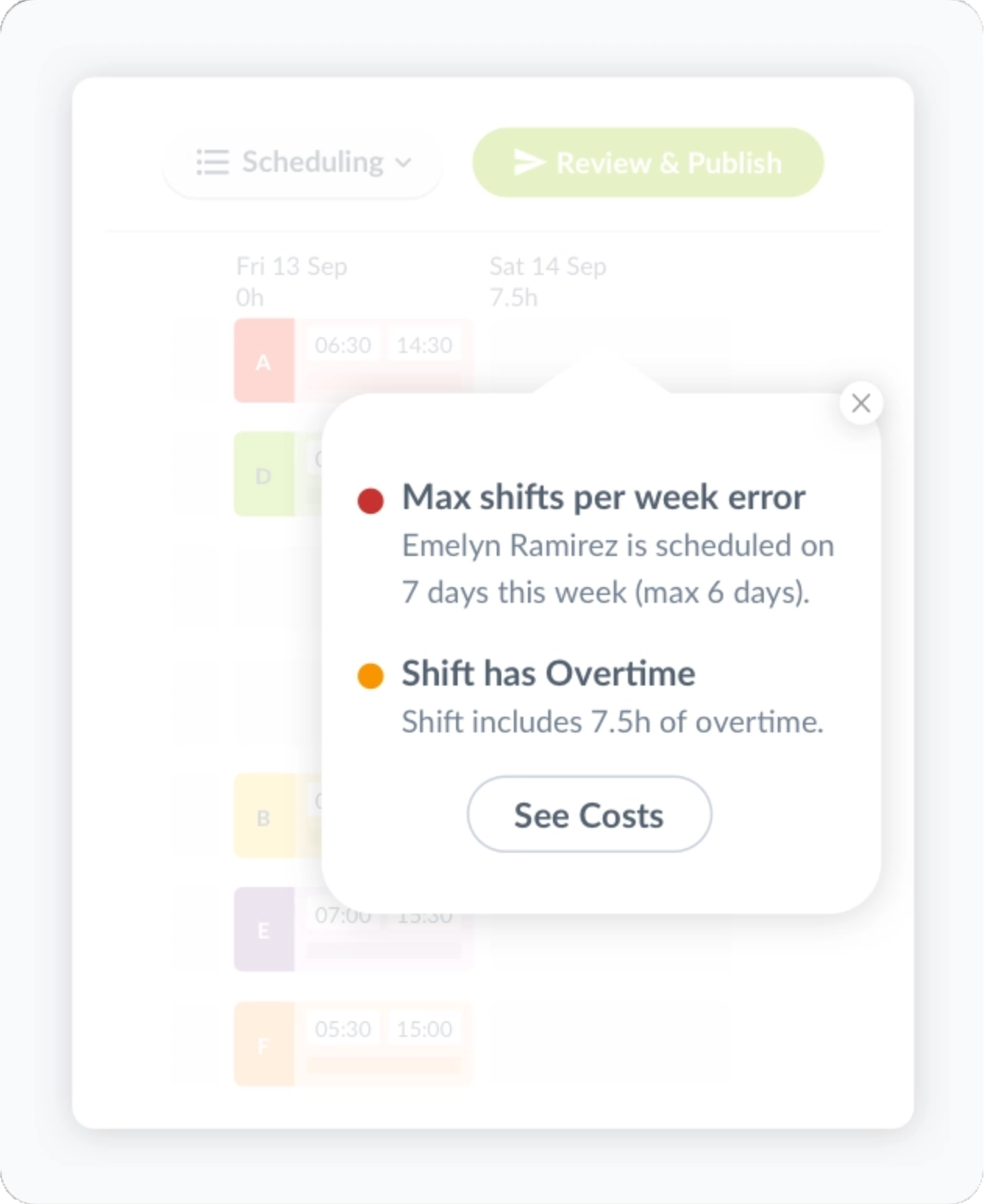
    When creating schedules, managers can easily see how much each shift would cost and receive alerts if they schedule someone for overtime or forget to schedule break times. This will help avoid unnecessary labor costs or potential fines for non-compliance. 
  • Real-time alerts: Managers get live updates when employees fail to clock in or out for a shift or break time. They will also get alerts when employees are about to breach overtime, especially if they’re not scheduled for it. This allows teams to fix small issues before they turn into bigger problems.

Conduct regular wage audits

Conducting wage audits in the state of California is essential because it helps employers stay on top of local rate changes. While most cities raise their minimum wages annually, note that they can do so on different schedules. 

Regular wage audits ensure your pay structure reflects the latest local rates. They also help you catch wage compression issues early, keeping your compensation strategy fair and employee morale intact. In case you face a labor board inquiry or employee complaint, having audit records on hand gives you the evidence you need to respond quickly.

Train your managers

Automation is powerful, but it also pays to equip your managers with the right information and training on handling complicated labor rules. 

Regularly train your management team on California’s local wage laws. These rules can change frequently, so ongoing refreshers are vital. Managers should also have tools and resources to help them explain wage-related issues and faqs to employees and recognize compliance gaps in workflows or systems.


California’s minimum wage rules can change quickly. Stay ahead by automating wage rates and catching compliance issues before payroll with Workforce.com. See the platform in action and book a demo today. 

Posted on April 24, 2025April 28, 2025

Why Payroll Deductions are Harder Than They Look (Especially for Hourly Teams)

Summary

  • Payroll deductions can be more challenging to manage for hourly teams due to different factors such as variable schedules, different pay rates, higher turnover, and location-based compliance rules.
  • Handling payroll deductions for hourly teams goes beyond automation. It requires a system that can adapt to the complexities of hourly work. 
  • Workforce.com’s payroll software simplifies deduction tracking, ensuring accurate wage calculations and compliance on every pay run.

Payroll deduction may seem like a basic, straightforward task: calculate gross wages, withhold required amounts, and issue the paycheck. But for hourly workers, this can get complicated fast.

Hourly teams often have variable schedules, which means inconsistent hours and irregular pay. Plus, turnover tends to be higher for this type of worker, so business owners often onboard and offboard staff, which can also be an area of risk. When you add that to wage garnishment orders and state-based rules, it can quickly result in compliance issues, frustrated employees, and fines. 

Let’s take a look at why deductions are trickier for hourly workforces—and what employers can do to avoid common pitfalls.

Why payroll deductions are more complicated for hourly employees

If your business relies on hourly workers, here are several factors that make payroll deductions more challenging:

Variable schedules 

Hourly workers don’t have fixed salaries and hours, and therefore, their gross pay can swing dramatically from week to week. This creates challenges for applying deductions, especially when they’re fixed amounts like insurance premiums or wage garnishments. 

Here’s an example: In a biweekly pay period, an employee works 25 hours total at $15 hourly wage, earning just $375 gross. While FICA taxes are percentage-based (7.65% of gross pay), if this employee also has a court-ordered garnishment of $75 or voluntary deductions like health insurance premiums at $100, their remaining net pay might fall below minimum wage thresholds after all deductions are applied. In this case, employers would need to reduce, prorate, or defer some deductions. 

Note that aside from pay deductions, you also need to watch out for any predictive scheduling laws that may apply to you. Under Fair Workweek laws, you are mandated to create more predictable schedules for employees.

Also read: Predictive Scheduling Laws Explained: A Guide for Employers

Multi-location operations

Each state, city, or county, may have its own rules for income tax withholding, minimum wage, and even pay frequency. And if you’re operating in multiple cities and states, it can lead to challenges with compliance and applying correct deductions. 

For instance, a worker in California is subject to state income tax and State Disability Insurance (SDI) deductions, while an employee in Texas isn’t. If your system doesn’t account for location specific rules, you can easily over- or under-withheld taxes from employees, leading to compliance issues. 

And it becomes even more trickier especially when you have employees working in multiple jurisdictions at a time. So for instance, you have neighboring stores in Emeryville and Oakland in California, and you have a worker who worked in both locations in one pay cycle. You need to properly calculate their wages not just on the number of hours, but also on where those hours are worked. Make sure your system supports different hourly rates, especially when employees work across roles or locations.

High turnover rates

Turnover rates are typically higher for industries that employ hourly teams, which can introduce several challenges for payroll and deductions. Because onboarding and offboarding are more frequent, employers may forget to prorate certain deductions, miscalculate withholdings for departing employees, misclassify employee status, and increase the administrative burden on payroll teams when processing these deductions.

Best practices for payroll processing and deductions

Automate payroll, but…

Not all payroll systems are built for hourly teams. You need one that accounts for the nuances of hourly operations. 

Like many things in HR, payroll deductions are not a set-it-and-forget-it kind of thing. They can change depending on several factors, and you need a system that can automate even the way you deal with different nuances that affect payroll computations and deductions.Here’s what to look for in a payroll service provider or software:

  • Centralized system – Keep everything connected, from onboarding, to scheduling, to payroll. Much of payroll happens way before you process time and attendance. It begins as early as employee onboarding. For instance, collecting a new hire’s Form W-4 is essential, as it determines how much federal income tax to withhold from their pay. If this form is missing or outdated, it can throw off your deductions and lead to compliance issues.

    A system that keeps information in sync across time and attendance, payroll, and employee scheduling ensures accurate pay calculations and correct employee classifications without switching between modules and multiple data entries.
  • Labor compliance engine – Your system should automatically apply federal, state, and local labor rules to stay compliant every pay run.
  • Time and attendance integration. Manual timesheets slow down payroll processing and increase the risk of inaccurate computations, including deductions. Avoid manual errors. Use digital time tracking to feed clean data directly into payroll. A system that simplifies tracking employee time, supports varying hourly rates, and generates timesheets is the way to go.
  • Secure recordkeeping. Documentation is vital for payroll. The Department of Labor and IRS have retention requirements that organizations must adhere to. Payroll records must be stored and accessible for audits or employee requests without digging through spreadsheets.

Payroll calculations and deductions would be significantly more straightforward when you have the right system. Workforce.com handles all of this automatically. From employee classifications, pay rate calculations, and deduction rules to recordkeeping requirements, it ensures everything’s accounted for and compliant.

Know the deductions you’re working with

Even with a solid payroll system, your managers still need a working knowledge of wage rules and deduction types. This helps ensure everything runs as it should and gives your team the confidence to spot errors or answer employee questions on the fly. 

Payroll deductions fall into two main categories—mandatory and voluntary. Here’s a quick overview of what your team should be familiar with. 

Mandatory deductions

As the name suggests, these are amounts that employees must pay, and employers must deduct from their staff’s wages. Statutory deductions take up a considerable portion of mandatory deductions, and these are amounts to meet tax obligations and fund essential public services like Social Security, Medicare and state programs. Here’s a list of statutory deductions that are mandated by law: 

  • FICA (Federal Insurance Contributions Act) – for Social Security and Medicare tax
  • Federal income tax
  • State and local taxes

Wage garnishment is another form of mandatory deductions. It is based on a court order mandating employers to withhold a portion of an employee’s pay for financial obligations or debts, such as child support, student loan payments, tax debts, and personal debts. 

Voluntary deductions

Voluntary deductions are optional and can enhance employee benefits. Retirement plan contributions, health insurance benefits, union dues, and charitable donations are examples of voluntary deductions. Before employers can withhold amounts under this category from an employee’s paycheck, they must secure written authorization. 

It’s also important to distinguish between pre-tax and post-tax deductions. Common examples of pre-tax deductions include HSA contributions, health insurance premiums, and 401(k) contributions. Pre-tax deductions can also lower an employer’s liability for the Federal Unemployment Tax Act (FUTA), which funds unemployment benefits for workers who have lost their jobs.

Meanwhile, Roth IRA contributions or union dues, are taken out after taxes have been applied. Understanding the order and type of deduction is key to accurate payroll and compliance.

For a more in-depth look at the different types of payroll deductions and how they are calculated, read this guide.

Having a good grasp of how payroll deductions work will also help you manage unusual and tricky scenarios better, such as:

  • What happens when an employee works a shift in a different city? How does that affect taxes or local withholding? 
  • What if a new garnishment order comes halfway through a pay cycle? 
  • What if a deduction pushes net pay below the minimum wage threshold? 

An automated system can handle these situations, but it’s just as important for managers to understand the “why” behind the numbers. That way, they can explain deductions to staff clearly, catch potential system errors, and ensure nothing slips through the cracks.

Download: Free Payroll Deduction Authorization Form

Watch for changes that affect deductions

Did an employee receive a raise? Change their benefits? Update their tax withholding? Went from part-time to full-time?

Any change to salary, benefits, or classification should prompt a quick audit to ensure payroll deductions stay accurate. But don’t forget about tax forms, either. If an employee submits a new W-4 form to update their filing status or withholding preferences, it should be reflected in your payroll system immediately.

Failing to update these changes can lead to incorrect deductions, under- or over-withholding, or even compliance issues. A centralized system that syncs employee data across payroll, time tracking, and HR makes it easier to catch and act on these updates before they cause problems.

Keep pay stubs clear and accessibleEmployees should always be able to see how their pay is calculated, from gross income to deductions to final take-home pay. Clear, transparent pay stubs build trust and cut down on confusion. Your payroll system should generate and distribute them automatically, without extra admin work. It would be even better if employees could access their pay stubs anytime, from any device, without needing to chase down HR for answers.

The smarter way to manage payroll deductions

Payroll deductions are never as simple as they look, especially for hourly teams. But with the right system and tools, they can be one less thing to worry about every pay run. 

The key here is to automate and use tools that will allow you to calculate gross wages, factor in deductions, account for unique situations and nuances, and stay compliant at every step. That’s where Workforce.com can help you. 

Workforce.com is built for hourly operations. It calculates gross wages, applies accurate deductions, handles different pay rates, accounts for federal and state rules, and keeps records audit-ready. From onboarding, tracking work hours, assigning shifts, managing PTOs, and running payroll, the system keeps everything connected and compliant. 

From onboarding, employee classifications, assigning shifts, tracking work hours, managing PTOs, handling different pay rates, and complying with state and federal rules to calculating payroll, the system can automate it, save you time, and significantly reduce the risk of errors.  

Ready to simplify your payroll? Book a demo to see how Workforce.com helps hourly teams stay on top of payroll, HR, and workforce management.

Posted on April 15, 2025April 24, 2025

5 Tips to Simplify Overtime Calculations

Summary

  • Challenges with overtime calculations don’t just come with the math. It’s all the manual processes involved, especially with different pay conditions and compliance rules.
  • Overtime calculations can be simplified. In fact, an LA-based organization reduced time processing timesheets by 92%.
  • Payroll software can significantly reduce errors and time spent on calculating overtime.

Overtime pay calculations can feel like a full-time job, even if it’s just one of the many things that go into payroll. Different pay rates, tracking total number of hours, changing schedules, and compliance rules make it tricky, especially when you’re running an hourly team on multiple shifts. When you dig deeper into it, however, the real problem isn’t the math. It’s the manual work. 

So, how can you simplify the process, reduce errors, and ensure that employees are paid on time? Here are five practical ways to do so.

1. Improve your onboarding process

Onboarding is not just about welcoming new hires. It’s about setting up systems that make payroll, including overtime, easier to manage.

When we think of onboarding, we usually focus on getting new hires up to speed and integrated into the team. But the behind-the-scenes admin work during this stage plays a massive role in how seamless (or messy) payroll and overtime processing will be down the line.

Proper onboarding ensures accurate classification from day one. If you misclassify employees (exempt vs. non-exempt), you can face overtime compliance issues later on. This is also the perfect time to set clear expectations around overtime—when it kicks in, what overtime premium rates apply, straight time pay policies, and other relevant conditions.

Onboarding is also the time to get new hires up and running on your time-tracking system. 

Show them how to clock in and out correctly and how time logs are generated into timesheets. Getting new hires set up in your time-tracking system early prevents payroll errors later.Onboarding on its own can feel like too much admin and paperwork. Workforce.com has an automated system for getting new hires onto your system. New hires get a link to the onboarding platform and input their information, minimizing errors and admin work for your team. You can also upload contracts, handbooks, and other key documents, plus create employee profiles with base pay and classifications.

2. Automate time and attendance tracking

Employee work hours are at the core of processing payroll and calculating overtime pay. Manually processing timesheets and payroll is not only time-consuming but also increases the risk of payroll errors, underpayments, and compliance issues. 

An automated time and attendance system ensures all hours of work are recorded accurately, so you don’t have to second-guess overtime calculations. Workforce.com captures time logs through a tablet placed on your job site or directly from an employee’s mobile phone. The system logs location data, which is essential if you manage teams in different locations. 

Clock ins and outs are generated into timesheets, indicating the total number of hours. Overtime hours are flagged, and managers can quickly review and approve in seconds and fix any discrepancies before payroll processing. 

For Lisa Hanna, business manager at Ethos Orthodontics, payroll used to be a three-day ordeal. “Generally, I’d spend a few hours each Sunday printing out and processing timesheets to get them ready for payroll that week,” she shared.

With Workforce.com, Hanna got her Sundays back as the system prepared the timesheets for her. It now only takes a few clicks to approve and export timesheets for payroll, reducing the admin load and compliance risks.

3. Set overtime alerts

Overtime is sometimes necessary, but it shouldn’t be eating into your budget unless it absolutely needs to. 

Workforce.com keeps overtime under control with real-time visibility. When scheduling, managers get an alert when an employee is scheduled for more than their regular hours. If it’s intentional, great—no surprises on payday. But if it’s an accident? You can fix it before it turns into an unnecessary payroll expense.

The system also flags when employee hours are about to hit overtime. If someone’s shift is over but they’re still clocked in, managers get notified. At that point, they can check in: Did the employee forget to clock out? Are they actually working? If so, is overtime work truly needed, or can the task wait until the next shift?

These real-time alerts prevent unplanned overtime, keep labor costs in check, and even promote better work-life balance for your team.

4. Use payroll software

Payroll software can simplify overtime calculations, but only if it’s built to handle the complexities of your workforce. 

Consider your payroll needs and go for the solution that meets your requirements. Whether you’re looking for software or planning to switch to a different system, consider the following: 

  • Overtime and labor laws – Can it keep up with changing labor laws? Does it account for both federal and state overtime rules? Can it automatically update tax rates?
  • Integration and data entry – Does it sync well with time tracking and HR? Can data flow smoothly from one module to the next, or will you be stuck with manual entry?
  • Customization – Aside from employee’s regular rate, can it handle shift differentials, different rates, fluctuating workweeks, non-discretionary bonuses, weighted average calculations, and other conditions and exemptions?
  • Ease of use and implementation – How long does it take to roll out? Can employees actually use it without a steep learning curve? Even the most advanced features are useless if your team avoids the system. 

Mikhuna, an LA-based food truck business, teamed up with Workforce.com to simplify payroll processing, time and attendance tracking, and employee scheduling. Because everything is now done on a single platform, they saw a 92% decrease in time spent correcting timesheets and saved three hours on payroll processing.

“It used to take me between two to three hours to run payroll,” Cynthia Carreiro, Mikhuna’s CFO, shared. “Now it takes no more than 3 minutes.” 

Beyond saving time, Mikhuna also gained real-time visibility into labor costs. “A year from now, I’ll be able to look back at a pay run from the same time last year and see if I’m losing or making money,” Carreiro adds.

When payroll software is built right, it doesn’t just save time. It gives you the insights you need to make smarter business decisions.

5. Understand overtime rules that apply to your workforce

Even with the best payroll software, your managers and HR team still need a firm grasp of how overtime rules work not only for processing payroll but also for answering employee faqs. 

At the very least, managers should know existing federal laws and state rules around overtime. Under the Fair Labor Standards Act (FLSA) rules, nonexempt employees must receive overtime pay for hours worked in excess of 40 in a workweek at one and a half times their regular rate of pay. But here’s the kicker—what actually makes an employee exempt or nonexempt? The Department of Labor set the guidelines on what makes an employee exempt or non-exempt to overtime pay. While hourly employees are typically non-exempt, salaried employees may also be entitled to overtime if they meet the criteria on salary levels and job duties.

What about regular rate of pay calculations? What goes into in exactly? Aside from regular hourly rate, salaries (for salaried, nonexempt employees), nondiscretionary bonuses, shift differentials, piece-rate pay, and commission must be included in the computation.

Leadership teams should be able to provide a clear, high-level explanation on these areas, especially when they concern employees’ total compensation.

Also read: Exempt vs. non-exempt employees: knowing the difference

If you operate in a state with stricter overtime laws, that’s another layer of compliance to manage. Take California, for example. Daily overtime is recognized in California, which means that workers are entitled to overtime payments when they work more than 8 hours in a single workday or over 40 hours in a single workweek. This is different from FLSA rules, which calculate total overtime based on hours worked in a 40-hour workweek rather than a single workday

The overtime pay rate also varies in California. Employers must pay one and a half times the regular rate of pay after 8 hours a day. But double time or twice the regular rate of pay takes effect for employees who work after 12 hours a day or after 8 hours on the seventh consecutive workday.

Also read: California Overtime Laws Explained: What Employers Need to Know

Payroll software can handle the calculations for you according to applicable federal and state laws. However, your team still needs to understand the rules, both to ensure your systems are running correctly and to confidently handle employee questions.

Stop Working Overtime to Calculate Overtime

Calculating overtime wages shouldn’t steal your weekends or keep you at the office late. With the right system, you can automate not just the math but also streamline its administrative side.

Workforce.com automatically calculates overtime, no matter how complex your pay setup is. Whether you have shift differentials, double time, fluctuating workweeks, or non-discretionary bonuses, the system handles it all.

It also keeps up with labor laws to ensure compliance at every step. Need to update an employee’s pay rate or adjust your overtime policy? Just enter it once, and the system updates everything—from time tracking to payroll—without extra work on your end.

Overtime shouldn’t be an admin nightmare. See how Workforce.com makes it simple for businesses worldwide. Check out our customer stories or book a demo today. 

Posted on April 3, 2025April 3, 2025

Paid Sick Leave in Missouri: What Employers Need to Know as Repeal Efforts Loom

Summary

  • Paid sick leave in Missouri will take effect on May 1, 2025. However, some groups and state lawmakers are currently opposing it.
  • Under the law, employees can accrue an hour of paid sick leave for every 30 hours worked.
  • More than a compliance plan, employers need an all-in-one system that adapts as the law evolves.

Paid sick leave in Missouri is set to take effect on May 1, 2025. Proposition A, approved by Missouri voters in November 2024, introduces significant changes to the state’s labor laws, including mandatory paid sick leave for many workers. 

Under the new law, employees will accrue one hour of paid sick leave for every 30 hours worked. Businesses with fewer than 15 employees must offer up to 40 hours of paid sick leave per year, while larger employers must provide up to 56 hours annually. Exceptions apply to certain workers, like government employees and businesses making less than $500,000 in annual revenue. 

In addition to paid sick leave, Proposition A also increases the minimum wage to $15 by January 1, 2026.

Efforts to repeal Proposition A

Proposition A faces pushback from business advocacy groups and state lawmakers who argue the law is flawed and burdensome for employers. 

The Missouri Chamber of Commerce and Industry, the Missouri Grocers Association, the Missouri Restaurant Association, the National Federation of Independent Businesses, and three individuals linked to these organizations have filed a lawsuit challenging Proposition A with the Missouri Supreme Court. 

The plaintiffs claim the ballot summary and fiscal note were misleading and argue that Proposition A violates the state constitution’s single subject rule by combining minimum wage and sick leave provisions into one measure. 

Lawmakers are also moving to repeal Proposition A. House Bill 567 pushes to overturn paid sick leave rules and remove inflation-based minimum wage adjustments. The bill has passed the Missouri House and is currently being considered by the Senate. However, it doesn’t have an emergency clause, which means that even if it’s enacted, it would not become effective until August 28, 2025.

Tips for managing Missouri’s paid sick leave law

Missouri’s new paid sick leave law isn’t just a challenge for policymakers. It also puts employers in a tough spot. Businesses must balance compliance with labor laws while staying agile in case of legal or legislative changes. Here’s how employers can stay ahead. 

Focus on the facts and prepare accordingly

Proposition A will take effect on May 1, 2025. Therefore, employers should be ready to implement paid sick leave policies by that date. 

  • Notify employees in writing about the earned paid sick time policy by April 15, 2025, as mandated by the law. 
  • Ensure payroll and scheduling systems are updated to track sick leave accrual and usage. 
  • Train managers on policy changes to avoid confusion and ensure employee questions can be addressed.

Monitor any legal developments 

Labor laws are constantly changing, and Proposition A remains a pressing issue in Missouri courts and legislature. Rules can change at any time, and employers must always be updated about developments.

Check the Missouri Department of Labor for official updates and guidance, monitor senate discussions, and review bill statutes and amendments to stay on top of changes that could impact compliance.

Be prepared to adjust

Missouri’s paid sick leave laws can change at any time. With lawsuits and legislative challenges underway, they could be amended, repealed, or upheld. A flexible system allows employers to adjust quickly, regardless of the outcome. 

Workforce.com helps organizations stay compliant and adapt to potential changes by:  

  • Automatically tracking sick leave accrual based on hours worked. 
  • Providing employees real-time access to their leave balances via a mobile app. 
  • Calculating accurate sick leave payouts and preventing payroll errors.
  • Employees can check their leave balances anytime through the employee mobile app. 
  • Offering real-time visibility into who’s out sick, helping managers fill vacant shifts with available and qualified staff. 
  • Enabling HR teams to instantly adjust policies and ensure staff have easy access to updated rules. 

Missouri businesses need more than just a plan. They need a system that adapts as Proposition A evolves. A flexible, all-in-one system for time and attendance, employee scheduling, HR, and payroll is vital to keeping up. Workforce.com simplifies compliance and helps you adapt to legislative changes with ease. Book a call to learn how. 

Posted on March 24, 2025March 24, 2025

HRIS 101: A Guide for Small Businesses

Summary

  • It’s typical for small businesses to consider using HRIS to help manage their employees, but choosing an HRIS software takes an average of 15 weeks.
  • HRIS, HRMS, and HCM are all HR-related systems that are similar but are distinct in their focus. Small businesses must know the difference between these systems to make a sound decision.
  • Workforce.com helps small businesses beyond their HRIS requirements, offering an all-in-one solution for managing HR processes from onboarding, tracking time and attendance, payroll, performance management, and labor analytics.

Running a small business is challenging enough without getting bogged down by HR paperwork and tedious admin tasks. As your team grows, managing payroll, employee records, and compliance can quickly become overwhelming and eat into valuable time. There’s also an increased risk of errors, which could lead to compliance issues. Enter HRIS—Human Resources Information System. 

HRIS is a tool for taking the grind out of HR. It centralizes employee records, automates payroll, and ensures compliance with labor laws. It helps small businesses tackle the administrative side of human resources, which gives them back precious hours for employers to focus on growing their business. 

In this guide, we’ll break down exactly what an HRIS is and what to look for when choosing the perfect system for your team.

What is HRIS?

These days, HRISs come in all shapes and sizes, each with its own set of features and complexity. But at the heart of it, they all help with core HR tasks such as time tracking, payroll, benefits management, and workflow creation. Plus, they store all critical employee information, from personal details to compensation data. In the past, HRIS was usually run on a company’s servers, but now cloud-based platforms are the go-to. And for good reason—they’re much more efficient, letting you access anytime, from virtually any device.

Why is an HRIS platform important for small businesses?

Because it saves time, which means small business owners can work smarter, not harder. 

Running a small business is all about staying focused on what keeps the wheels turning and being ready to seize opportunities when they come. That’s how small businesses grow. But when you’re stuck with admin tasks, it’s easy to lose sight of the bigger picture and miss out on opportunities to move your business forward. 

This is where HRIS can be helpful. It can simplify and automate time-consuming HR tasks, and with the right system, you can take your hands off things like:

  • Managing employee profiles
  • Storing crucial employee data for classification, compliance, and payroll
  • Monitoring PTOs and leave balances
  • Viewing and approving timesheets
  • Processing payroll and sending out pay stubs
  • Letting employees view and update their own information

Imagine all those processes running smoothly in the background. The time you’d save could be redirected to strategic planning and business growth.

HRIS vs. HRMS vs. HCM

If you’re exploring HR software, you’ve likely come across HRIS, HRMS (Human Resource Management System), and HCM (Human Capital Management). But what’s the difference? 

While they are often mixed up, and there are overlaps in their functions, they have distinct focuses. 

HRIS focuses on core administrative HR tasks, such as managing employee data, processing payroll, tracking time and attendance, and ensuring compliance with regulations. Its primary purpose is to centralize and automate HR processes, reducing paperwork and manual effort. HRIS streamlines day-to-day operations and handles basic HR functions.

HRMS includes all the functionalities of an HRIS but goes a step further by adding talent management tools, which includes tools that help with performance reviews. This means it not only manages employee records and payroll but also supports the recruitment process, helps with onboarding new hires, and tracks employee performance and development. In other words, HRMS brings a more strategic HR approach and goes beyond the administrative aspects.

HCM encompasses both HRIS and HRMS functions but expands to cover the entire employee lifecycle. It’s not just about managing data and processes—it’s about optimizing the workforce as a critical business asset. HCM systems help with workforce planning, succession planning, compensation analysis, and labor compliance with local and international labor laws. They also have tools to improve employee engagement and satisfaction. This makes HCM ideal for rapidly scaling businesses looking to align HR functions with broader business goals.  

Also read: 11 HR Basics for Small Businesses

How to choose the best HR system for a small business? 

Selecting an HRIS can take 15 weeks on average, according to a study. But if you’re looking to streamline your HR now, that can be a long time. Since every business has different needs, there’s no one-size-fits-all software solution. To speed up the decision-making process, here are some key factors to focus on to help you find the best fit:

HR needs

Start by identifying what you need from HRIS, or any HR platform for that matter. Figure out your pain points. What’s slowing you down? Are you buried in paperwork or struggling with employee data management? In that case, a basic HRIS can do the trick. Need help with more strategic tasks with succession planning? Then, an HCM system might be a better fit. 

Go deeper. Take a look at the types of employees you hire. Is your team composed of more hourly people, or is most of your workforce salaried? How often do you need to onboard or hire workers? Do you hire seasonal staff? The more specific you get about your needs, the easier it will be to choose a system that checks all the boxes.  

Budget and ROI

Determine your budget upfront. How much are you willing to invest, and how much flexibility do you have for extra features that might increase costs? Think about the expected return on investment (ROI). Will this system save you enough time and resources to justify the price? 

You must also aim to go for a vendor that has the most transparent pricing. Inquire about what’s included in their packages and be sure to asks if there are additional charges and when those will apply.

Ease of use

A feature-packed system won’t help if it’s too complicated to use. If your team can’t get the hang of it, you might as well stick to manual processes. Look for a system that’s intuitive and with a smooth learning curve, especially if you want to hit the ground running as soon as possible.

Consider employee self-service functionality too. A huge part of HRIS is employee data. And aside from your HR team, your employees are also responsible in part for their data. Having a self-service portal feature lets your employees view and update their information, and that could be a key consideration when looking at different HRIS solutions.

Integration 

If you have existing systems, ensure your new HR system integrates smoothly. How quickly can the systems sync? What will the workflow look like? If integration is clunky or non-existent, that defeats the purpose of streamlining, so it’s worth moving on to a different option.

Implementation and support

You can only realize ROI with your HRIS once it is completely implemented. So, when shopping around for software and going through demo sessions, always ask vendors how long it will take to get up and running based on your specific needs.

The level of customer support during the early stages of implementation is also crucial. Will they guide you through the setup process and be available for ongoing help? Choose a provider that won’t abandon you once the contract is signed.

Scalability

If your business rapidly grows, can the software stay pace? It should be able to scale as quickly as you will. Otherwise, the system could become obsolete and incompatible with your requirements. Considering the cost of a new system and the learning curve involved in implementing it, it won’t be cost-effective in the long run. When you choose software, ensure it can handle future growth, and can be customizable enough when you need additional hr tools or modules.

Reputation

Check out a vendor’s track record and client base. Look at their customer stories, case studies, and online reviews. That can help you understand how their product works in different business scenarios and the problems they were able to solve for their clients. This will give you insight into their reliability and whether they’re the right fit for your business.

Why Workforce.com is the best HR software for small businesses with hourly teams 

Workforce.com isn’t just another HR platform—it’s built for businesses that rely on hourly workers. Whether in retail, hospitality, healthcare, or any sector with hourly workers, Workforce.com covers your HR needs, workforce management requirements, and delivers much more. Here’s why it’s the best choice. 

It simplifies HR administration and payroll.

Workforce.com does the heavy lifting that comes with the administrative aspects of HR, from recruitment, onboarding, time and attendance tracking, benefits administration, and payroll processing. 

Fill vacant roles easily with Workforce.com’s applicant tracking system. Speed up the hiring process by generating QR codes for job postings and allowing applicants to submit their personal details and answer role-specific questions. This helps identify qualified, saving you time on unnecessary interviews.

No more drowning in paperwork during employee onboarding. Workforce.com collects crucial employee details like tax forms, insurance information, bank details, and other personal employee information, saving time and reducing manual data entry. You can focus on welcoming and integrating new hires into the organization instead of processing forms.

Time and attendance tracking is also automated. Employees can clock in and out seamlessly, ensuring accurate hours and smooth payroll runs. You can review and approve timesheets online, quickly correcting any issues so payroll stays on track.

With all this data in one place, payroll processing becomes faster and more efficient. Overtime, time off, employee benefits, and other pay rules automatically apply, ensuring you always comply with labor regulations. Workforce.com’s payroll system also helps with withholding taxes and tax filing, saving you a massive amount of time and lets you shift your focus to growing your business.

It streamlines employee scheduling.

Workforce.com is built with a robust scheduling platform that lets you create and assign shifts in minutes. It has scheduling templates that you can copy and paste from one week to next, especially for shifts that remain the same over a period of time. Its built-in labor forecasting feature allows you to schedule shifts based on projected demand to confidently avoid being over or understaffed.

For businesses governed by predictive scheduling laws, Workforce.com helps you stay compliant by enabling faster scheduling and allowing you to send work schedules to employees well in advance. This keeps your team and regulators satisfied while providing employees with more flexibility and boosting their job satisfaction.

Also read: Predictive Scheduling Laws Explained: A Guide for Employers

It helps you retain top talent.

Workforce.com doesn’t just handle administrative tasks; it’s designed to help you retain your best workers. It includes tools for communication, feedback, and performance management to keep employees engaged and motivated.

Managers and employees can communicate directly within the platform, cutting down on confusion. Employees can also rate their shifts, giving you insights into what’s working and what needs improvement. This allows you to make real-time adjustments before minor issues become big problems.

It also has features that allow you to track action plans for employees who need to improve in certain areas and quickly show recognition for staff who are performing well. 

It scales with you.

Whether growing locally or expanding across state lines, Workforce.com scales with you. It manages everything from hiring to compliance, no matter the size of your business.

As you expand, the platform ensures you stay compliant with different labor laws across regions, so you won’t have to worry about legal complications.

On top of that, Workforce.com provides valuable insights into your business operations, helping you track labor costs, absenteeism, and other vital metrics. This allows you to spot patterns and fix potential issues before they impact your business.

It’s easy to use.

Workforce.com has a user-friendly interface, which means that your team can learn the ropes of the platform in no time. It also has a mobile app that employees can download on their devices, letting them view their schedules, receive notifications from their team, apply for leaves, and update their information.

It has a proven track record.

Amenity Collective, one of Workforce.com’s clients, have seen a reduction in administrative work by 85%. They are just one of the many organizations that switched to Workforce.com and experienced great results. Don’t just take our word for it—explore their testimonials and stories firsthand. 

Even better, book a demo today to see Workforce.com in action and discover how Workforce.com can drive growth and success for your business.


Posted on March 18, 2025March 18, 2025

Workplace Productivity Statistics and Trends You Need to Know

Woz working at a cash register

Summary

  • Productivity in the US increased in the past year, which can indicate that businesses are adapting to disruptions following the largest decline experienced in 2022.

  • Employee engagement goes hand-in-hand with workplace productivity. Low engagement levels are expected to cost US$8.9 trillion or 9% of the global GDP.

  • All-in-one payroll, HR, and workforce management software can help boost productivity through features like labor forecasting and communication platforms.

Productivity is a key measure of efficiency in any organization, but how it’s defined and measured varies widely. For hourly teams, productivity is often measured in real-time, like how efficiently shifts are managed, how well teams keep up with demand, and how businesses balance labor costs with performance. 

Understanding the direction of workplace productivity is essential, especially as wages rise, new technologies emerge, and workforce expectations evolve. Trends in efficiency, labor costs, employee engagement, and automation have a direct impact on hourly teams. Staying informed about the latest developments in these areas helps businesses stay ahead and adapt to changing workforce dynamics. 

Let’s take a look at how productivity is evolving on a national scale and what organizations can do to keep pace with these changes.

Productivity rates and its impact on quality of life

Generally speaking, productivity has seen some peaks and valleys over the years. And it has a direct correlation with quality of life. 

During a TED talk, Yves Morieux, managing director and senior partner at Boston Consulting Group, explained how a 3% increase in productivity per year leads to a doubling of the standard of living for every subsequent generation. If that growth is reduced to 1%, it will take three generations to double the standard of living – leading to every generation being less well-off than their parents. Sound familiar? 

“They will have less of everything: smaller roofs, or perhaps no roof at all, less access to education, to vitamins, to antibiotics, to vaccination – to everything. Think of all the problems that we’re facing at the moment. Chances are that they are rooted in the productivity crisis,” shares Yves Morieux.

In 2022, the Bureau of Labor Statistics (BLS) reported the sharpest decline in productivity since 1947. Nonfarm productivity landed at 7.5% in the first quarter of 2022, the lowest since the third quarter of 1947. This reflects pandemic-related disruptions, supply chain issues, and labor shortages.

The BLS defines labor productivity (or output per hour) as the division of “an index of real output by an index of hours worked.” They calculate the productivity of “all persons.” This includes employees, business owners, and unpaid family workers.

However, productivity has since recovered, and the BLS saw a 1.2% increase in labor productivity in nonfarm sectors. Productivity growth can indicate that businesses have adapted to automation, training, and better labor allocation. 

Information from the BLS reflects economic trends, which can indicate changes in the labor market, wages, and overall productivity. It’s vital to stay abreast of these broader numbers and assess them with your own internal data so you can make better decisions and strategies for your team.

Hourly wage trends and impact on business costs

Hourly compensation continued to rise in the fourth quarter of 2024, with BLS reporting a 4.2% growth. Labor unit costs also grew by 3%.

Additionally, minimum wage increases took effect in over 20 states in 2025. Some states and cities implemented higher minimum wages at the start of the year, while others are scheduled to have increases later in the year.

As wages rise, businesses may face higher operational costs, which can lead to price adjustments for products and services. Labor forecasting becomes even more essential as employers balance staffing levels to maintain productivity without the risks of over- or understaffing.

Automation is also vital, especially for managers, in optimizing workforce management. Tools like time and attendance tracking, employee scheduling, performance management platforms, and payroll software can eliminate administrative burdens, allowing managers to focus on running a productive operation. With the right technology, managers can spend less time on routine tasks and more time analyzing data and making informed decisions to improve productivity.

Disengaged employees can cause lower productivity

Gallup’s State of the Global Workplace 2024 report shows that 62% of workers surveyed are disengaged, and low engagement is estimated to cost the global economy US$8.9 trillion or 9% of the global GDP.

The study also examined daily stress, finding that 41% of respondents experienced stress the previous day. While it’s important to note that the survey didn’t directly ask if the stress was experienced at work, consider that time spent in the workplace is also a significant factor in daily experiences and emotions.

Employee engagement is strongly linked to better business outcomes and employee retention. The study’s findings reiterate just how crucial it is for human resources professionals to prioritize employees’ mental health and maintain a good work environment to retain top talent, achieve higher productivity, and maintain healthier profits.

Automation and AI in hourly workforces

The adoption of AI and automation will continue in HR, and they’re expected to still play a major role in streamlining administrative processes such as hiring, onboarding, time tracking, labor forecasting, and payroll processing.

Also read: HR Trends for Hourly Workforces in 2025

However, while AI is often associated with productivity gains, its impact is not always straightforward. A study found that 77% of workers using AI disclosed that it added to their workload, presenting unexpected challenges in achieving the efficiency improvements employers anticipate. Furthermore, 47% of employees using AI admitted they were unsure how to meet their employers’ productivity expectations despite the technology’s implementation. 

Clearly, technology is only as effective as its implementation. While AI has the potential to drive efficiency and profitability, its success depends on how well it integrates into workflows and supports employees rather than burdening them. Leadership plays a crucial role in ensuring AI adoption leads to practical, measurable improvements rather than becoming a source of frustration or inefficiency. Business leaders that introduce AI without a clear, well-structured strategy risk making work more complicated, which can result in lost productivity.

AI adoption should go beyond industry trends and buzzwords. It should be a strategic investment that delivers tangible benefits for both businesses and their employees.

Flexibility and job satisfaction beyond remote employees

For office workers, flexibility and work-life balance is typically to remote work or hybrid work arrangements, where they have greater control over their schedules and can work from home. However, for hourly teams, flexibility takes on a different meaning—one that is just as critical to job satisfaction and overall employee experience.

For hourly employees, flexibility isn’t about location but about having clear work hours in advance. Since their roles typically require them to be on-site, knowing their schedules ahead of time allows them to plan for personal commitments, reduce stress, and maintain a healthier work-life balance. This level of predictability on their work times keeps employees engaged, while minimizing issues like absenteeism and productivity losses.

If you’re managing an hourly workforce, ensuring employees receive their schedules well in advance is one of the most effective ways to enhance job satisfaction, improve employee experience, and maintain a more reliable and efficient team.

Potential shifts with workweek structures

There’s a current push for a 32-hour workweek, and its potential benefits for salaried, white-collar workers are clear. Many can complete the same amount of work in a shorter period. But what about businesses that rely on non-exempt, hourly employees? 

For hourly workers, wages are directly tied to time worked, meaning a reduction from a 40-hour to a 32-hour schedule could significantly impact take-home pay unless accompanied by an increase in hourly wages. For businesses, especially those operating 24/7, transitioning to a shorter workweek presents operational challenges, from scheduling to maintaining productivity levels.

While it is still not in effect, businesses should monitor developments closely and consider how changes could affect operations and employee compensation.

Boost productivity with Workforce.com

Frontline teams looking to boost productivity turn to Workforce.com for solutions like scheduling, labor forecasting, employee communications, recruitment, performance management, and payroll. Having all of these functionalities housed in a single, powerful system helps simplify work models and drive better results. Here are some of the ways Workforce.com can help you do exactly that:

Automating administrative processes

Cut time spent filling shift schedules with Workforce.com’s scheduling system. Instead of manually building schedules with spreadsheets, managers can create and populate shifts in minutes and ensure employees only do work they are qualified for. This helps prevent burnout among your team and safeguards employee well-being.

Managers can also automatically approve and amend timesheets in bulk with Workforce.com’s time and attendance software. Once timesheets are finalized and approved, they can be exported to payroll, where wages, overtime, deductions, withholdings, and incentives are calculated automatically, ensuring accurate and timely pay for employees. 

By eliminating manual processes, businesses can significantly reduce administrative workload, allowing teams to focus on higher-value activities to increase revenue and improve employee experience.

Optimize Scheduling with AI-Powered Labor Forecasting

Workforce.com’s labor forecasting system employs AI to predict staffing needs based on historical sales, economic trends, booked appointments, ongoing events, weather, and practically any metric that’s relevant to your operations.

Webinar: How to Forecast Your Schedule

With data-driven insights, you can determine exactly how many staff you need, where they need to be, and when they need to be there, all while avoiding the unnecessary costs of over or understaffing.

Improve team communication

Better communication leads to higher employee engagement and productivity. Workforce.com’s employee app fosters more open and transparent processes across your company.

Management and human resources can inform their team of upcoming shifts, scheduling conflicts, and shift changes instantly and across the board. While scheduling, managers can add important notes and reminders to shifts for specific employees. Important announcements can also be sent out by team or location.

Optimize manager duties

Workforce.com empowers managers with real-time insights into frontline operations. With time and attendance software, managers are instantly alerted when employees are running late or absent, approaching overtime, or missing scheduled breaks. In addition, managers can also offer up vacant shifts to qualified and available staff in case of no-shows or last-minute absences.

Workforce.com facilitates two-way shift feedback with staff members. Management can provide staff members with feedback on their performance per shift, and staff can also provide management with on-the-ground insights through feedback on staffing levels, communication, and teamwork. 

Workforce.com has a proven track record of improving work productivity and employee satisfaction in various industries worldwide. Check out these client success stories or book a demo today to see the platform in action. 

Posted on March 12, 2025March 24, 2025

How to Schedule Employees Effectively: 6 Proven Steps

live wage tracker, analytics, schedule employees

Summary

  • Employee scheduling is more than just filling shifts. It’s about balancing profitability with employee experience.  
  • Labor laws govern schedules in some cities and states, which can pose compliance issues for large hourly teams. 
  • Employee scheduling software can streamline shift assignments, but truly efficient systems can also factor in demand and compliance when managers fill shifts.

Creating and managing an employee schedule is a complex process that can take up hours out of a manager’s week.

Yet employee scheduling can have massive impacts on a business, especially for                  organizations with a large hourly workforce and significant labor costs. 

Poor scheduling can lead to overstaffing, which inflates labor expenses, or understaffing, which strains employees and impacts productivity. An unpredictable schedule can also contribute to burnout and high turnover, forcing you to constantly recruit and train new members.  

Many factors go into the scheduling process and creating the most effective schedule, including having the right expertise on your team, communicating with your frontline staff, and using the right employee scheduling software.

Here’s exactly how to schedule employees effectively.

1. Understand the laws that govern schedules in your city or state 

Scheduling employees effectively, at its most basic level, requires compliance with labor laws.

Over the past decade, different cities and states have passed their own predictable scheduling laws regulating shift work, starting with San Francisco in 2013. See if you are in a jurisdiction with predictive scheduling laws here.

Depending on the specific law, employers may have to schedule employees up to two weeks in advance. Further, these laws may levy employer penalties for unexpected employee work schedule changes, regulate “clopening” shifts, and define schedule recordkeeping requirements for business owners. 

These laws address the challenges many hourly workers face, including unpredictable, unstable, and insufficient hours. Certain staff scheduling practices, like on-call scheduling, make it difficult for employees to hold second jobs or plan for other responsibilities in advance.

However, employers may find it difficult to make last-minute scheduling decisions given the perceived lack of flexibility the laws impose on them.

Here’s where employee scheduling software like Workforce.com can help. Beyond tracking employee attendance and reliably scheduling employees in advance, it’s kept up-to-date with legal rules and regulations. Plus, managers can set their own employee scheduling rules.

The software notifies managers if they’re about to break a law or rule when placing people in open shifts, scheduling staff beyond their maximum hours, assigning minor workers for hours they are not allowed to work, or under other conditions for which they would be at risk of non-compliance with the rules.

how to schedule employees, shift work

2. Use labor forecasting to create optimal schedules 

Labor forecasting is a powerful tool in employee scheduling. 

Two main types of data go into these predictions. There’s data on external factors like the time of year, weather, or events happening nearby. Then, there’s data on your specific business’s conditions and operations, such as your historical sales data, booked appointments, busiest times, foot traffic, and employee availability. 

While no prediction is 100 percent certain, the more accurate and relevant data you connect with labor forecasting, the more confident you can be in your forecasts and identifying scheduling needs, reducing your chances of overstaffing, understaffing, and incurring unnecessary overtime. 

Workforce.com’s labor forecasting system factors in all the relevant data, both internal and external, to calculate staffing ratios that will equip managers to create the most productive schedule, ensuring that you have the optimal number of employees in every shift.

Imagine you run a retail business and intend to optimize your staff scheduling throughout the year. With labor forecasting, you can analyze past sales trends and customer traffic to predict busy and slow periods. For instance, if your data shows that holiday shopping spikes in November and December, you can plan ahead and hire seasonal and part-time employees to help with the increased demand. On the other hand, if January tends to be slow, you can scale back part-time hours to control labor costs and avoid overstaffing.

shift ratings, how to schedule employees

3. Match the right employees to the right shifts

Filling open shifts is complicated beyond just legal compliance and predicting business needs. Employees have different preferences and limitations, while managers aim to assign shifts fairly and efficiently. The challenge? Creating a schedule that works for both the business and its people.

Using a combination of scheduling algorithms and employee input for filling schedules can be a good strategy. This allows a business to benefit from advances in technology while also taking real-world human considerations into account.

So, how do you do that exactly?

First, let’s look at the facts. Before assigning shifts, ensure employees meet the necessary qualifications. Does a role require specific certifications? Is there a minimum age requirement? Workforce.com simplifies this by sending managers real-time notifications, helping them assign shifts only to qualified team members.

Next, factor in employee preferences. Employees can submit feedback through Workforce.com’s shift rating and feedback, sharing insights on staffing levels, engagement, and management after each shift. By analyzing this feedback, managers can build schedules that align with business objectives and employee preferences.

Using these insights, you can also make less desirable shifts more appealing, especially if you’re operating 24/7. Late nights, early mornings, and weekend shifts can be more challenging to fill. To encourage coverage, consider offering shift deferential pay for employees who would take on these odd hours.

4. Plan ahead for last-minute scheduling changes

Unexpected absences can happen, but they don’t have to disrupt your operations. A reliable shift swapping or replacement system ensures you can quickly fill gaps caused by no-shows or last-minute call-outs. 

Managers can use Workforce.com to reassign vacant shifts. Available and qualified employees can claim open shifts, either through a manager’s direct offer or a system-wide notification. Depending on your settings, employees can trade shifts and have those changes automatically apply to schedules or with manager approval for added control.

5. Apply automation to reduce admin work and avoid scheduling conflicts

Employee scheduling goes beyond assigning team members to shifts. It requires balancing different, and without a proper system in place, it’s easy for things to slip through the cracks.

Beyond operating hours and number of staff members, managers also need to to look at time-off requests, employee classifications, labor forecasts, and compliance requirements. Ensuring all of these factors align each work week is challenging, but Workforce.com’s scheduling app simplifies the process.

With Workforce.com’s scheduling tool, creating schedules will not be as time-consuming. It offers powerful functionality to speed up the process. For instance, recurring work schedules can be saved as schedule templates. Instead of creating schedules from scratch, you can simply copy, paste, and adjust the templates as needed, saving you time and minimizing errors.

6. Actively reassess and adapt

The common thread running through these steps is that nothing about employee scheduling is static. 

Laws change, individual employees may become more or less productive over time, and the most efficient ones may leave if they’re not getting sufficient hours or good shifts. 

Continually use the resources and data you have to understand what’s successful on your front line. The same old employee shift scheduling patterns might stop working over time. And your employees’ needs and levels of engagement will change. Effective employee scheduling requires that you’re aware of these developments and adapt to them.

Going beyond employee scheduling

Employee scheduling is significant, but true workforce success goes far beyond just filling shifts. Managing an hourly team requires integration between scheduling, time and attendance tracking, hiring and retention, and payroll.

That’s where Workforce.com comes in.

With Workforce.com, you don’t just schedule shifts. You hire the right talent, track time accurately, schedule employees strategically, and ensure accurate, on-time payroll. Everything is housed in one unified system, giving you a single source of truth for workforce management and HR.

Workforce.com has transformed employee scheduling, HR, and payroll worldwide. But don’t take our word for it—see it for yourself by booking a demo today.

Posted on March 5, 2025March 12, 2025

Practical Ways to Simplify Payroll and HR with Employee Self-Service

Summary

  • Employee Self-Service (ESS) systems can relieve some of management’s administrative burden and give employees access and control over their HR and payroll details.
  • Not all ESS systems are created equal. Businesses need an intuitive and fully integrated system to get the most value.
  • An all-in-one platform with built-in ESS can transform HR, payroll, and workforce management for hourly workforces.

Running a business is a constant balance between strategic planning and day-to-day admin tasks. Big-picture planning fuels growth, while essential administrative duties keep operations running smoothly. However, maintaining this balance is easier said than done. 

Admin work can take up a lot of time, and managers and business owners can quickly find themselves buried in paperwork instead of being on the ground, supporting their teams, and creating employee engagement initiatives. To ease this burden, many turn to employee self-service systems. But how do these systems actually function?

Workforce.com has employee self-service (ESS) features, from onboarding to payroll. Let’s break down how they work and how they can save business owners a ton of time.

Getting it right from onboarding

HR tasks involve a lot of paperwork, but managers don’t have to handle it all. Employees can take charge of some of this administrative work and have more autonomy over their personal details. 

Workforce.com’s onboarding system makes it easy for new hires to get set up. Within minutes, new hires can submit their personal and contact information, bank details, I-9s, and W-4s without physical paper forms. This not only speeds up the process but also eliminates double data entry, reduces mistakes, and ensures accurate pay. 

Managers can also streamline processes by uploading key documents, such as company handbooks, role-specific materials, or a list of faqs, to ensure that every employee has exactly what they need from day one.

“One of the exciting features that I’ve really enjoyed with the Workforce.com platform is the HR onboarding portion because they have a feature that allows me to upload documents. So, for instance, I can upload a document that says ‘front of the house server benefits’ for our bakers. I can have a different set of benefits and upload that document in a PDF form where they can open up their cell phones and see it right there. And that’s been a really good thing, as well as the policy manual. It makes it available to everybody,” shares Shelly Archer, Human Resources Manager at Shipley Do-nuts.

Faster updating of employee information

Workforce.com’s HR software, employees can quickly update their details whenever a life event requires it, such as a move, a name change, or a new bank account. Instead of going through HR or filling out paperwork, they can simply update their information directly through their profile in the company’s HRIS.

Easier management of timesheets and PTO 

Accurate employee clock-ins and outs are the backbone of accurate payroll processing, but things can get tricky when employees forget to log their hours or when clunky systems fail to track time properly.

Workforce.com’s time and attendance system tracks employee time accurately. Employees can clock in and out through a shared tablet at work or on their mobile device. No matter where they are, whether on-site or remote, their hours and breaks are recorded correctly.

Employees can also review and correct their time logs should there be any mistakes or discrepancies. Instead of constantly chasing down timesheet corrections, managers can focus on more important things.

“One of the features I was most excited about with Workforce.com is the employee’s ability to edit their own time punches. If they did forget to clock in, they can submit it. Of course, it still gets reviewed. At the end of the day, it’s just one less step,” says Bobby Archer, General Manager at Shipley Do-nuts. 

Beyond tracking hours, employees also get complete visibility over their leave balances. They can plan ahead, submit time off requests, and ensure that nothing falls through the cracks, like a PTO request form that gets buried in email or miscommunication due to having multiple channels.  

“We wanted our employees to be able to see how many PTO days they have. We also want them to be able to see their clock-in and clock-out times. So that way they can know and plan personally on their end how to pay their bills and what to expect,” Shelley shared when she talked about their goal of giving their employees the ability to view their information and how Workforce.com helped them provide a way to do that. 

See Workforce.com in Action: Shipley Do-Nuts’ Success Story

Visibility into all things payroll

Employees shouldn’t jump through hoops to access their payroll information. With Workforce.com’s payroll software, they can easily access their pay stubs, tax documents, direct deposit information, benefits details, and complete payroll history. 

There’s no need to wait for HR or finance to pull reports. Employees can generate and view their own payroll info anytime, all in one place. This means fewer email requests, less back-and-forth, and a faster, more seamless way for staff to get the details they need whenever they need them. 

An all-in-one solution makes things easier

Employee self-service is a feature that’s great to have, but what makes a huge difference is having a single solution where all things that can make or break payroll are in a single, integrated platform. 

Juggling separate systems for time tracking, scheduling, HR and payroll is time consuming, puts you at risk of potential errors, and can disrupt workflows. When data is scattered across multiple platforms, every step takes longer and the risk of mistakes only increases. A single, connected solution simplifies the process. 

“Prior to Workforce.com, we were using four different platforms. We had an online service that would send out the new hire paperwork and I would have to process it manually. We had a clock-in and clock-out system that was web-based. We had another scheduling system that was also web-based. As far as the payroll processing, we had an actual person with whom I would send our payroll through another system. Integrating all of those together has saved so much time. It takes me 95% less time doing what I’m doing now with Workforce.com.” Shelley further explained.

Tips for Implementing an Efficient Employee Self-Service Software

Implementing an ESS portal or system is beneficial both for employees and employers. Aside from taking some of the admin load away from managers and HR teams, it also enhances the employee experience.

To make ESS systems truly effective, here are a few tips:

Keep it all in one place

Employee self-service is meant to streamline processes, but using multiple platforms defeats the purpose. Choose an integrated system so employees don’t need to juggle different apps or logins. 

Prioritize ease of use

The best ESS system is not the one with the most bells and whistles. It’s one that’s easy for staff to use. Make sure that your ESS is intuitive and minimize the learning curve as much as possible.

Employees should be able to view and update their personal data, emergency contacts, tax withholdings, and other HR information without hitches.

Keep it mobile

These days, mobile access is no longer optional. A mobile-friendly ESS or dedicated mobile app allows staff to handle work info on the go, whether checking pay stubs, submitting time-off requests, or updating personal details. It’s all about making things as convenient as possible and allowing them to do these tasks without waiting until they’re at a computer.

Gather feedbackRegularly check in with staff and get feedback about what they think of the platform. Identify areas that work well for them and determine which parts need improvement. Their input helps refine the system and ensure it stays as efficient and user-friendly as possible. Be ready to adjust to make the most out of the system.

Make the switch to Workforce.com

Switching to a new system can feel like a big leap, especially when you’re used to current platforms. However, making the move could be one of the best decisions for your business, especially if you want to lessen the administrative burden for your team.

“It would be in a company’s best interest to switch over sooner rather than later because you would be wasting a tremendous amount of time. Workforce.com helped us improve our efficiency,” Shelley said. 

Discover how Workforce.com helped Shipley Do-nuts and numerous other businesses across the globe. Book a call today.

Posted on March 3, 2025March 3, 2025

California Pay Transparency Law: How to Comply and Promote Fair Pay

Summary

  • California has strict pay transparency laws that require employers to include pay ranges in job postings. Current employees also have the right to request pay scale information at any time.
  • While these laws promote fairness and build trust, they can also create challenges, particularly with recordkeeping and other administrative tasks.
  • HR and payroll software can simplify compliance and help businesses stay organized.

Pay transparency is a strategy to attract talent and retain current staff. In California, pay transparency is backed by a series of regulations, one of the most recent being Senate Bill 1162. 

With the bill’s enactment, employers in California must be upfront about pay scales and clearly communicate them to candidates and current employees. While the bill intends to promote transparency, retention, and engagement, putting it into practice isn’t always straightforward, especially for employers who handle various job positions, locations, and levels of expertise. 

​​So, what does the bill require, and how can hourly workforces implement these rules? Let’s take a closer look.

What is California Senate Bill 1162?

California SB 1162 is legislation that aims to promote transparency in pay scale disclosure. It requires employers to reveal pay ranges in job postings, submit pay data reports, and take steps to uphold pay transparency in the state. It went into effect on January 1, 2023.

Essentially, this bill encompasses transparency with job listings, current employees’ right to know, and recordkeeping and applies to California employers with 15 or more employees. Here are some fundamental points that the bill entails:

  • Employers must disclose the pay range for a position in any job listing. If you employ a third-party recruitment agency, they should also include pay information in their job descriptions and job posts. 
  • Should current employees request it, employers must provide the pay scale of their position. 
  • Employers must keep records of each employee’s job title and wage history for the duration of the employee’s employment and three years after the end of employment. This information must always be ready for inspection by the Labor Commissioner’s Office. 
  • If an employee files a complaint and pay records are not available, it could be a point against the employer in court. 
  • Failure to comply can result in investigations by the Labor Commissioner. If violations are proven, penalties can be imposed. 
  • If someone is “harmed” based on this legislation, meaning they didn’t get any pay information as stated in the law, they can sue the company or seek legal remedies by taking them to court.

SB 1162 basically makes pay information more transparent and accessible, helps employees understand how much they can earn, and ensures that companies have the pay records and information to justify their pay decisions.

Other California Laws on Pay Transparency

California is known for having some of the most comprehensive employment laws, such as overtime pay and cell phone usage laws. The state takes the same thorough approach to pay transparency and disclosure requirements. Aside from SB 1162, here are other relevant state laws.

Pay Data Reporting

Under Senate Bill 973, private employers with 100 or more employees must submit an annual report on pay data to the California Civil Rights Department. SB 1162 expanded this and included rules on pay scale transparency and record keeping. The annual pay data report must cover pay information by race, ethnicity, and gender with specific job categories and is due every second Wednesday of May.

Salary History Ban

Aside from pay transparency and reporting, California Assembly Bill 168 also prohibits employers from asking about an applicant’s salary history or using their past pay information to make a salary offer. Employers, however, can ask applicants for their expected salary.

Wage Theft Protection Act

This act requires employers to provide a notice that contains specific information once they hire an employee. It should include:

  • Rate or rates of pay and if it’s paid by the hour, shift, day, week, salary, piece, or commission. 
  • Overtime rate
  • Applicable allowances that count toward minimum wage, such as for meals or lodging
  • Regular payday
  • Employer details such as name and other names they do business under, physical and mailing address, telephone number
  • Contact details of employer’s worker’s compensation insurance carrier
  • Any other necessary information deemed by the Labor Commissioner

Should the said notice change, employees must be notified in writing within seven calendar days unless the changes are reflected on the next pay stub or another legal notice with the updated details is issued within seven days. 

Whistleblower Protection and Anti-Retaliation Law

California offers another layer of protection for employees who report disparities in pay information. Under this law, an employer cannot retaliate against an employee who discloses information to law enforcement, an investigative body, or someone with authority to address the issue about a law violation, a regulation not being followed, or unsafe working conditions. 

Employees are also protected if they refuse to participate in activities they believe would break the law. Even if an employee hasn’t reported anything but the employer suspects they did, that employee is still protected under whistleblower laws. 

If an employer retaliates against a whistleblower, they may be required to reinstate the employee’s employment and work benefits, pay lost wages and civil penalties, and take other actions to comply with the law. 

The Impact of Pay Transparency Laws on Hourly Teams

Pay transparency laws can pose both advantages and challenges for hourly workforces. Such legislation helps enhance the employee experience, promote retention, and build trust. However, it can also come with administrative challenges, especially with recordkeeping and managing pay scales for each role. 

Benefits

Greater wage transparency

Employees value transparency, especially with pay ranges and information. Pay transparency laws promote fairness and avoid any wage disparities. Such regulations also open the floor for better wage discussions, which can lead to higher morale and increased job satisfaction.

Improved hiring and retentionIncluding pay ranges in job listings helps attract job seekers who are not only interested in the role but also comfortable with the offered compensation. This speeds up the hiring process by filtering out those with mismatched salary expectations. It also helps with retention because when employees know the pay range upfront, they’re less likely to feel blindsided or dissatisfied later on.

Challenges

Consistency with pay scales

Staying on top of pay ranges can quickly become complicated when wages vary by location or experience level. 

For example, the cost of living across cities can impact salary ranges. Typically, pay rates are higher in cities like San Francisco due to the higher cost of living compared to smaller towns, making it challenging to balance out pay ranges across multiple locations. 

Roles can also differ significantly, even if they share the same title. The same position might carry different responsibilities depending on the team or location. Additionally, ensuring pay equity between new hires and existing employees can be tricky.

With all of these factors in play, employers must carefully document pay ranges, justify their pay decisions, and comply with pay transparency regulations.

Wage increases and bigger budget allocations

Employers may have to allocate bigger wage budgets to maintain pay equity. Pay transparency laws may also prompt current employees to request wage adjustments if they find that their current pay is on the lower end of the scale. 

Recordkeeping

Complying with pay transparency laws involves meticulous recordkeeping. This can be especially true for big workforces that need to keep detailed records of all job titles and wage histories of employees across multiple locations. 

Employees’ preferences for specific shifts

For employers offering shift differential pay, transparency can influence employee preferences. Once pay differences are made clear, less popular shifts might become more desirable, leading to imbalances in shift coverage. Employers may need to rethink their differential pay strategies to ensure all shifts are adequately staffed.

How to Avoid Non-Compliance with Pay Transparency Laws

California’s pay transparency laws come with a lot of fine print, and it’s easy to unintentionally slip into non-compliance. To help you navigate these regulations, here are practical strategies to keep you on the right track:

Implement smart recruitment practices

Never forget to include pay ranges and other components of employee compensation on your job listings. This level of transparency not only keeps you compliant but also helps you attract job applicants who are comfortable with the pay offered, speeding up the hiring process.

Workforce.com’s applicant tracking system simplifies this by allowing you to use in-store QR codes to attract local talent. When candidates scan the code, they can instantly view the job opening and pay range. You can even add a follow-up question to confirm that they’re aware of the compensation package before proceeding with the application.

Optimize recordkeeping for audits 

Managing multiple pay rates is complex, and manual processes can quickly lead to errors and compliance issues. Automating recordkeeping is vital to staying organized and compliant. With the right system, you can easily store, retrieve, and sort pay data. No need to scramble to gather information during audits or employee requests. 

An automated solution keeps all pay info in one place, making it simple to pull up details anytime. If the Labor Commissioner knocks or an employee asks for their records, you’ll be ready.

Workforce.com makes it easy to keep employee records and pay data organized. Staff can access their information, and management can quickly pull reports for audits or compliance checks.

Keep employees informed of any pay-related information

Pay transparency isn’t just about disclosing wage ranges—it’s about keeping employees consistently informed. In addition to providing access to their wage details, make sure to issue regular pay stubs. Automating this process reduces administrative work and ensures compliance.

Pay stubs should clearly outline their wage rates, earnings, overtime, deductions, and withholdings. Workforce.com’s payroll software automatically generates detailed pay stubs each payday, giving employees easy access to their payment breakdowns and salary information.

Define pay criteria for pay variations

You need to keep a record of pay data and justify assigning pay ranges to a particular role. Establish a clear policy that defines your pay scale criteria, such as experience, location, shift differentials, and team assignments. Communicate these criteria to employees so they understand how pay ranges are determined.

Provide training and support to HR and managers

Pay discussions can be sensitive, and managers must know how to handle them appropriately. Provide training and guidance on how to effectively address pay scale inquiries and manage pay adjustment requests. Equip them with the information and talking points that will allow them to explain company decisions clearly. 

Simplify compliance with Workforce.com

Complying with pay transparency involves handling data and keeping its integrity intact. Workforce.com is an end-to-end HR, payroll, and scheduling system designed for the needs of hourly teams, including labor compliance. It helps eliminate the administrative burden that can come with complying with intricate laws such as California’s pay transparency laws. It has one source of information, which means that the chances of errors or things falling through the cracks are minimized. 

Discover how different businesses stay on top of labor laws while keeping their teams efficient with Workforce.com. Book a call today. 

Posts navigation

Previous page Page 1 Page 2 Page 3 Page 4 … Page 9 Next page


Webinars


White Papers


  • Topics

    • Benefits
    • Compensation
    • HR Administration
    • Legal
    • Recruitment
    • Staffing Management
    • Training
    • Technology
    • Workplace Culture
  • Resources

    • Subscribe
    • Current Issue
    • Email Sign Up
    • Contribute
    • Research
    • Awards
    • White Papers
  • Events

    • Upcoming Events
    • Webinars
    • Spotlight Webinars
    • Speakers Bureau
    • Custom Events
  • Follow Us

    • LinkedIn
    • Twitter
    • Facebook
    • YouTube
    • RSS
  • Advertise

    • Editorial Calendar
    • Media Kit
    • Contact a Strategy Consultant
    • Vendor Directory
  • About Us

    • Our Company
    • Our Team
    • Press
    • Contact Us
    • Privacy Policy
    • Terms Of Use
Proudly powered by WordPress