Skip to content

Workforce

Category: Technology

Posted on September 1, 2026September 1, 2026

Sk8 Expo 2026: Keeping Business Rolling for FEC Operators

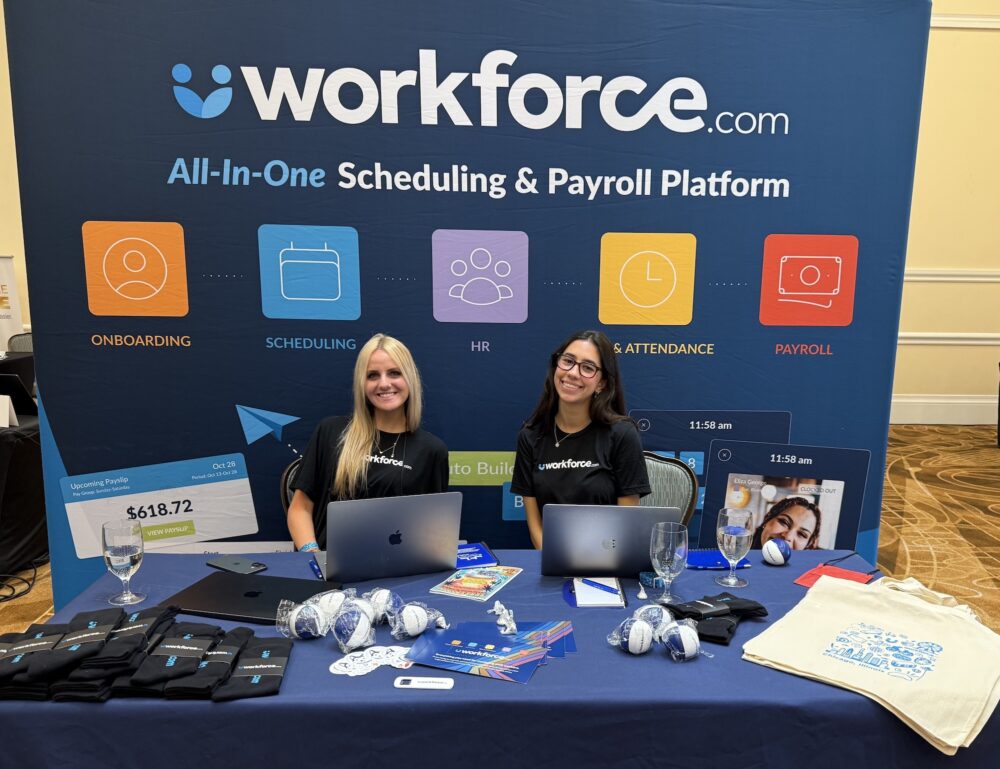
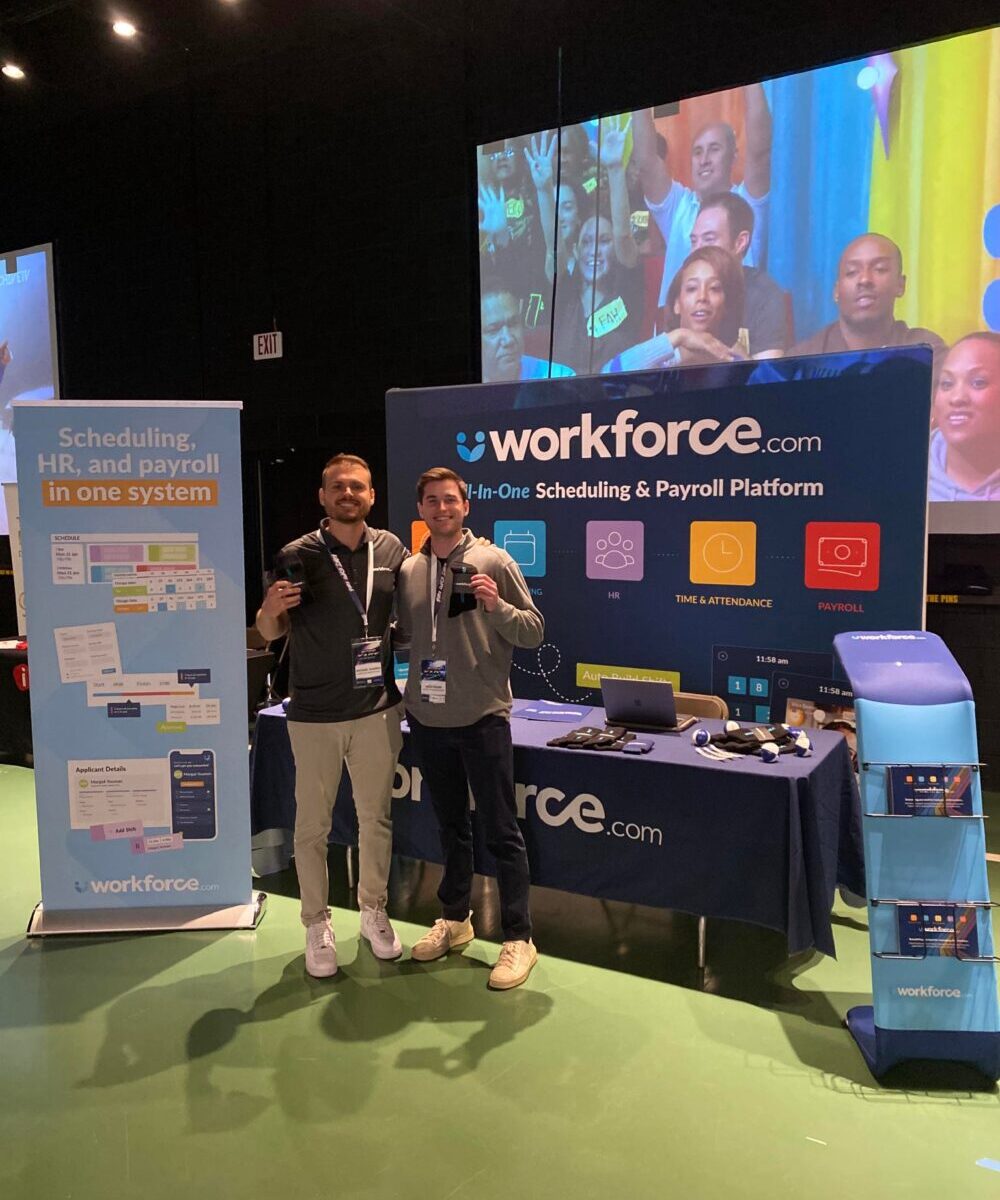
Three days at Sk8 Expo 2026 gave our team plenty of opportunities to talk with FEC operators and industry peers about what’s happening across the industry. 

From the software they rely on to the costs they’re watching more closely, a few themes kept coming up. Here’s what we heard.

Integrations are the first questions operators ask

If there’s one question we heard more than any other, it was some version of: “What do you integrate with?”

It makes sense. FEC operators may already be working across POS systems, scheduling, payroll, and other operational tools. Adding another system shouldn’t mean adding more manual work along with it. 

For us, it reinforced just how important interoperability is when operators evaluate new software. Before getting into features, many want to know whether a new platform will work with the systems they already depend on. 

Operators are paying closer attention to software costs

Another recurring theme was cost transparency, particularly around software pricing and fees. 

With recent changes such as the QuickBooks Online price increase, operators have good reason to look more closely at what they’re spending across their tech stack and how predictable those costs are. 

That doesn’t necessarily mean replacing what’s already working. But it does make this a good time to review the systems you’re paying for, what you’re getting from them, and whether they still make sense for how your business operates today. 

Also read: Best Payroll Software for Family Entertainment Centers: Top Picks and Key Features

Getting more from labor remains a priority

Labor was another consistent theme in our conversations. 

Operators are thinking about how to get more value from their labor spend while also investing strategically in areas that help bring guests through the door. The takeaway wasn’t simply about cutting costs. It was about being more intentional with where money goes and making sure those investments deliver value. 

For labor, that puts greater emphasis on accurate demand forecasting, so operators can better anticipate staffing needs, schedule accordingly, and keep labor costs in check without compromising the guest experience.

Looking ahead

Our conversations at Sk8 Expo pointed to a common thread: Operators are taking a closer look at the systems they use, what they cost, and whether they’re actually helping the business operate more efficiently. 

For operators reviewing their approach, labor optimization is a good place to start. 

If you’re looking to get more from your labor spend and simplify how you manage your team, Workforce.com can help. Book a call today.

Posted on August 21, 2026August 21, 2026

QuickBooks Price Increase 2026: What Hourly Employers Should Know

Summary:

  • QuickBooks Online pricing changed in August 2026, affecting Essentials, Plus, and Advanced plans.
  • Plus is now $140/month, while Advanced is $340/month. Intuit says the higher pricing comes alongside new and expanded product capabilities.
  • Employers can use the change as an opportunity to review their current setup, overlapping tools, and explore other options.

QuickBooks Online’s latest price increase is now in effect, with some of its higher-tier plans seeing substantial jumps in monthly cost. 

A price increase doesn’t suddenly make QuickBooks a bad product. For businesses that rely on it for accounting, payroll, bookkeeping, reporting, and other financial processes, staying with the platform may still make perfect sense. 

But a significant increase in software costs is a natural time to reassess what each system in your operation is actually doing, and whether it still fits how your business works. 

For hourly employers in particular, the assessment should go beyond the monthly subscription fee, because the biggest labor costs usually happen long before payroll runs.

How did QuickBooks’ pricing change in August 2026?

QuickBooks Online prices changed for renewals on or after August 1, 2026, affecting Essentials, Plus, and Advanced plans. The increases are particularly steep at the higher end: Plus is now $140 per month, up from $115, and Advanced is now $340 per month, up from $275.

Free, Lite, Ledger, and Simple Start plans retain the same subscription prices.

PlanPrevious PricingNew Pricing
Essentials$75/mo$85/mo
Plus$115/mo$140/mo
Advanced$275/mo$340/mo
Source: QuickBooks Online August pricing changes and product updates: Frequently Asked Questions

Intuit says the new pricing comes alongside continued investment in QuickBooks Online, including new AI-powered capabilities and improvements to core workflows. For Advanced customers, that includes features such as Bill Pay Elite, industry-specific tools, and enhanced reporting.

That means businesses aren’t necessarily paying more for exactly the same product. For those using the added capabilities, the higher cost may be easier to justify. For others, the increase may be a reason to reassess what they’re paying for and using.

QuickBooks Desktop users are already facing a transition

The price increase also comes during a broader shift in the QuickBooks product lineup. 

Intuit stopped selling new subscriptions to QuickBooks Desktop Pro Plus, Premier Plus, and Mac Plus in September 2024. Existing subscribers can continue renewing. Connected services for QuickBooks Desktop 2023 ended on May 31, 2026, while Desktop 2024 has a longer runway through September 2027. 

That means some longtime QuickBooks customers are likely reconsidering what their future setup should look like. The obvious route may be to move from Desktop to Online and operate largely as before. 

But the transition also gives employers an opportunity to reassess what they actually need each piece of their software stack to do. 

For hourly employers, look at the whole QuickBooks setup

QuickBooks began as accounting software, but its ecosystem now extends into payroll, time tracking, and other employee management functions.

Which QuickBooks products are you actually using? Which functions are handled elsewhere? Are you paying for overlapping capabilities? Do integrations or manual work keep employee and payroll data moving between systems?

The answers matter more than the number of products in the stack. Several systems can work well together if each has a clear purpose and data moves reliably between them. Problems tend to emerge when businesses are paying for duplicate functionality or employees have to manually bridge gaps between systems.

For hourly employers, those gaps can become particularly noticeable around time and payroll, where inaccurate or incomplete data often creates additional administrative work.

The goal, then, isn’t necessarily to replace QuickBooks or consolidate everything into one platform. It’s to determine whether the higher price still makes sense in the context of everything else you’re paying for and using.

What should employers do?

The QuickBooks price increase doesn’t mean every business needs a new system. Instead, it’s a reason to take a closer look at whether your current setup still delivers enough value to justify its total cost.

Keep your current setup if it works

If QuickBooks continues to meet your needs, your team uses the functionality you’re paying for, and the new price remains reasonable for your business, there may be little reason to change.

Switching core financial software has its own costs, from implementation and migration to integrations and staff training. Weigh those costs against what you would actually save or improve by moving elsewhere.

Check for functionality you’re paying for twice

QuickBooks now offers capabilities across accounting, payroll, time tracking, and other areas. Depending on your setup, some of those functions may overlap with other software your business already pays for.

That overlap isn’t necessarily a problem. Two systems may perform different roles while sharing some functionality.

But it’s worth checking whether you’re paying for features you rarely use because another system has become your primary tool for that job.

Look at where things get complicated

Cost also includes the work required to keep your systems running together.

Look for places where employees have to manually move or correct information. Are hours being re-entered between systems? Do spreadsheets need to be used to prepare data for payroll? Do managers or payroll teams regularly have to resolve missing or inconsistent information?

If one part of the setup creates disproportionate administrative work, focus the review there rather than assuming the entire stack needs replacing.

The goal isn’t necessarily to use fewer products. It’s to make sure each one has a clear purpose and works effectively with the others.

Use the price increase as a reason to review the bigger picture

The more important question is whether the entire process—from scheduling and timekeeping through payroll and accounting—is working efficiently for the size and complexity of your workforce.

For hourly employers, the biggest opportunity to control payroll costs usually isn’t found when payroll runs. It’s found in how labor is planned, scheduled, worked, tracked, and managed before payroll gets there.

Reassessing your current setup? Talk to our team about your options.

Posted on June 16, 2026June 22, 2026

Full Throttle Operations: What Kart Expo 2026 Revealed About Scaling a Karting Business

Last May, Workforce.com headed to Michigan for Kart Expo 2026, where we showcased our software, connected with operators, and joined conversations shaping the future of karting and family entertainment.

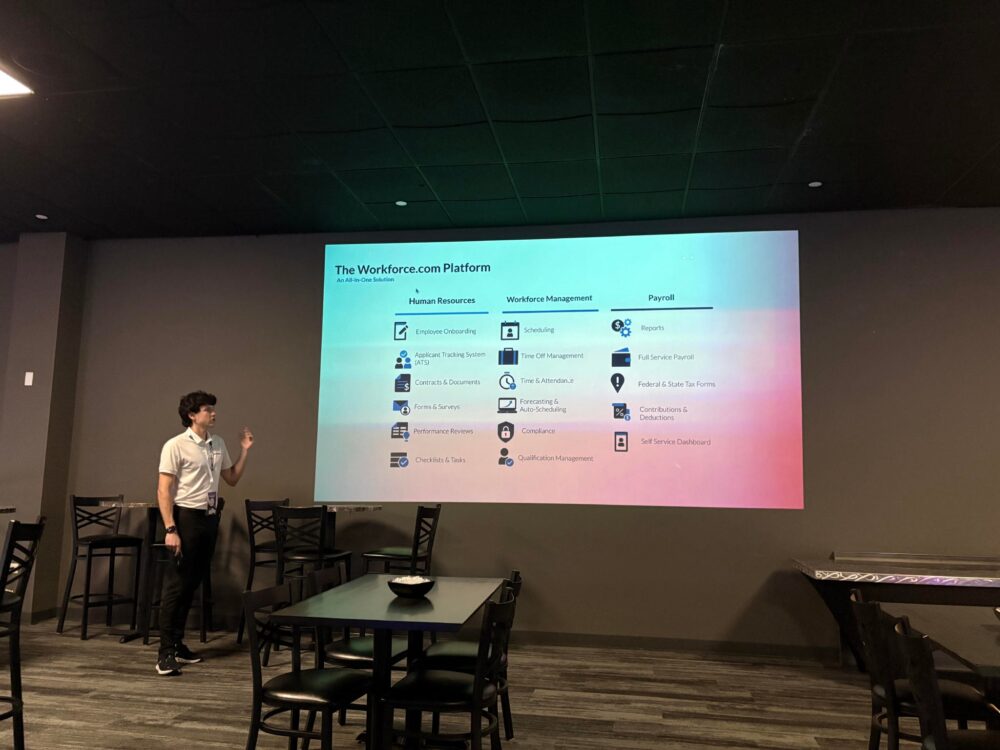
One of our own, Joseph Cuellar, took the stage to discuss “The Hidden Drag Slowing FeGrowing Business”, a topic that felt especially relevant given many of the conversations happening throughout the event. More locations, larger fleets, and busier event calendars all have a way of exposing the cracks in manual processes and disconnected systems. At scale, what were once small inefficiencies become a real drag on the business. 

Kart Expo was an opportunity to better understand how operators run their businesses, where the industry is going next, and how Workforce.com provides value across these areas. 

Growth Brings New Challenges

Growth creates opportunity, but it also introduces new challenges. For karting operators, that means:

  • Staffing for demand that’s concentrated and unpredictable: Weekends, school breaks, and team racing events require coverage that’s hard to plan without the right tools. 
  • Scaling seasonal operations: Many karting venues run on a seasonal calendar, which means a recurring cycle of hiring, onboarding, and winding down that repeats every year.
  • Keeping up with fleets and facility demands: A growing fleet needs more hands. More locations means more karts to maintain, inspect, and rotate, adding more operational load on top of an already stretched team.

That’s why operational efficiency has remained a focal point across the industry. Operators are looking closely at the processes and systems that help them run operations, and whether these tools are reducing friction and enabling them to stay productive as they grow.

Also read: Global FEC Market Projected to Top $80B by 2033—What it Means for Operators

Growing Revenue Without Growing Overhead

Labor remains to be a top concern for karting operators, with it being one of the largest expenses in running the business. It’s easy to see why. Running a track means having the right people in the right spots at all times, such as marshals managing safety on a live track, grid staff getting drivers briefed, front desk keeping sessions turning over smoothly. There’s no trimming that coverage when safety is part of the equation. 

On top of that, much of the karting workforce is part-time, seasonal, and made up of younger workers. That means turnover is frequent, retraining is constant, and compliance with youth labor requirements adds another layer to manage. It all adds up, and the labor bill reflects it.  

As businesses grow, labor costs can quickly increase and put pressure on margins. During Kart Expo, we spoke with several operators who were managing time tracking, scheduling, HR, and payroll across separate systems. This can create gaps in information and require managers to constantly switch between platforms. Consolidating these functions into a single system can help reduce administrative work and keep labor costs from being the thing that slows down growth.

Operators are Investing in Better Systems

Operators are becoming more selective about the technology they invest in. They’re not necessarily looking for software with the longest feature list. They’re looking for systems that solve real problems, understand the way they operate, and scale alongside their business. 

For karting and FEC operators, that often means finding technology that simplifies day-to-day operations, supports the unique demands of their business, and remains easy to use as teams and locations grow.

Operators are increasingly interested in technology that supports both the guest journey and the day-to-day operation of the business. On one side, that means tools for bookings, waivers, memberships, and events. Likewise, they also prioritize systems that help managers handle staffing, time and attendance, payroll, and the administrative work that comes with running a team. It’s about finding tools that make the business easier to run, and not just adding another software.

Also read: Behind the Fun: How Workforce.com Powers Altitude Trampoline Park

Great Experiences Start with Great Operations

While the attractions and technology on display are always exciting, the long-term success of any venue ultimately comes down to execution.

Behind every great guest experience is a team responsible for keeping operations running smoothly day after day. Whether it’s staffing a busy Saturday, preparing for a large group event, or managing seasonal peaks, strong operations depend on having the right people in the right place at the right time.

Operators that will lead the pack are those that recognize the importance of investing in the people, processes, and systems that support growth. As they continue to invest in new attractions and technology, they’ll also need to ensure their teams have the tools to keep up.

That’s exactly why leading entertainment operators use Workforce.com to simplify workforce management, reduce administrative work, and help managers spend more time focused on guests. If you’re exploring ways to run a more efficient operation, we’d be happy to show you how it works. Get in touch with us today.

Posted on March 10, 2026August 24, 2026

Global FEC Market Projected to Top $80B by 2033—What it Means for Operators

Summary:

  • The global FEC market could exceed $80B by 2033, with demand growing for both classic attractions and newer immersive experiences.
  • Operators are expanding attractions and exploring new ways to increase revenue and margins.
  • Behind the scenes, workforce and operational efficiency are more critical than ever to staying competitive.

The family entertainment industry (FEC) is poised for significant growth, with market projections estimating the sector could exceed $80 billion by 2033. In fact, in 2025 alone, the global market is worth $38.13B, highlighting the scale of the opportunity ahead.

Analysts attribute this projected growth to the expansion of venues that combine arcades, dining, immersive games, and live entertainment. At the same time, demand for social, in-person experiences continues to rise, drawing families and younger consumers away from screens and toward shared activities.

Gearing up for new revenue opportunities

Family entertainment centers have long been known for classic attractions such as arcade games, bowling alleys, and active play areas. But as the industry evolves and younger audiences become increasingly tech-savvy, some venues are introducing newer technologies such as VR escape rooms, interactive art installations, augmented reality arenas, and esports experiences.

That said, capitalizing on this growth doesn’t always mean making large investments or introducing new attractions immediately. In many cases, it starts with taking a closer look at existing operations and identifying opportunities to unlock additional revenue streams or better protect margins.

At its core, it always comes back to the guest experience. Sometimes, small operational adjustments can improve margins without compromising quality. For example, operators may review their food and beverage offerings to see whether menu changes could improve profitability while maintaining, or even enhancing, guest satisfaction.

Some venues are also finding ways to generate additional revenue from the space they already have. Adding small arcade sections, for instance, can help improve guest retention and attract new visitors. Even simple additions, such as claw machines or new video games, can make productive use of underutilized areas within a venue. 

But beyond identifying these opportunities for growth, there is one critical area operators must focus on to fully capitalize on the industry’s next phase.

As FECs grow, operations become the real test

Rapid growth often brings operational growing pains. Even under normal circumstances, running a family entertainment center already involves navigating complex challenges around labor, scheduling, compliance, and payroll.

As operators invest in new attractions and guest experiences, it’s just as important to re-evaluate the systems that support day-to-day operations, particularly those used for staff scheduling, labor forecasting, and payroll.

Let’s take a look at several key areas operators should consider when assessing their current systems. These factors can help determine whether adjustments are needed—or whether it’s time to adopt a new platform.

Ease of use

It may sound obvious, but the usability of a system is often overlooked. Many FEC managers and operators wear multiple hats, handling everything from scheduling to daily operations. Because of this, ease of use should be a top priority. At the same time, today’s workforce is highly comfortable with technology and expects tools that are simple and intuitive.

“I handle scheduling, hiring, and letting people go. I make sure everyone’s timesheets are correct and manage the day-to-day operations, from the games and restocking to talking with parents. I do it all,” shares Bria Stuckey, General Manager at Altitude Trampoline Park.

Also read: Behind the Fun: How Workforce.com Powers Altitude Trampoline Park

Without the right system, frontline managers can find themselves pulled away from the floor and from their primary responsibility: ensuring guests have the best possible experience and that operations run smoothly.

When evaluating your current systems, consider how quickly employees can learn to use them. For example, how long would it take a new hire to clock in and out, submit leave requests, or access their timesheets and pay stubs? The same applies to managers responsible for scheduling shifts, approving timesheets, or managing payroll.

If your system requires extensive training, constant handholding, or frequent manual workarounds, it may be time to reconsider how your technology supports your team.

Support for minor labor law compliance

FECs and attractions often employ younger staff, which adds another layer of labor compliance that operators must carefully manage.

“First off, youth labor laws are easy to miss. You need to know applicable labor laws and automate compliance,” shares Travis Kohlmeyer, General Manager at Workforce.com. “For example, in Chicago, minors under 18 can only work three hours on a school day and eight hours on a non-school day. During the school year, they can only work until 7 or 8 PM. So if school ends at 5 PM, you can’t even schedule them for more than two hours. If you don’t track this, it’s going to be a massive hit.”

Beyond work-hour limits, youth labor compliance can also include rules around break periods, rest times, and scheduling restrictions, which vary by state and industry. Having systems with built-in safeguards can help operators avoid costly violations.

Workforce.com for example, flags potential labor law violations as early as the shift scheduling stage. If a manager accidentally assigns a minor employee to a shift that exceeds legal limits, the system automatically alerts them.

“One of the more difficult parts of having a young staff is that they’re limited to how many hours they can work. Workforce.com helps me stay compliant with minor labor laws whenever they can’t work. I really do like that it tells me if I can’t schedule somebody, and it won’t even allow me to schedule them,” Bria shares. 

Tracking certifications and training

In FECs, keeping track of staff certifications and training is critical, especially as venues add new rides, equipment, and attractions.

Operators should have a clear way to record certifications within each employee’s profile and ensure those qualifications are reflected when assigning shifts or responsibilities.

Workforce.com enables managers to track certifications directly within employee profiles. Palace Playland has found this feature particularly helpful.

Workforce.com lets you do this, and Palace Playland has benefited greatly from it. “Anytime somebody is trained or authorized to operate a ride, we add it to their profile,” shares Maegan Achenbach, Palace Playland’s Vice President. “When you’re looking at your staff list, it’s really easy to just hover over it and see who is qualified to operate what.”

Also read: 5 Common FEC Challenges + How Workforce.com Solves Them

Labor forecasting and demand-based scheduling

Labor forecasting is another area that can significantly impact an FEC’s bottom line. Labor is often one of the largest variable costs involved in operating a family entertainment center.

To manage labor effectively as the business grows, operators need systems that accurately forecast staffing needs and help them avoid both overstaffing and understaffing.

Workforce.com provides forecasting tools designed for businesses with unpredictable demand, such as FECs. The system analyzes multiple data points to estimate the number of employees needed per shift and per day.

These data points can include historical sales data, scheduled events, private bookings such as birthday parties, local events or festivals, expected foot traffic, weather forecasts, and other factors that influence demand. 

[insert product image of demand-based scheduling here.]

Time tracking and managing last-minute call-outs 

Family entertainment centers operate in fast-paced environments, so managers need full visibility into their teams throughout the day.

Workforce.com provides a centralized platform where managers can see who is clocked in, who is running late, and who is about to end their shift. The system also helps manage last-minute call-outs by enabling managers to quickly identify qualified replacements.

Importantly, these replacements are still validated against factors such as certifications and labor-hour restrictions.

With this level of visibility and automation, managers can stay focused on running the venue instead of scrambling to resolve time and attendance issues or unexpected scheduling changes. 

Paying staff accurately

Because FEC teams often include employees with different wage structures and compliance requirements, payroll can quickly become complicated.

Workforce.com’s payroll software is designed specifically for hourly teams. Because it operates within the same platform as onboarding, scheduling, time tracking, and HR, payroll calculations automatically use accurate, up-to-date data.

One common payroll challenge is that data often lives across multiple systems. Timesheets may exist in one platform, schedules in another, and employee records somewhere else entirely. This fragmentation increases the risk of errors and forces managers to spend significant time reconciling information.

Using a centralized system helps reduce payroll processing time, improve accuracy, and minimize the risk of compliance issues.

The all-in-one platform for FECs

The outlook for the FEC industry is promising, but sustained growth requires strong operational foundations. To keep pace, operators need reliable systems to manage scheduling, labor compliance, and payroll across their teams.

Workforce.com helps FEC and amusement businesses optimize labor, ensure accurate employee pay, and improve overall operational efficiency. Built specifically for hourly workforces, the platform is designed to address the realities of running venues staffed by a mix of part-time employees, minors, and team members with different certifications and roles.
Discover how Workforce.com can help your business stay ahead. Book a call today.

Posted on December 22, 2025December 23, 2025

A Year of Listening, Learning, and Building at Workforce.com

As 2025 comes to a close, we’re taking a moment to look back on some of the highlights from the year at Workforce.com.

Over the past year, we continued to invest in product improvements across the platform, earned industry recognition, and shared new customer stories. This lookback highlights moments that reflect Workforce.com’s evolution, setting the direction for how teams manage complex, hourly workforces.

Continuing to build the platform that hourly teams rely on

In 2025, Workforce.com shipped 150+ product updates focused on improving payroll accuracy, labor visibility, and how managers get work done day to day.

Rather than chasing isolated features, many of this year’s updates strengthened the systems customers rely on most: 

Stronger payroll guardrails

Throughout 2025, Workforce.com continued to strengthen pay checks and validation rules. This included clearer warnings, more consistent blocking behavior when data is invalid, and improved reconciliation when worked hours don’t match scheduled hours. 

Faster hiring and employee management

Hiring workflows were streamlined with bulk actions, resume summaries, and improved candidate review screens. We also strengthened HR tools to manage surveys, training, warnings, and employee records in a single place. 

Smarter reporting and workforce insights

Workforce.com continues to refine reporting capabilities in 2025, with dozens of new reports, added filters and columns, and improvements to how reports can be saved and accessed. Updates like saved reports on dashboards and more flexible grouping and filtering made it easier to monitor labor costs, sport trends, and answer key questions. 

Better control over labor costs

Updates throughout the year improved how labor costs are tracked across schedules, timesheets, and budgets. These improvements provide more precise comparisons between scheduled and worked hours and prevent unpleasant surprises at the end of the pay period. 

Hundreds of day-to-day usability improvements

Workforce.com rolled out a wide range of usability improvements to reduce friction for managers and admins. These included redesigned pages across HR, hiring, and time & attendance; expanded bulk actions and imports across payroll and reporting; and a steady stream of workflow refinements that make everyday tasks quicker and easier as teams scale.

Hearing directly from the teams we serve

This year, Workforce.com featured in-person customer stories, where we spent time with them on the ground and heard directly from the people using the platform every day. 

We visited Shipley-Donuts, Third Space Brewing, and Altitude Trampoline Park and spoke with operators and managers about how they run their teams day to day. Managers consistently emphasized the same results: significant time savings by streamlining everything in a single platform. 

Shipley Do-Nuts, for instance, relied on separate platforms for new hire paperwork, clocking in and out, scheduling, and payroll processing. Managing and integrating all these systems was time-consuming and inefficient.

“Integrating all of those together (in Workforce.com) has saved so much time. It takes me about 95% less time than before,” remarks Shelly Archer, Human Resources Manager at Shipley Do-Nuts.

Meanwhile, the team over at Third Space Brewing reported 100% time saved on verifying payroll data. “We definitely saved time from not having to reconcile numbers between two different platforms all the time,” shares Scott Passolt, Controller at Third Space Brewing. “Everything flows really easily. If we know the timesheets are correct, we know payroll is correct. I certainly have more confidence in the accuracy of the numbers. It has given us a lot of peace of mind that we didn’t miss something in moving numbers between systems.”

Bria Stuckey, General Manager at Altitude Trampoline Park, also shared the same sentiments, “What I like most about Workforce.com being all-in-one is that I can do everything right there. With other apps, we had to schedule in one system and then go into another application to fix timesheets. It was just a whole thing.”

Read more stories from the teams using Workforce.com.

Beyond the customer stories we featured this year, Workforce.com continued to receive positive feedback on independent review platforms like G2. Across reviews, customers frequently pointed to time savings from admin work and scheduling, clearer visibility into labor costs, fewer payroll headaches, and an overall experience that’s easy for both managers and frontline teams. Taken together, that feedback reinforces what we saw throughout 2025: when teams have better systems and simpler workflows, they spend less time fixing issues and more time running their business. 

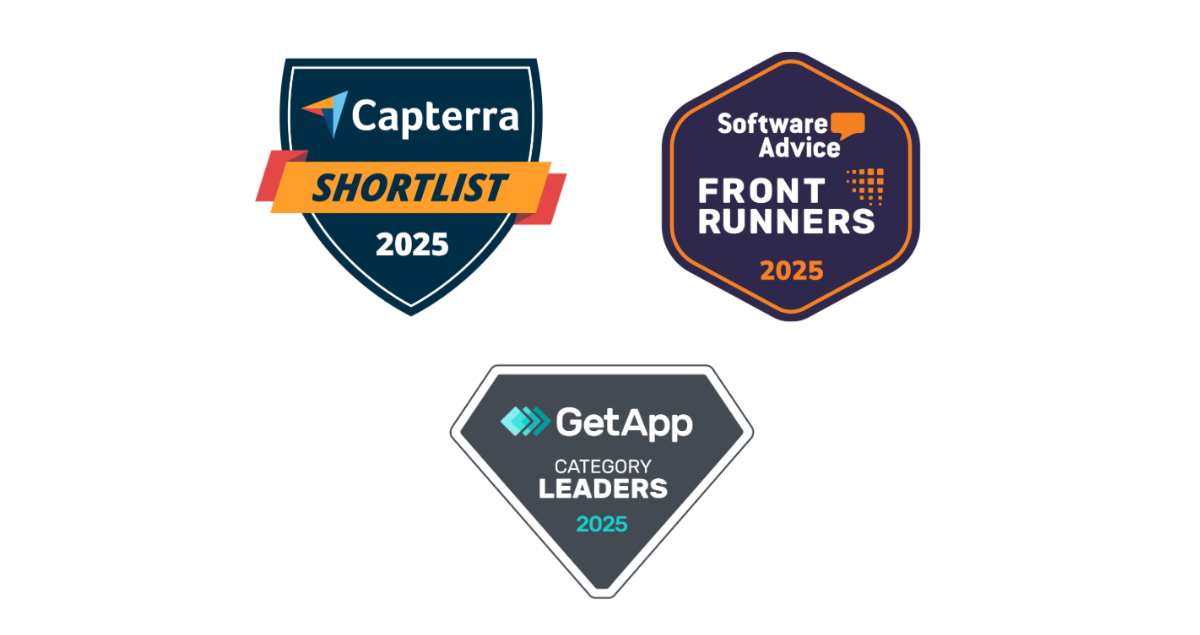
Workforce.com’s progress in 2025 was also recognized across the industry, with accolades from Capterra, Software Advice, and GetApp. These recognitions are driven by user reviews and ratings, making them a strong reflection of how customers experience the platform day to day.

Staying ahead in 2026 and beyond

As Workforce.com looks ahead to 2026, the focus is simple: keep building software that helps teams run better day to day. The challenges facing hourly workforces aren’t getting smaller, and neither is the need for systems that catch issues early, reduce manual work, and support teams as complexity grows.

In our HR and Payroll Trends for 2026 report, we break down what’s changing next across payroll, compliance, and automation.

Ready to see how Workforce.com can help you stay ahead? Book a demo today.

Posted on December 15, 2025December 15, 2025

HR and Payroll Trends for Hourly Teams [2026]

Summary:

  • Hourly teams in the U.S. will face both new and familiar challenges in 2026, and the companies that lead will be those that understand their operational needs and invest in solutions that keep them competitive.
  • AI will continue to dominate conversations, but the real advantage will come from using it effectively, not just adopting it.
  • Automation and the push to eliminate manual processes will accelerate, with organizations seeking tools that do the work rather than just support it.
  • A true all-in-one platform can help hourly workforces stay ahead, bridging gaps across compliance, payroll, and workforce operations.

Hourly teams across the United States are heading into 2026 facing long-standing challenges and emerging trends. The labor market remains tight, compliance keeps getting tougher, and the frontline workforce is transforming faster than most organizations can keep up. 

As of late 2025, the U.S. civilian labor force participation rate is hovering around 62-63%, still below pre-pandemic norms. The gap underscores how hard it remains to attract and retain top talent, even as labor costs are rising. More than 20 states raised their minimum wages in 2025 alone, with further increases scheduled for 2026 and beyond.

At the same time, technology continues to reshape how hourly work is managed. In 2026, the competitive edge will go to organizations implementing smarter technology that doesn’t just support work but actually does the work. We’re talking about systems that not only handle administrative tasks but also take action based on different data and insights. 

In 2026, the winners won’t be the ones chasing shiny trends. They will be those who move faster than regulatory changes, adapt quickly to new technologies, embrace challenges, and configure their systems to keep pace with existing trends and stay ahead of new ones. 

Below are five HR and payroll trends hourly teams should expect and prepare for as 2026 unfolds. 

Companies effectively using AI will stay ahead in 2026.

And no, this is not simply adopting AI. It is about using AI in ways that actually move the business forward. 

While AI investment continues to surge, very few companies feel confident about how they use it. In fact, a study found that only 1 percent of organizations believe they are implementing AI sufficiently to deliver substantial business outcomes. The gap between using AI and using it well is becoming one of the most significant competitive divides heading into 2026. 

Over the past year, we have already seen AI take deeper root in HR and workforce management. Adoption has grown steadily throughout 2025, especially in areas like hiring and recruitment. More organizations are recognizing how AI can support critical operational processes, including labor forecasting and demand-based scheduling.

“One of the great value propositions of Workforce.com is to optimize staffing levels, which can have tremendous savings for employers and fewer headaches for employees. AI has been a tremendous tool in that product,” shares Craig Chval, Vice President of Product at Workforce.com. 

Workforce.com adopted AI early and applied it directly to labor forecasting. By analyzing factors such as historical sales, booked appointments, local events, and even weather patterns, the platform can determine how many employees should be on shift on any given day. The result is better staffing accuracy, stronger margins, and more consistent service. 

But forecasting is just one part of it. AI is now helping customers in broader operational areas as well. “AI continues to be the biggest shift in this space. It provides customers clear visibility into how compliance rules are applied, rather than relying on calculations that are hard to interpret. It also helps surface risks early, such as warning when schedules break minor hours or when patterns may trigger a Fair Workweek obligation,” explains Travis Kohlmeyer, General Manager at Workforce.com.

AI is still a buzzword for a reason. But it is no longer a matter of whether organizations should use it. We are well past that point. The businesses pulling ahead today are the ones using AI to streamline their operations and solve real pain points. For hourly teams, the key is applying AI with focus and purpose. That means choosing use cases that matter rather than broad, unfocused applications that do not actually help the business run better.

Compliance becomes central to payroll software buying decisions.

Hourly teams are increasingly recognizing that payroll software needs to do more than generate payslips.

For organizations with shift-based workforces, payroll is inherently complex because no two pay cycles look the same. Hours fluctuate, roles change, and even small scheduling differences can significantly affect what an employee earns.

“Often, organizations don’t realize that some of the really big names in payroll systems actually lack the compliance capability for so many different work rules,” Travis explains. “Break compliance, minor working hour rules, and Fair Workweek are the most we see miscalculated on some platforms.” 

Payroll for hourly teams is not about assigning a pay rate and expecting the platform to handle the rest. Every pay period carries its own variables: different schedules, shift changes, varying roles or departments, premiums, and overlapping rules. This is why businesses must understand how their current payroll system handles these scenarios, or whether it handles them at all.

Workforce.com is built to manage this complexity from the ground up. The platform focuses deeply on how work rules and pay rules operate together. “We treat compliance as a design constraint, and not merely a patch. That means more robust rule engines, better guardrails in scheduling, and clearer auditability,” Travis adds.

Compliance may be complicated, but it is manageable with a payroll platform designed to understand the real-world scenarios that create risk. This includes minor laws, multi-role staff, split shifts, overlapping rules, and complex premium structures. With federal, state, and city-level regulations expected to continue evolving, organizations will increasingly look for payroll systems that anticipate these changes and help keep them ahead of costly mistakes. 

Many will switch to all-in-one platforms to eliminate manual processes.

Many organizations are moving toward all-in-one platforms to eliminate manual processes and reduce complexity. But a genuine all-in-one solution is more than a collection of loosely stitched-together apps. It is a single ecosystem where scheduling, time tracking, HR, payroll, and other workflows all operate in one place. We have seen growing demand for this throughout 2025, and we expect it to become an even stronger priority in 2026 and beyond.

“Oftentimes, potential clients look for help to eliminate manual processes such as spreadsheet scheduling, outdated time tracking, and the disconnect between systems they use,” shares Joseph Cuellar, Enterprise Account Executive at Workforce.com. 

Ray Chan, Head of Customer Support at Workforce.com, adds, “What we have seen as the biggest trend for prospective clients looking into our system is platform consolidation. Many organizations still use separate systems for scheduling, timesheets, payroll, HR, ATS, and more. A solution that spans the entire employee lifecycle is a major attraction.”

The motivation is simple. Organizations want to stop switching between multiple platforms to complete basic tasks. Not only is this tedious, but it introduces errors and forces teams to spend additional time double-checking data that should flow automatically.

Third Space Brewing is one of many organizations that have seen the benefits of consolidating onto Workforce.com. “It is the ability to do everything under one roof and not have to import and export data out from separate pieces of software,” says John Wynne, Taproom GM at Third Space Brewing.

Scott Passolt, Third Space Brewing’s Controller, expands on this, saying, “We definitely saved time from not having to reconcile numbers between two different platforms all the time. Everything flows easily. If we know the timesheets are correct, we know payroll is correct. I have more confidence in the accuracy of the numbers. It has given us peace of mind because we are no longer worried about missing something when moving data between systems.”

Watch: How Third Space Brewing Tapped into Better Payroll and Workforce Management

As organizations look ahead to 2026, especially those operating large hourly workforces, the demand for a unified, all-in-one platform will only continue to grow.

“All-in-one products are the future of the industry, and we are fully committed to that vision,” Craig shares. “Having an integrated, all-in-one solution eliminates so many pain points for our customers, and it is no surprise that the industry is moving in that direction. Our product roadmap is laser-focused on eliminating the need for customers to juggle a host of different services and offerings.

Hourly work is evolving, especially around pay.

Hourly work is changing, and pay is becoming one of the clearest areas of transformation. In 2026, more hourly workers will expect faster, more flexible access to their earnings, rather than waiting for a traditional biweekly cycle.

We are already seeing strong demand for on-demand pay, along with greater clarity and transparency around how compensation is calculated. In response, employers are beginning to look for technology that can keep pace with modern work patterns and move beyond the rigid pay structures built decades ago.

This year, several states and localities introduced or strengthened pay transparency requirements, and similar movements are expected to continue into 2026. These changes reflect a broader shift in expectations: employees want easy, direct insight into how their pay works, and employers are increasingly required to provide it.

Hourly workers should not have to jump through hoops to understand or access their wages. The right technology can make this simple by giving them clear visibility into their pay, the factors that influence their net earnings, and how each calculation is made. As transparency and flexibility become standard expectations, having modern, employee-friendly pay tools will become essential for hourly teams.

Demand grows for automations that do the work, rather than just support it.

More teams will expect automations and built-in intelligence in the software they adopt. Technology has always aimed to reduce administrative workload, but in 2026, we will see organizations push beyond that. They will want automations that fully execute tasks, not just assist with them.

“Customers increasingly want tools that remove work, not just organize it,” Travis says. “They continue to seek hands-off scheduling, such as automatic shift building and demand-based scheduling. We are also seeing customers shift away from platforms that simply give them data. Instead, they want tools that make decisions and explain the reasoning behind them. And as compliance concerns rise, more organizations are adopting automated compliance interpretations as well.”

This shift is becoming more pronounced as many organizations operate with leaner teams. With fewer staff, they cannot afford tools that only support work. They need platforms that actively handle tasks and keep processes moving. In 2026, the demand for true hands-off automation will only grow stronger.

Industry Focus: Family Entertainment Centers (FEC)

Family entertainment centers (FECs) offer a clear snapshot of the challenges that hourly work businesses face today. FECs sit at the intersection of hospitality, retail, and events, all sectors with highly variable hourly staffing and tight compliance requirements. This makes them a strong indicator of the trends shaping HR and payroll across many other industries.

FECs deal with unpredictable demand swings driven by weather, school calendars, weekends, and special events. Their staff often work across multiple roles in a single week, sometimes in a single day. And because many employees are minors, managers must navigate some of the strictest labor rules in the country, with specific limits on scheduling, breaks, and total hours worked.

Navigating all of that makes technology essential. Bria Stuckey, the General Manager of Altitude Trampoline Park, explains how technology can help FECs overcome operational challenges. 

For Bria, compliance with minor labor laws is one of the most significant pressure points. She notes that the right system helps her avoid mistakes before they happen. “Most of my team is between 15 and 17, so we have to follow strict hour limits. Workforce.com helps me stay compliant with those labor laws. If a minor cannot be scheduled, it tells me and will not let me schedule them. I do not have to go back and fix mistakes. It keeps us compliant from the start.”

Beyond compliance, FEC operators also need tools that let them focus on their guests rather than administrative issues. Bria explains that when something goes wrong, like a missed break clock-in, she doesn’t need to stop what she’s doing or manually track down errors. The system gives her visibility into who is approaching or exceeding their allowed hours, so she can stay present on the floor rather than buried in corrections.

Just as importantly, many FECs rely on multiple disconnected systems—POS, scheduling, time tracking, HR, payroll—and the friction between those tools can cause errors and long administrative delays. Bria experienced this firsthand before consolidating. “With the other apps, we had to schedule in one system and fix timesheets in another. It was a whole thing,” she says. “With Workforce.com, I can do everything in one place. It saves time and lets me focus on people having fun.”

Watch: The Software Behind the Fun: How Workforce.com Powers Altitude Richardson


Bria’s story reflects a broader trend across the industry: FECs succeed when they streamline processes, improve compliance, and consolidate disconnected systems into a single operational hub. As organizations head into 2026, businesses with large hourly workforces will need technology that understands the realities of shift-based work and helps them manage complexity without adding more of it. 

2026 will widen the gap between businesses that adapt and those that do not. Businesses that will win are those bold enough to evolve and recognize that old systems cannot support new labor realities.

Success will not come from working harder. It will come from building workflows that anticipate issues, respond quickly, and keep hourly teams moving in the right direction. The organizations that choose to modernize now will be the ones setting the pace next year.

Ready to transform your business in 2026? Book a demo today. 

Posted on May 16, 2025May 16, 2025

Workforce.com Recognized with Accolades from Capterra, Software Advice and GetApp in 2025

We’re proud to share that Workforce.com has been honored with multiple recognitions from Gartner Digital Markets brands—Capterra, Software Advice, and GetApp. Our product has been featured across several flagship reports released in 2025, reaffirming our commitment to delivering exceptional value to our users.

Check Out Our Latest Achievements
Strong user reviews on Capterra, Software Advice, and GetApp reflect the real-world impact of Workforce.com throughout the entire Human Capital Management (HCM) lifecycle. 

Our strategic HR and payroll tools like Applicant Tracking, Core Human Resources, and Employee Onboarding streamline hiring and improve the employee experience from day one. Meanwhile, our Workforce Management Suite, continues to lead the way with advanced capabilities like Employee Scheduling, Time & Attendance, and Labor Forecasting.

These accolades are a testament to the platform’s ability to drive real impact for frontline teams and back-office operations alike. Whether it’s streamlining the hiring process, improving employee experience, or ensuring shift coverage with precision, Workforce.com stands out for its ease of use, customer support, and tangible ROI.

What Users Are Saying About Workforce.com

“I had a great onboarding/setup experience. The software does exactly what my business needs and makes everyone convenient for employees. Scheduling is very easy and it uploads hours easily to ADP. The vacation tracking tool is very easy to manage and have employees request time off.”

[Source: Capterra]


“Workforce.com has made scheduling easier and convenient. Very easy to customize, so that I could filter it accordingly.”

[Source: Capterra]


“Workforce.com has been a key part of my daily workload, and it helps with the management of feedback and coaching sessions, also allows me to keep track of any time off request and schedule changes with a simple process”

[Source: Capterra]

Have you experienced Workforce.com? Click here to review us on Capterra.

Looking Ahead

This achievement marks another step forward in our journey, and we’re more committed than ever to evolving Workforce.com to better meet your needs. We’re excited for the future and look forward to continuing this journey with our users.

Learn more about why businesses trust Workforce.com. Book a demo today.

Posted on March 27, 2025March 29, 2025

The Total Economic Impact™ of Workforce.com

Forrester conducted a study to discover the cost savings and business benefits of Workforce.com. Results of the study show that a composite organization in the food and retail sector has seen labor savings, achieved efficiency gains for managers, and reduced compliance risk. 

Key Findings

A 450% ROI 

According to the study, Workforce.com has a 450% return on investment (ROI) and the following three-year, risk-adjusted present value (PV) qualified benefits. Some highlights include: 

Improved labor efficiency by 5% and Increased revenue per labor hour by 5.26% 

One of the organizations interviewed for the study shared that they improved labor efficiency by 11% just by focusing on optimizing labor hours per store. Over three years, the composite organization saved $5.3 in labor costs. 

Workforce.com makes it easier for managers to forecast demand and create optimized schedules based on past sales data, shift trends, hourly rates, and staff qualifications.

“It was easy to justify this investment because labor is one of the biggest costs to our business, so it’s not only critical, it’s just smart to have a system that gives us oversight and is designed to manage labor costs.” Country Manager, QSR

80% Less Time Spent on Scheduling

Managers are also saving 4.2 hours per week per store on scheduling and other related tasks, leading to $1.6 million in labor savings over three years.

By automating scheduling, Workforce.com reduces the time spent creating shifts, forecasting demand, and handling admin tasks like shift swaps, onboarding, and compliance tracking.

“Now we don’t need to rely on muscle memory and gut feelings. We only need to use the system to see the forecast to make sure that the efficiency assumptions are in place. That’s it. Everyone can make a schedule.” Vice President of Customers, QSR

$920K in Compliance Risk Reduction

Workforce.com’s compliance engine helps businesses stay on top of labor laws and ensures accurate pay, potentially avoiding $920,000 in fines, penalties, and legal costs.

$991K in Payroll and Accounting Savings

With more accurate timesheets, automated workflows, and better visibility, payroll and accounting teams spend less time on manual work and compliance checks—leading to nearly $1 million in savings.

Key challenges identified among organizations

Forrester’s study highlighted common challenges that pushed decision-makers to seek a more efficient workforce management platform. Here’s what they struggled with before making the switch: 

  • Keeping up with labor laws and agreements – With labor regulations constantly changing, businesses needed better oversight of payroll practices and compliance.
  • Lack of visibility across stores and managers – Without a centralized system, companies had little insight into store operations, making it harder to ensure compliance, track performance, and identify training needs.
  • Rising labor costs – Companies needed a smarter way to control labor expenses and optimize costs.

“We use Workforce.com because the most critical part of creating a schedule is projecting in detail what you think is going to happen every day, then using that information to tell us when people need to start. Labor in this country is very expensive, so 15 wasted minutes adds up to a lot of money.” Country Manager, QSR Organization

  • Shifting customer demands – Businesses needed a scheduling platform that could handle fluctuating demand across multiple channels. The COVID-19 pandemic made this even more urgent, forcing companies to adapt to changing customer behaviors, including balancing in-store and delivery operations.

Background

Forrester conducted this study on behalf of Workforce.com to evaluate its return on investment (ROI). Researchers interviewed decision-makers from organizations that had implemented Workforce.com. Their insights were combined into a single composite organization—a global food and retail company with 250 store locations, 5,300 employees (including one manager per store), and $312 million in annual revenue.

Before switching to Workforce.com, these businesses relied on a mix of legacy systems and platforms. However, many managers still fell back on manual processes for scheduling, managing shift swaps, and onboarding new hires. As a result, they struggled with:

  • Forecasting staffing needs
  • Controlling labor costs
  • Managing schedules efficiently
  • Staying compliant with labor laws and payroll regulations

Want to see the full breakdown of Forrester’s findings? Download the report here.

Posted on September 19, 2024

Webinar: How Tech Can Stop Turnover for Small HR Teams

Smaller HR teams are facing challenges in maintaining employee loyalty due to being overwhelmed with various responsibilities.

It’s understandable that focusing on employee engagement can be difficult in such circumstances. However, utilizing technology can be a game-changer for lone HR managers looking to enhance employee loyalty.

This webinar aims to address these challenges by offering insights into leveraging technology solutions. By exploring both free and investment-worthy options, HR pros can learn how to create compelling job descriptions, cultivate loyalty beyond competitive compensation, and leverage the unique dynamics of small companies.

We brought on Retensa’s CEO, Chason Hecht, as well as talent specialist & Director of Employee Experience, Dana Small, to discuss free and premium tech tools that HR can use to offload nearly 30% of their admin work.

Check out the list below as well as the full webinar here:

12 free & investment-worthy tools to…

Streamline the Hiring Process:

1. ONET.com: This occupation keyword search directory allows recruiters to quickly identify and match job descriptions with relevant skills and competencies. It helps create accurate job postings and ensures candidates’ qualifications align with job requirements, speeding up the screening process.

2. Applicant Tracking System: An ATS automates the recruitment process by managing job applications, screening resumes, and tracking candidates throughout the hiring pipeline. It reduces manual tasks, ensures compliance, and helps prioritize top candidates, making the hiring process faster and more efficient.

3. Applicantstack.com: ATS platform that streamlines recruitment by automating job posting, resume management, and candidate communication. It helps organize and track applicants, reducing the time spent on administrative tasks and improving the efficiency of the hiring process. If you have a few positions open it costs less than $50 a month. If you hire more, unlimited jobs for $100 a month. You can also leverage it for onboarding if your budget is higher.

4. Claude AI: Assist with candidate screening by conducting preliminary interviews, answering candidate questions, and gathering necessary information. This reduces the time spent by human recruiters on initial interactions, allowing them to focus on qualified candidates. Also, this tool reduces your hiring data into interactive, understandable visuals. Leverage this to summarize the candidate pipeline.

Enhance Onboarding:

5. MS Planner: A simple but capable project management tool that can be customized for onboarding. It allows HR teams to create visual boards with tasks, checklists, and timelines for new hires. Free with Office 365.

6.  Loom: Allows you to create video tutorials and walkthroughs that can be shared with new hires. This is especially useful for remote onboarding, where face-to-face interaction is limited.

7. Free Fuse: Free Fuse offers a tool to build interactive learning trees that can be used to train and onboard candidates faster. By using this tool, employers can provide potential hires with bitesize information, assessments or onboarding materials, automating the learning process based on their learning pace and performance. Fully functional basic package is free.

8.  Leverage Learning Management Systems (LMS): Libraries of courses and topics for technical and soft skill development.

  • LinkedIn Learning (free trial)
  • Coursera
  • Udemy

Create a Retention Environment:

9. TalentPulse: A turnkey employee feedback platform that captures real-time insights at every stage of the employee lifecycle. Automates and reports on employee sentiment through questions, surveys and 360’s, helping organizations identify real-world issues to better engage and inspire the workforce. Any 1 of 24 surveys can be sent for free up to 5 responses.

10. Flexible Scheduling: Schedule staff in minutes & reduce labor costs 11%

  • Create fast and accurate schedules with templates,
  • staffing ratios, and shift swapping.

Lower Turnover Rates:

11. ExitPro: Provides secure and streamlined Exit Interview program in minutes. With several pre-built exit interview question templates, instant exit interview reports, and a suite of tools to predict and prevent employee turnover. A Free trial can last up to 12 months and unlimited exit interviews for as little as $79/month.

12. Notion AI: Notion AI is an advanced feature within the Notion platform that leverages artificial intelligence to enhance productivity and organization. For employee retention, Notion AI can assist in creating personalized onboarding experiences, maintaining detailed employee records, and automating repetitive tasks

Posted on April 10, 2023July 20, 2023

Ratio of IT Staff to Employees

IT worker fixes computer

In short, knowing how many IT staff you need is not a straightforward answer. There are many factors you’ll need to consider if you want to come to a truly accurate number; things like industry, the tech savviness of your workforce, and organizational size all come into play. Even the time zones you operate in can impact the final number.

The best thing you can do is consider each factor, decide on a ratio (the number of employees supported by each IT worker), and then refine your number through trial and error. Hopefully, we can help with the former part of this process.

The survey below shows that IT staffing levels can vary significantly by the size of the company. For example, the typical IT staffing ratio is 1:27 among all companies included in the survey. However, companies with 500 or fewer employees typically have an IT staffing ratio of about 1:18, while companies with 10,000 or more employees have a ratio of about 1:40.

Ratio of IT Staff to Total Employees

Organization Size

25th Percentile

50th Percentile (median)

75th Percentile

Org. Count

By # Employees

Less than 500 1:8 01:18 01:34 16
500 to <1,000 01:14 01:25 01:40 14
1,000 to <5,000 01:11 01:23 01:45 38
5,000 to <10,000 01:10 01:25 01:53 15
10,000 or more 01:23 01:40 02:52 20

By Annual $ Volume

Less than $200M 01:11 01:19 01:34 25
$200M to < $500M 01:19 01:36 02:01 20
$500M to < $1B 01:11 01:31 01:53 17
$1B to < $5B 01:20 01:36 02:22 20
$5B or More 01:10 01:15 01:25 20

All Org.

01:11

01:27

01:52

103

Survey shared with permission from Organizing for Results: IT Structures and Staffing Survey by people3, Mercer Human Resource Consulting, and ITAA.

Know your labor ratios beyond IT

The importance of labor ratios extends far beyond the limits of IT. While it is undoubtedly good to figure out exactly how much IT support to have on hand, it is arguably much more important (especially for shift-based businesses) to understand the ratio of customer-facing staff they need on a daily basis.

Figuring this out is no easy task. You’ll need to account for predicted customer demand, labor costs, role-based certifications, time off, and much more.

Luckily, in the age of AI, there is a way to let technology do all this thinking for you. With labor forecasting software, you can quickly determine the correct ratio of staff you need to meet demand during every shift. Check out how this works below:

Interested in learning more? Watch our free webinar below, where we dive into more details about labor forecasting best practices.

Webinar: How to Forecast Your Schedule Based on Demand

Posts navigation

Page 1 Page 2 … Page 27 Next page


Webinars


White Papers


  • Topics

    • Benefits
    • Compensation
    • HR Administration
    • Legal
    • Recruitment
    • Staffing Management
    • Training
    • Technology
    • Workplace Culture
  • Resources

    • Subscribe
    • Current Issue
    • Email Sign Up
    • Contribute
    • Research
    • Awards
    • White Papers
  • Events

    • Upcoming Events
    • Webinars
    • Spotlight Webinars
    • Speakers Bureau
    • Custom Events
  • Follow Us

    • LinkedIn
    • Twitter
    • Facebook
    • YouTube
    • RSS
  • Advertise

    • Editorial Calendar
    • Media Kit
    • Contact a Strategy Consultant
    • Vendor Directory
  • About Us

    • Our Company
    • Our Team
    • Press
    • Contact Us
    • Privacy Policy
    • Terms Of Use
Proudly powered by WordPress