Skip to content

Workforce

Author: janareserva

Posted on April 24, 2026May 6, 2026

Fair Workweek Laws Explained: A Guide for Employers [2026]

Summary:

  • Inconsistent shifts and sudden schedule changes place undue financial and logistical stress on the lives of employees outside of work. 
  • Predictive scheduling laws address this issue by mandating advance notice for schedules and premium pay for sudden shift changes. However, navigating these laws can be challenging due to varying city and state regulations.
  • Employers navigate predictive scheduling laws with specialized software that accounts for local labor ordinances, enforces fair scheduling practices, automates predictability pay, and maintains records.

Unpredictable schedules and last-minute shift changes have long created financial instability and operational challenges in hourly workplaces. In response, a growing number of U.S. jurisdictions have introduced Fair Workweek laws to improve schedule predictability and transparency.

What are predictive scheduling or Fair Workweek laws?

“Fair Workweek laws” is a commonly used term for a set of local labor regulations, also known as predictive scheduling laws, that aim to give employees more predictable, stable work schedules. The term has evolved into a catch-all for a growing set of local and state regulations aimed at addressing “just-in-time” scheduling practices.

There is no single federal Fair Workweek law in the United States. Instead, individual jurisdictions have enacted their own rules under different names. For example, New York City, Chicago, and Philadelphia use “Fair Workweek,” while others, such as Oregon, Seattle, and San Francisco, use different terminology but enforce many of the same requirements.

At their core, these laws are designed to reduce the uncertainty and financial instability that can result from last-minute scheduling changes in hourly workplaces.

Although requirements vary by location, most Fair Workweek laws include a common set of rules:

  • Advance notice of schedules: Employers must provide work schedules in advance, typically 14 days.
  • Predictability pay: Employees receive additional compensation if schedules are changed after posting.
  • Right to rest: Employers must provide a minimum number of hours between shifts or pay a premium if the employee agrees to work.
  • Right to decline shifts: Employees can refuse certain last-minute or “clopening” shifts without penalty.
  • Good faith estimate: Employers must provide an estimate of expected work hours at the time of hiring.
  • Access to additional hours: Existing employees are often given priority for additional shifts before new hires.

Many laws also include recordkeeping requirements and protections against retaliation.

In practice, Fair Workweek laws apply to a relatively small portion of the U.S. workforce—primarily large employers in industries like retail, hospitality, and food service—but they can have a significant operational impact on businesses that meet coverage thresholds.

Enforcement and risk also vary widely by jurisdiction. Some cities, like New York, have pursued large, high-profile enforcement actions, while others rely more on complaint-driven enforcement. As a result, compliance priorities often depend as much on location as on the law itself. Even so, compliance isn’t something employers can afford to overlook, as violations can still surface through complaints and lead to penalties.

Where are Fair Workweek laws being implemented?

Oregon (Statewide Predictive Scheduling Law)

Oregon is the only place where predictive scheduling laws are being implemented statewide so far.

Covered employers

Employers in the retail, hospitality, and food service industries with 500 or more employees worldwide

Advance notice period

  • Written work schedules at least 14 days in advance, including on-call work
  • Good faith estimates upon hiring
  • Employees may decline shifts that are not included in the posted schedule.

Predictability pay

Employees are entitled to additional compensation when schedules are changed without sufficient notice:

  • One hour of additional pay at the regular rate, in addition to wages earned, when:
    • Time is added to a shift (30 minutes or more)
    • The date or start/end time of a shift is changed without reducing hours
    • An additional shift or on-call shift is added
  • Half the employee’s regular rate of pay for lost hours when:
    • Hours are reduced
    • Changes that result in loss of shift hours
    • A shift is canceled
    • An on-call shift is not ultimately worked

Rest hours and clopening

There must be a 10-hour rest period between shifts. Employees can decline the rest period and be paid at time and a half. 

Exceptions

Additional pay is not required for schedule changes due to natural disasters or events outside an employer’s control, such as floods, earthquakes, tsunamis, wildfires, extreme temperatures, war, or explosions.

Berkeley, CA (Fair Workweek Ordinance)

Berkeley’s Fair Workweek Ordinance applies to employers in certain industries, with coverage thresholds that vary by sector.

Covered employers

Employers operating in the City of Berkeley with 10 or more employees in Berkeley, and:

  • 56 or more employees globally in industries such as retail, hospitality, healthcare, building services, manufacturing, and warehouse services
  • 100 or more employees globally if they are:
    • Restaurant employers
    • Franchisees in the retail or restaurant industries
    • Nonprofit organizations in covered industries

Advance notice period

  • Written work schedules at least 14 days in advance, including on-call work
  • Good faith estimates upon hiring

Predictability pay

  • 1 hour of predictability pay for any schedule change made between 1 and 14 days before a shift.
  • Up to 4 hours of predictability pay (or the number of hours reduced, whichever is less) for cancellations or reduced hours with less than 24 hours’ notice.
  • 1 hour of predictability pay for adding, changing, or moving a shift with less than 24 hours’ notice.

Rest hours and clopening

Employers must allow employees to decline shifts that occur less than 11 hours apart.

Exceptions

Predictability pay is not applicable to employee-initiated shift swaps or changes. It is also not owed for grace periods of 10 minutes before and after a shift.

Access to hours for existing employees

Employers must offer any additional hours to existing part-time employees before hiring new staff or temporary worker.

Emeryville, CA (Fair Workweek Ordinances)

Emeryville’s Fair Workweek Ordinance applies to retail and fast food employers, including certain franchise businesses.

Covered employees

Employers with nonexempt full-time, part-time, on-call, contract, and seasonal employees that are in:

  • Retail with 56 or more employees globally
  • Fast food with 56 or more employees globally or 20 or more employees in Emeryville

Advance notice period

  • Written work schedules at least 14 days in advance
  • Good faith estimates upon hiring
  • Employees can decline unscheduled hours given less than the notice.

Predictability pay

  • 1 hour of pay if a schedule change is made between 1 and 14 days before the shift
  • The lesser of 4 hours of pay or the originally scheduled hours for cancellations or reduced hours with less than 24 hours’ notice, employees get
  • 1 hour of pay for any other changes made within 24 hours will give employees

Rest hours and clopening

Employers must pay time and a half pay for any hours worked for shifts that are less than 11 hours apart. Employees have the right to decline shifts less than 11 hours apart.

Exceptions

Predictability pay is not required in certain situations, including:

  • Employee-initiated changes, such as voluntary shift swaps or requests to modify a schedule
  • Minor schedule adjustments, including changes of 10 minutes or less before or after a shift
  • Events outside the employer’s control, such as natural disasters or utility failures
  • When employees work past their scheduled shift to complete a transaction that results in a commission or tip
  • Mutually agreed-upon changes, where employees voluntarily accept additional work in advance

Access to hours for existing employees

Employers must offer additional hours to existing qualified part-time employees until they reach 35 hours of work in a calendar week in at least 4-hour increments.

Recordkeeping requirements

Employers must maintain records for at least three years.

San Francisco, CA (Formula Retail Employee Rights Ordinance)

San Francisco’s Formula Retail Employee Rights Ordinance (FRERO) applies to large chain retail businesses with standardized operations.

Covered employers

Formula retail establishments with 40 or more locations worldwide and 20 or more employees in San Francisco, including janitorial and security contractors.

Advance schedule notice period

  • Written work schedules at least 14 days in advance
  • Good faith estimate of hours upon hiring

Predictability Pay

Employees are entitled to predictability pay for schedule changes made with less than 7 days’ notice, including:

  • Added or changed shifts
  • Reduced or canceled shifts
  • Unused on-call shifts

The amount of pay varies depending on the type and timing of the change.

Exceptions

Predictability pay is not required in certain situations, including:

  • Threats to employee safety, property damage, or events outside the employer’s control
  • Employee-initiated schedule changes or shift swaps
  • When an employee fails to report to work or is sent home for disciplinary reasons

Equal treatment for part-time employees

Employers must provide part-time employees with the same starting hourly wage and access to promotions as full-time employees performing similar work.

Los Angeles City, CA (Fair Workweek Ordinance)

Los Angeles’ Fair Work Week Ordinance applies to large retail employers operating within the city.

Covered employers

Retail businesses with 300 or more employees globally

Advance notice period

  • Work schedules at least 14 days in advance
  • Good faith estimate of hours upon hiring
  • Employees may decline hours or shifts added after the notice period.

Predictability pay

Employees are entitled to additional compensation when employers make changes to the posted work schedule:

  • 1 hour of pay at the regular rate for each employer-initiated change that:
    • Increases scheduled hours by more than 15 minutes, or
    • Changes the date, time, or location of a shift
  • Half the employee’s regular rate of pay for hours not worked when:
    • Scheduled hours are reduced by 15 minutes or more
    • An on-call shift is not worked

Rest hours and clopenings

Employees must not work a shift that starts less than 10 hours from the previous shift. Otherwise, employees must provide written consent, and time and a half pay applies to shifts following an insufficient rest period.

Exceptions

Predictability pay is not required in certain situations, including:

  • Employee-initiated schedule changes
  • Voluntary shift coverage for absent employees
  • Reductions due to disciplinary action or policy violations
  • Additional hours accepted voluntarily under the ordinance
  • Events outside the employer’s control

Access to hours for existing employees

Employers must offer work to current employees at least 72 hours before hiring a new employee or using a contractor, temporary service, or staffing agency to perform work.

Recordkeeping requirements
Employers must maintain records for at least three years.

Los Angeles County, CA (Fair Workweek Ordinance)

Los Angeles County’s Fair Workweek Ordinance, effective July 1, 2025, expands predictive scheduling requirements to retail employers operating in unincorporated areas of the county.

Covered employers

Retail businesses with 300 or more employees globally that operate in unincorporated areas of Los Angeles County.

Advance notice period

  • Work schedules at least 14 days in advance
  • Good faith estimate of hours upon hiring
  • Employees may decline hours or shifts added after the notice period.

Predictability pay
Employees are entitled to additional compensation when employers make changes to the posted work schedule:

  • 1 hour of pay at the regular rate for each change to a scheduled date, time, or location that:
    • Does not result in a loss of work time, or
    • Results in additional work time of more than 15 minutes
  • Half the employee’s regular rate of pay for hours not worked when:
    • Scheduled work time is reduced by 15 minutes or more
    • An on-call shift is not worked

Rest hours and clopening

  • Employees may decline shifts scheduled less than 10 hours apart
  • Employees may agree to work such shifts, but must provide written consent and be paid time and a half for those hours.

Access to hours for existing employees

Employers must offer additional hours to current employees before hiring new staff or using contractors or staffing agencies.

Exceptions
Predictability pay is not required in certain situations, including:

  • Employee-initiated schedule changes, such as requests to modify a shift or voluntary shift swaps
  • Voluntary acceptance of additional hours, including when covering for another employee’s absence, provided the employee is informed that the change is voluntary and consents.
  • Reductions in hours due to violations of law or company policy
  • Events outside the employer’s control, such as natural disasters or public emergencies

Recordkeeping requirements

Employers must maintain records of work schedules, schedule changes, and employee consent for at least three years.

Chicago, IL (Fair Workweek Ordinance)

Chicago’s Fair Workweek Ordinance applies to employers across several industries and includes both employer-size and employee-wage thresholds.

Covered employers

  • Employers with 100 or more employees globally in the following industries:
    • Building services
    • Healthcare
    • Hotels
    • Manufacturing
    • Retail
    • Warehouse services
  • Restaurant employers with 250 or more employees and at least 30 locations globally
  • Covered employees are those earning $32.60 per hour or less, or $62,561.90 per year or less

Advance notice requirements

  • Notice of work schedules at least 14 days in advance
  • Good faith estimate of work hours upon hiring

Predictability pay

Employees are entitled to additional compensation when schedules are changed after posting:

  • 1 hour of pay for changes made with less than 14 days’ notice

For changes made with less than 24 hours’ notice:

  • 1 hour of pay if employers add hours, or there is no loss of hours
  • Half pay for hours not worked if hours are reduced

Exceptions
Predictability pay is not required in certain situations, including:

  • Threats to employees, employers, or property, or when authorities advise against work
  • Utility failures at the workplace
  • Natural disasters or severe weather events
  • War, civil unrest, strikes, or public emergencies
  • Voluntary shift trades or coverage between employees
  • Schedule changes mutually agreed upon in writing
  • Employee-requested schedule changes
  • Reductions in hours due to documented disciplinary action

Access to hours for existing employees

Employers must offer additional shifts to qualified employees before hiring new staff. If shifts are not accepted, they may be offered to temporary or seasonal workers.

Recordkeeping requirements

Employers must maintain records of work schedules, schedule changes, predictability pay, and employee consent for at least three years.

Evanston, IL (Fair Workweek Ordinance)

Evanston’s Fair Workweek Ordinance closely mirrors Chicago’s, applying to employers in several hourly industries with both size and location thresholds.

Covered employers

Employers with:

  • 100 or more employees globally, including franchises, in the following industries:
    • Hospitality
    • Retail
    • Warehouse services
    • Manufacturing
    • Building services
  • Food service and restaurant employers with 30 or more locations globally and 300 or more employees globally

Advance notice requirements

  • Notice of work schedules at least 14 days in advance
  • Good faith estimate of work hours upon hiring

Predictability pay
Employees are entitled to additional compensation when employers make changes to the posted work schedule:

  • 1 hour of pay per impacted shift when:
    • Hours are added after the 14-day notice period
    • The date or time of a shift is changed with no loss of hours after the 14-day notice period
    • Scheduled hours are reduced with more than 24 hours’ notice
  • When scheduled hours are reduced with less than 24 hours’ notice:
    • Up to 4 hours of pay, or the number of hours in the scheduled shift (whichever is less)
  • On-call shifts:
    • If the employee is not compensated (or paid below their regular rate):
      • They are owed predictability pay if called in
      • They are owed up to 4 hours of pay (or scheduled hours, whichever is less) if not called in
    • If the employee is paid at their regular rate during the on-call shift, no additional predictability pay is required if they are called in

Rest hours and clopening

Employees must provide written consent to work shifts scheduled less than 11 hours apart. If they work such shifts, they must be paid time and a half.

Access to hours for existing employees

  • Employers must offer additional hours to existing employees before hiring new staff.
  • Employers must offer interested employees the opportunity to work up to 35 hours per week before hiring new employees.
  • Additional hours may be offered across locations, not just the employee’s primary worksite.

New York City, NY (Fair Workweek Law)

Fair Workweek rules in New York City apply separately to fast food and retail employers, with different requirements for each sector.

Covered employers

  • Fast food establishments that are part of a chain with 30 or more locations nationally
  • Retail employers with 20 or more employees in New York City

Advanced notice requirements

Fast food employers

  • Must provide work schedules at least 14 days in advance

Retail employers

  • Must provide work schedules at least 72 hours in advance
  • Employers cannot cancel a shift or add shifts without employee consent
  • Require on-call shifts 

Predictability Pay

Fast food employers

  • Must provide premium pay for schedule changes made after the notice period
  • Pay ranges vary depending on the timing and type of change (e.g., additions, reductions, or cancellations). It can cost $10-$75 per change, less than the notice period.

Retail employers

Retail laws do not include predictability pay. Instead, employers may face penalties and damages for violating scheduling requirements.

Rest and clopening

Fast food employers

Employers cannot schedule employees to work shifts with less than 11 hours between shifts (“clopening”) unless:

  • The employee is given the opportunity to decline
  • The employee provides written consent
  • The employer pays a $100 premium for each clopening shift worked

Retail employers

  • No specific rest period or clopening requirements

Access to hours for existing employees

Fast food employers

  • Must offer additional work hours to current employees before hiring new staff

Retail employers

  • No specific access to hours requirements

Exceptions

Fast food employers

Fast food employers are not required to provide premium pay in certain situations, including:

  • Threats to employee or employer safety or property
  • Public utility failures or transportation disruptions
  • Natural disasters or declared states of emergency
  • Severe weather conditions
  • Employee-initiated schedule changes (e.g., time-off requests or shift swaps)

Retail employers

No formal exceptions apply; instead, employers must comply with strict scheduling requirements, and violations may result in penalties.

Recordkeeping requirements

Fast food and retail employers must maintain records for at least three years.

More about New York City’s Fair Workweek Laws for Fast Food and Retail Businesses.

Philadelphia, PA (Fair Workweek Law)

Philadelphia’s Fair Workweek law applies to large employers in retail, hospitality, and food service industries.

Covered employers
Employers with 250 or more employees globally and 30 or more locations globally, including chains and franchises in:

  • Retail
  • Hospitality
  • Food service

Advance notice requirements

  • Notice of work schedules at least 14 days in advance
  • Good faith estimate of work hours upon hiring
  • Employees may decline additional hours not included in the posted schedule

Predictability pay
Employees are entitled to additional compensation when schedules are changed after posting:

  • 1 hour of pay at the regular rate when:
    • Time is added to a scheduled shift
    • The date, time, or location of a shift is changed with no loss of hours
  • Half the employee’s regular rate of pay for hours not worked when:
    • Scheduled hours are reduced
    • An on-call shift is not worked

Rest hours and clopening

Employees must receive at least 9 hours of rest between shifts

If they agree to work with less than 9 hours between shifts:

  • They must provide written consent
  • Employers must pay a $40 premium for each clopening shift

Access to hours for existing employees

Employers must offer available work hours to existing employees before hiring new staff.

Recordkeeping requirements

Employers must maintain records for at least 2 years.

Seattle, WA (Secure Scheduling Ordinance)

Seattle’s Secure Scheduling Ordinance applies to large retail and food service employers and includes scheduling protections.

Covered employers

  • Retail and food service establishments with 500 or more employees worldwide
  • For full-service restaurants, coverage applies only if the employer also has 40 or more full-service locations worldwide

Advance notice requirements

  • Notice of work schedules at least 14 days in advance
  • Good faith estimate of work hours to new hires

Predictability pay

1 hour of pay at the regular rate when:

  • Hours are added to a shift
  • The date or time of a shift is changed

Half the employee’s regular rate of pay for hours not worked when:

  • Work hours are reduced
  • An on-call shift is not worked

Rest hours and clopening

Employees should receive at least 10 hours of rest between shifts. If they agree to work shifts less than 10 hours apart, they must provide consent, and employers must pay time and a half for those hours.

Exceptions

Predictability pay is not required in certain situations, including:

  • Employee-initiated schedule changes or shift swaps
  • Voluntary coverage for absent employees
  • Reductions due to disciplinary action
  • Events outside the employer’s control (e.g., natural disasters, utility failures, or public emergencies)

Access to hours for existing employees

  • Employers must offer additional hours to current employees before hiring externally
  • Employers must post available hours for at least 3 days
  • Employees must be given at least 2 days to accept the additional hours

Recordkeeping requirements

Employers must maintain records for at least 3 years. 

Anti-retaliation and enforcement risks

Compliance with Fair Workweek rules starts with getting schedules right. But beyond that, the law is also strict about how employers respond when workers actually use these protections. This is where anti-retaliation rules come in, and they’re baked into Fair Workweek ordinances. 

Aside from scheduling rules, most Fair Workweek ordinances also include safeguards that protect employees when they exercise their rights. In practice, this means employers can’t punish or disadvantage workers for things like declining shifts that don’t meet notice requirements, requesting predictability pay, raising concerns, or filing complaints.

These protections show up across major jurisdictions. For example:

  • New York City (fast food) makes it illegal to fire, reduce hours, or otherwise penalize employees for exercising their Fair Workweek rights.
  • Chicago and Philadelphia include similar language prohibiting retaliation against employees who assert their rights or participate in investigations.
  • Seattle also prohibits retaliation against employees for exercising their rights under the Secure Scheduling Ordinance.

The key takeaway is that compliance doesn’t end at scheduling. Even if your policies look right on paper, decisions like cutting hours, changing shifts, or disciplining employees after they raise concerns can create additional violations. 

Even if the scheduling issue itself seems small, how you respond can create a bigger problem. Retaliation can come with its own penalties.

Recordkeeping and documentation

Across many jurisdictions, employers are expected to keep track of work schedules, when they were posted, any changes made, and whether employees agreed to those changes. In some cities, records must be kept for a set period, often 2 to 3 years, and may be reviewed if a complaint or audit arises.

Good documentation can make a big difference. It helps show what actually happened in the event of a dispute, whether proper notice was given, and whether an employee consented to a shift change or clopening.

Some issues don’t come from the schedule itself. In some cases, they stem from being unable to prove what was communicated or agreed to. Keeping clear, consistent records across locations and managers can go a long way in reducing that risk.

Compliance Tips for Fair Workweek Ordinances

Implementing predictive scheduling laws into your operations can be complicated – it’s easy to overlook crucial details if your policies aren’t thorough. Here are some practical tips to help your business remain on the right side of the law.

Invest in the right software

Fair Workweek laws are just one of the many employment regulations that businesses must comply with. Many businesses invest in scheduling and payroll solutions to automate key areas like shift notifications and predictability pay to help ensure they meet Fair Workweek standards.

Workforce.com, a scheduling and payroll platform designed for hourly workforces, specializes in predictive scheduling and Fair Workweek compliance. Here’s how:

  • Shift scheduling and labor forecasting: Workforce.com uses data that predicts demand, including historical sales, foot traffic, booked appointments, and weather information.
  • Alerts and announcements: A critical part of Fair Workweek ordinances is ensuring employees are notified of posted schedules in time. Workforce.com makes this easy. Once a schedule is published, employees are notified in the app, and you can also print it. A robust communications feature lets you send announcements about schedule updates and live chat with staff and managers to maximize transparency and efficiency.
  • Pay rules: Assign pay rules to each employee, including any predictability pay they may be entitled to when certain conditions are met. Once set up, these rules are automatically applied during payroll, eliminating the need for manual entries and calculations.
  • Employee tags and classification: Assign tags to covered employees of predictive scheduling rules to ensure they receive the correct pay when predictability pay conditions are met. You’ll also receive automatic alerts when scheduling an employee at risk of working a clopening shift.
  • Shift swapping: Workforce.com’s shift swapping feature allows qualified staff to take on vacant shifts. This helps automate the process and provides a simple way to track and record shift changes.
  • Payroll: Another crucial part of complying with predictive scheduling laws is ensuring covered employees are paid what they’re owed, including applicable predictability pay. Workforce.com automatically computes wages, overtime, deductions, and predictability pay premiums based on your employees’ timesheets and hours worked.  
  • Recordkeeping: Workforce.com centralizes records, making them easily accessible. In the event of an audit or when you need to retrieve these records, everything is organized and readily available.

Stay abreast of ordinances in your place of business

Only a handful of cities have an ordinance for predictive scheduling, but this could change in the future. It’s best to stay informed about any updates or new regulations in your area.

Keeping up with changes is crucial if you’re in a city or state that has existing Fair Workweek laws. For example, New York City previously required fast food employers to provide a good faith estimate of work hours to new hires, but this was replaced with a mandate for regular week-to-week schedules.

Check with local and state governments regularly for updates on employment laws and scheduling practices to ensure your business remains compliant.

Train managers and HR teams

Managers and human resources are at the frontline of implementing predictive scheduling laws. Train them to understand the specifics of these ordinances and how to communicate them to staff. Provide them with resources to ensure that company policies align and comply with applicable labor laws.

Why fair scheduling practices matter

Fair scheduling practices are essential to any hourly workforce, regardless of whether predictive scheduling laws exist in your area. Compliance is important, but it shouldn’t be the only driver behind workplace policies. Strong scheduling practices also play a key role in supporting employees and maintaining a stable workforce.

A consistent and transparent scheduling system minimizes scheduling conflicts, reduces absenteeism, improves retention, and provides flexibility for hourly staff. This should be standard practice, whether mandated by law or not. 

Discover how Workforce.com helps you implement best practices with employee scheduling, payroll, and HR for hourly workforces. Book a demo today. 

Posted on April 17, 2026April 17, 2026

Simplifying Payroll for New Hires (and How Workforce.com Makes it Easy)

Summary

  • The first paycheck is crucial to employee engagement and can make or break employee onboarding for new hires.
  • Processing the first paycheck begins before a new employee’s first day at work, and much of it involves gathering the necessary information.
  • With the right payroll system, you can cut down time spent on approving timesheets and payroll processing by 95%.

Many things can make or break a new hire’s experience, and one of them is how they receive their first paycheck. Get it right, and you set the tone for a smooth, professional experience. Get it wrong, and you risk confusion, frustration, and a shaky start.

So, what’s the big deal with payroll? Isn’t it just a routine process? In theory, yes. But in practice, it’s anything but simple and can be time-consuming, especially for hourly teams. First runs are where small mistakes can snowball: missing information, misclassified roles, and incorrect tax setup.

Successful payroll starts long before day one. It’s about having the right systems in place, from collecting forms to tracking hours, so that everything flows naturally from onboarding to payday. 

That’s where Workforce.com can help. It connects onboarding, scheduling, timesheets, and payroll in a single system. It keeps everything in sync so you never have to chase information, avoid duplicate data entry, eliminate costly errors, and dodge any surprises come payday. 

It provides a simple workflow that makes payroll easy for payroll teams and stress-free for new hires. 

Let’s take a closer look at how it works:

Get crucial payroll information before the first day

Smooth payroll management starts with onboarding, which begins before your new hire even clocks in. 

While onboarding often focuses on culture, policies, and setting expectations, the administrative side is just as important, especially when it comes to payroll. This is where you gather key details such as tax documents, bank account info, and employee data and set job classifications and pay rates. If you go about this manually, you’re opening the door to delays, data entry mistakes, and miscalculations when processing payroll. Something as small as a missing form can derail a first paycheck.

That early setup becomes especially important in fast-moving, hourly environments. At Altitude Trampoline Park, onboarding is how managers make sure everything is completed before new hires ever clock in.

“When I do their application, I send them their onboarding right away. They submit their I-9 and bank details, and that allows me to schedule them,” says Bria Stuckey, General Manager.

Beyond initial paperwork, her team also tracks certifications and training milestones in the same system, ensuring employee records stay accurate over time and that pay changes, like raises tied to certifications, are applied correctly in payroll.

Workforce.com makes onboarding fully digital. New hires enter their own employee information directly into the system. No double-entry or unnecessary paperwork. Tax forms, direct deposit details, and personal data all sync instantly with payroll.

If details are missing, managers are alerted and ensure that the required information is lodged before payday or even a new hire’s first day.

Pro tip: Start onboarding as soon as the offer’s signed, not the first day on the job. 

Also read: Creating a Better Onboarding Process for Hourly Staff

Download Free Template: Employee Onboarding Checklist

Set up pay rates and classifications in one place

Misclassification is a significant cause of payroll errors. For new hires, it’s essential that employers set this up correctly the first time.

With Workforce.com, everything lives in one place. You can assign pay rates, overtime rules, and employee classifications in a single system. You can also customize payroll data if needed, especially for more complicated work structures, such as employees taking up shifts at different sites or working two different roles with varying pay rates.

Need to make a change down the line? Update the info in one place, and it’s reflected instantly across schedules and payroll.

In addition, business owners get proactive tools that help catch issues before they become problems and minimize the administrative burden. Workforce.com shows how much each shift will cost as schedules are built, so there are no surprises during payroll processing. If an employee is about to be scheduled overtime, the system flags it immediately, giving you a chance to review it. It also alerts you if a rest break hasn’t been scheduled, helping you avoid compliance issues, additional payouts or violations.

Track accurate employee hours

Payroll mistakes often come from incorrect or incomplete timesheets. It can be tricky, especially if the employee joined in the middle of a pay period.

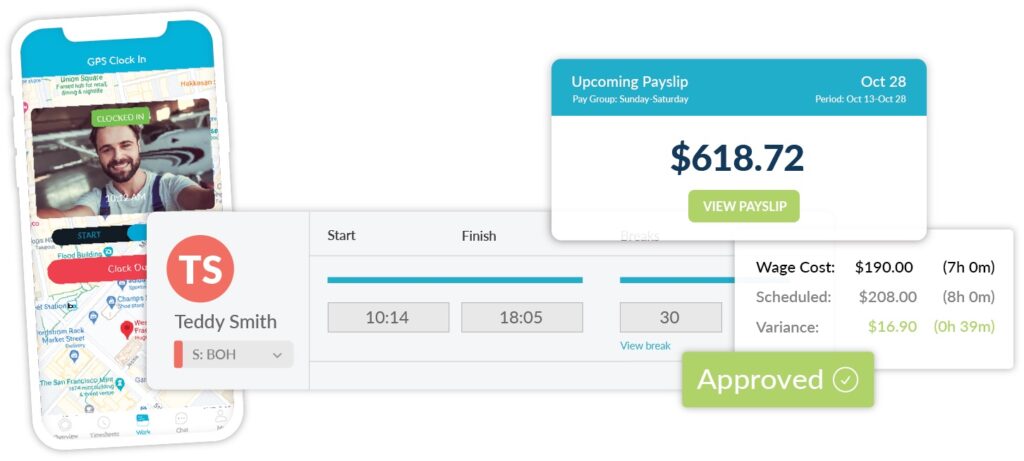
Workforce.com streamlines time tracking. Employees clock in and out through a mobile app (either on their phones or a device set up in the workplace), and their hours are instantly captured and fed into digital timesheets; no manual data entry is required. Both managers and employees can view and verify timesheets at any time, making it easy to catch and correct discrepancies early.

Also read: What is employee self-service? [Guide]

Missed a clock-in? The system alerts managers in real-time, so they can check in with staff and make quick corrections well before payroll is due. You’ll also get notifications for potential overtime or missed breaks, helping you stay compliant and avoid unplanned costs.

You’ll never have to ask, “Did we get their hours in correctly?” because you know you do. You can spot issues mid-cycle, not the eleventh hour, so payroll runs smoothly.

Automate deductions and tax withholdings with payroll software

Accurate payroll and clear pay breakdowns build trust from day one. But without the right system, deductions can be easily miscalculated, especially with an hourly team. 

Workforce.com’s payroll solution provides automation and takes the guesswork out of managing every type of deduction. Mandatory payroll taxes and withholdings, like federal, state, and local taxes, are automatically applied based on W-4 data collected during onboarding. Pre-tax and post-tax deductions are just as easy to configure. Employees receive automatically generated pay stubs with a clear breakdown of their gross pay, deductions, and take-home pay.

Also read: What are different payroll deductions? Taxes, benefits, and more

Download free template: Payroll Deduction Authorization Form

Pre-approve data and preview pay summaries

Payroll becomes stressful when pay information is inaccurate or when it’s verified too late in the process. Workforce.com helps you stay ahead by reviewing and approving data as it comes in. As shifts wrap up, you can instantly verify timesheets, check for missing logs, and receive alerts for anything that needs your attention so that nothing slips through the cracks. 

You’ll also get a clear, intuitive payroll preview that highlights exactly what’s ready to go and what still needs fixing. Because everything—scheduling, timesheets, pay rates, and deductions—lives in one system, resolving discrepancies is fast and straightforward. No switching between platforms. No chasing down spreadsheets.

Get payroll processing right from day one

The first paycheck isn’t just about getting paid. It’s a crucial moment in the new hire experience. It shows whether your business is organized or not. New employees notice and payroll is one of the clearest indicators of whether you’ve got your systems together. 

That’s why an all-in-one platform matters. Shipley Do-Nuts learned this firsthand when they switched to Workforce.com. Before, they were juggling four separate systems: one for onboarding, another for clock-ins, a third for scheduling, and a fourth for running payroll.

“Integrating all of those together has saved us so much time. It takes me about 95% less time than before, Shelly Archer, Human Resources Manager at Shipley Do-Nuts, shares. 

Want to see how Workforce.com works? Learn more about Shipley Do-Nuts’ success with Workforce.com, or book a demo today.


Posted on March 10, 2026March 10, 2026

Global FEC Market Projected to Top $80B by 2033—What it Means for Operators

Summary:

  • The global FEC market could exceed $80B by 2033, with demand growing for both classic attractions and newer immersive experiences.
  • Operators are expanding attractions and exploring new ways to increase revenue and margins.
  • Behind the scenes, workforce and operational efficiency are more critical than ever to staying competitive.

The family entertainment industry (FEC) is poised for significant growth, with market projections estimating the sector could exceed $80 billion by 2033. In fact, in 2025 alone, the global market is worth $38.13B, highlighting the scale of the opportunity ahead.

Analysts attribute this projected growth to the expansion of venues that combine arcades, dining, immersive games, and live entertainment. At the same time, demand for social, in-person experiences continues to rise, drawing families and younger consumers away from screens and toward shared activities.

Gearing up for new revenue opportunities

Family entertainment centers have long been known for classic attractions such as arcade games, bowling alleys, and active play areas. But as the industry evolves and younger audiences become increasingly tech-savvy, some venues are introducing newer technologies such as VR escape rooms, interactive art installations, augmented reality arenas, and esports experiences.

That said, capitalizing on this growth doesn’t always mean making large investments or introducing new attractions immediately. In many cases, it starts with taking a closer look at existing operations and identifying opportunities to unlock additional revenue streams or better protect margins.

At its core, it always comes back to the guest experience. Sometimes, small operational adjustments can improve margins without compromising quality. For example, operators may review their food and beverage offerings to see whether menu changes could improve profitability while maintaining, or even enhancing, guest satisfaction.

Some venues are also finding ways to generate additional revenue from the space they already have. Adding small arcade sections, for instance, can help improve guest retention and attract new visitors. Even simple additions, such as claw machines or new video games, can make productive use of underutilized areas within a venue. 

But beyond identifying these opportunities for growth, there is one critical area operators must focus on to fully capitalize on the industry’s next phase.

As FECs grow, operations become the real test

Rapid growth often brings operational growing pains. Even under normal circumstances, running a family entertainment center already involves navigating complex challenges around labor, scheduling, compliance, and payroll.

As operators invest in new attractions and guest experiences, it’s just as important to re-evaluate the systems that support day-to-day operations, particularly those used for staff scheduling, labor forecasting, and payroll.

Let’s take a look at several key areas operators should consider when assessing their current systems. These factors can help determine whether adjustments are needed—or whether it’s time to adopt a new platform.

Ease of use

It may sound obvious, but the usability of a system is often overlooked. Many FEC managers and operators wear multiple hats, handling everything from scheduling to daily operations. Because of this, ease of use should be a top priority. At the same time, today’s workforce is highly comfortable with technology and expects tools that are simple and intuitive.

“I handle scheduling, hiring, and letting people go. I make sure everyone’s timesheets are correct and manage the day-to-day operations, from the games and restocking to talking with parents. I do it all,” shares Bria Stuckey, General Manager at Altitude Trampoline Park.

Also read: Behind the Fun: How Workforce.com Powers Altitude Trampoline Park

Without the right system, frontline managers can find themselves pulled away from the floor and from their primary responsibility: ensuring guests have the best possible experience and that operations run smoothly.

When evaluating your current systems, consider how quickly employees can learn to use them. For example, how long would it take a new hire to clock in and out, submit leave requests, or access their timesheets and pay stubs? The same applies to managers responsible for scheduling shifts, approving timesheets, or managing payroll.

If your system requires extensive training, constant handholding, or frequent manual workarounds, it may be time to reconsider how your technology supports your team.

Support for minor labor law compliance

FECs and attractions often employ younger staff, which adds another layer of labor compliance that operators must carefully manage.

“First off, youth labor laws are easy to miss. You need to know applicable labor laws and automate compliance,” shares Travis Kohlmeyer, General Manager at Workforce.com. “For example, in Chicago, minors under 18 can only work three hours on a school day and eight hours on a non-school day. During the school year, they can only work until 7 or 8 PM. So if school ends at 5 PM, you can’t even schedule them for more than two hours. If you don’t track this, it’s going to be a massive hit.”

Beyond work-hour limits, youth labor compliance can also include rules around break periods, rest times, and scheduling restrictions, which vary by state and industry. Having systems with built-in safeguards can help operators avoid costly violations.

Workforce.com for example, flags potential labor law violations as early as the shift scheduling stage. If a manager accidentally assigns a minor employee to a shift that exceeds legal limits, the system automatically alerts them.

“One of the more difficult parts of having a young staff is that they’re limited to how many hours they can work. Workforce.com helps me stay compliant with minor labor laws whenever they can’t work. I really do like that it tells me if I can’t schedule somebody, and it won’t even allow me to schedule them,” Bria shares. 

Tracking certifications and training

In FECs, keeping track of staff certifications and training is critical, especially as venues add new rides, equipment, and attractions.

Operators should have a clear way to record certifications within each employee’s profile and ensure those qualifications are reflected when assigning shifts or responsibilities.

Workforce.com enables managers to track certifications directly within employee profiles. Palace Playland has found this feature particularly helpful.

Workforce.com lets you do this, and Palace Playland has benefited greatly from it. “Anytime somebody is trained or authorized to operate a ride, we add it to their profile,” shares Maegan Achenbach, Palace Playland’s Vice President. “When you’re looking at your staff list, it’s really easy to just hover over it and see who is qualified to operate what.”

Also read: 5 Common FEC Challenges + How Workforce.com Solves Them

Labor forecasting and demand-based scheduling

Labor forecasting is another area that can significantly impact an FEC’s bottom line. Labor is often one of the largest variable costs involved in operating a family entertainment center.

To manage labor effectively as the business grows, operators need systems that accurately forecast staffing needs and help them avoid both overstaffing and understaffing.

Workforce.com provides forecasting tools designed for businesses with unpredictable demand, such as FECs. The system analyzes multiple data points to estimate the number of employees needed per shift and per day.

These data points can include historical sales data, scheduled events, private bookings such as birthday parties, local events or festivals, expected foot traffic, weather forecasts, and other factors that influence demand. 

[insert product image of demand-based scheduling here.]

Time tracking and managing last-minute call-outs 

Family entertainment centers operate in fast-paced environments, so managers need full visibility into their teams throughout the day.

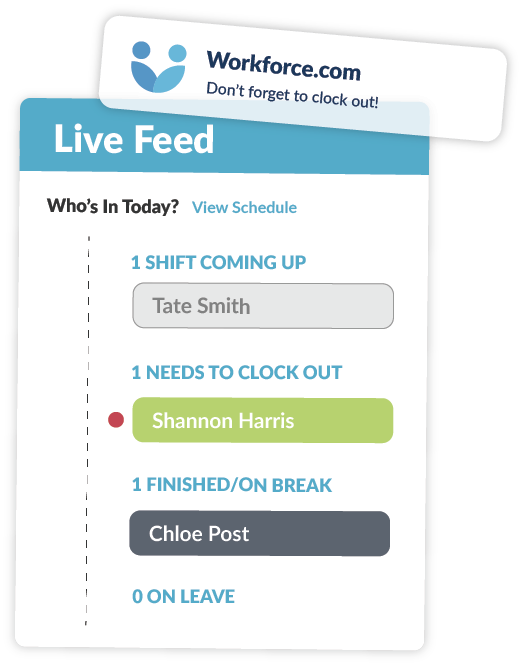
Workforce.com provides a centralized platform where managers can see who is clocked in, who is running late, and who is about to end their shift. The system also helps manage last-minute call-outs by enabling managers to quickly identify qualified replacements.

Importantly, these replacements are still validated against factors such as certifications and labor-hour restrictions.

With this level of visibility and automation, managers can stay focused on running the venue instead of scrambling to resolve time and attendance issues or unexpected scheduling changes. 

Paying staff accurately

Because FEC teams often include employees with different wage structures and compliance requirements, payroll can quickly become complicated.

Workforce.com’s payroll software is designed specifically for hourly teams. Because it operates within the same platform as onboarding, scheduling, time tracking, and HR, payroll calculations automatically use accurate, up-to-date data.

One common payroll challenge is that data often lives across multiple systems. Timesheets may exist in one platform, schedules in another, and employee records somewhere else entirely. This fragmentation increases the risk of errors and forces managers to spend significant time reconciling information.

Using a centralized system helps reduce payroll processing time, improve accuracy, and minimize the risk of compliance issues.

The all-in-one platform for FECs

The outlook for the FEC industry is promising, but sustained growth requires strong operational foundations. To keep pace, operators need reliable systems to manage scheduling, labor compliance, and payroll across their teams.

Workforce.com helps FEC and amusement businesses optimize labor, ensure accurate employee pay, and improve overall operational efficiency. Built specifically for hourly workforces, the platform is designed to address the realities of running venues staffed by a mix of part-time employees, minors, and team members with different certifications and roles.
Discover how Workforce.com can help your business stay ahead. Book a call today.

Posted on January 21, 2026January 22, 2026

How Time Tracking Systems Help (or Hurt) Wage Compliance

Summary:

  • Wage and hour lawsuits often stem from uncaptured work time, not from missing punches.
  • Because labor laws define “hours worked” differently across jurisdictions, how time tracking systems are configured matters.
  • The right time tracking software helps surface gaps early and reduces compliance risk.

The most expensive wage claims don’t always come from missed punches. Sometimes, they come from an employer’s failure to track compensable time according to labor laws. For organizations, the challenge is operationalizing those requirements through how time tracking systems are set up. 

How untracked work could turn into a lawsuit

A recent wage settlement illustrates how everyday tasks not recorded as work time can expose employers to serious legal risk.

In a case involving a Target distribution center operations in New Jersey, a group of hourly, non-exempt employees alleged they were not compensated for time spent on required activities before and after their scheduled shifts. According to the complaint, workers were required to complete pre-shift activities—including passing through mandatory security screenings and walking long distances from facility entrances to their assigned workstations—before clocking in. After clocking out, employees had to walk back through the same controlled areas and security checkpoints before leaving.

The plaintiffs argued that the time spent on these activities should be considered hours worked under applicable wage laws and that excluding this time from pay calculations resulted in lower wages and incorrect overtime amounts..

Target denied the allegations and maintained that these activities were not compensable. Nonetheless, to avoid protracted litigation and ongoing risk, the company agreed to a $4.6 million settlement covering eligible current and former workers at the affected New Jersey facility.

Also read: Time Clock Rounding: Best Practices & Compliance Risks

Why configuration matters

When wage and hour lawsuits make headlines, it’s easy to assume the issue stems from outdated or manual systems. In reality, most large employers already use automated time tracking. Employees clock in and out, and hours are recorded consistently.

The risk tends to emerge elsewhere. It often comes down to how time tracking systems are configured, and whether the policies built into those systems reflect how work actually happens on the ground.

Labor laws are not always intuitive, and day-to-day operations don’t neatly map to the fine print of wage regulations. Oftentimes, compliance issues surface when required activities fall outside what systems are set up to capture. And those gaps go unnoticed.

That challenge is compounded by the way wage laws are structured. Federal wage law draws a relatively narrow line around what counts as paid work. Many state laws draw a wider one. As a result, activities such as security screenings or walk time, may be unpaid under federal rules, but still create liability under state law.

Platforms like Workforce.com are built with this reality in mind. They provide guardrails that support accurate time capture, consistent policy enforcement, and clear documentation across the workforce. That level of visibility is critical for day-to-day operations, especially when reviewing policies, preparing for audits, or responding to legal or regulatory inquiries that require a clear record of how employee time was tracked and paid.

Why feedback becomes a crucial compliance guardrail

In theory, it may seem straightforward to treat activities like pre-shift and post-shift screenings or long walks through controlled areas as paid time. In practice, those decisions are rarely simple. Whether time should be counted often depends on how work is structured, how much control the employer exercises, and how applicable wage laws are interpreted at the state level.

That complexity is challenging to navigate in real time. Labor rules evolve, guidance can be unclear, and the way work actually happens day to day doesn’t always match written policies or out of the box system configurations.

This is where employee feedback becomes a powerful compliance guardrail. By giving employees a structured way to share feedback at the end of a shift, organizations gain visibility into what actually occurred during the workday. Patterns like required activities outside scheduled hours or delays that extend time on site can surface quickly.

Catching these signals early allows employers to review configurations, clarify policies, and address issues before they escalate into formal complaints, investigations, or costly wage and hour disputes.

Ultimately, wage compliance issues surface most visibly in payroll. When time tracking doesn’t reflect the work, those gaps affect pay calculations, regular wages, and overtime.. By the time issues show up in payroll, the risk has already compounded. That’s why accurate time capture and system configuration are so critical.

Also read: 5 Tips to Simplify Overtime Calculations

Using the right technology to track time and stay compliant

Staying compliant ultimately comes down to visibility and consistency. Employers need systems that accurately capture time and surface potential issues before they escalate.

Workforce.com brings these capabilities together in a single platform. It allows organizations to track employee time accurately, configure rules based on their policies and applicable labor laws, and gather shift-level feedback that provides insight into day-to-day operations.

At the core is Workforce.com’s time and attendance tracking, which supports accurate time punches, and helps teams monitor common risk areas. The platform can flag missing time logs, missed breaks, and approaching hour thresholds. This allows managers to address issues in real time rather than after the fact.

Alongside time tracking, Workforce.com’s shift feedback tools give employees a simple way to rate their shift and share comments on what worked and what didn’t. Over time, this feedback can surface patterns that indicate policy gaps or potential compliance issues, allowing employers to review configurations and make proactive adjustments.

Wage and hour compliance is complex, particularly for organizations with large hourly workforces. But with the right technology in place, it becomes easier to align policies, systems, and day-to-day operations. Learn how Workforce.com helps hourly teams bring time tracking, scheduling, HR, and payroll together in one platform. Book a call today.

Posted on December 22, 2025December 23, 2025

A Year of Listening, Learning, and Building at Workforce.com

As 2025 comes to a close, we’re taking a moment to look back on some of the highlights from the year at Workforce.com.

Over the past year, we continued to invest in product improvements across the platform, earned industry recognition, and shared new customer stories. This lookback highlights moments that reflect Workforce.com’s evolution, setting the direction for how teams manage complex, hourly workforces.

Continuing to build the platform that hourly teams rely on

In 2025, Workforce.com shipped 150+ product updates focused on improving payroll accuracy, labor visibility, and how managers get work done day to day.

Rather than chasing isolated features, many of this year’s updates strengthened the systems customers rely on most: 

Stronger payroll guardrails

Throughout 2025, Workforce.com continued to strengthen pay checks and validation rules. This included clearer warnings, more consistent blocking behavior when data is invalid, and improved reconciliation when worked hours don’t match scheduled hours. 

Faster hiring and employee management

Hiring workflows were streamlined with bulk actions, resume summaries, and improved candidate review screens. We also strengthened HR tools to manage surveys, training, warnings, and employee records in a single place. 

Smarter reporting and workforce insights

Workforce.com continues to refine reporting capabilities in 2025, with dozens of new reports, added filters and columns, and improvements to how reports can be saved and accessed. Updates like saved reports on dashboards and more flexible grouping and filtering made it easier to monitor labor costs, sport trends, and answer key questions. 

Better control over labor costs

Updates throughout the year improved how labor costs are tracked across schedules, timesheets, and budgets. These improvements provide more precise comparisons between scheduled and worked hours and prevent unpleasant surprises at the end of the pay period. 

Hundreds of day-to-day usability improvements

Workforce.com rolled out a wide range of usability improvements to reduce friction for managers and admins. These included redesigned pages across HR, hiring, and time & attendance; expanded bulk actions and imports across payroll and reporting; and a steady stream of workflow refinements that make everyday tasks quicker and easier as teams scale.

Hearing directly from the teams we serve

This year, Workforce.com featured in-person customer stories, where we spent time with them on the ground and heard directly from the people using the platform every day. 

We visited Shipley-Donuts, Third Space Brewing, and Altitude Trampoline Park and spoke with operators and managers about how they run their teams day to day. Managers consistently emphasized the same results: significant time savings by streamlining everything in a single platform. 

Shipley Do-Nuts, for instance, relied on separate platforms for new hire paperwork, clocking in and out, scheduling, and payroll processing. Managing and integrating all these systems was time-consuming and inefficient.

“Integrating all of those together (in Workforce.com) has saved so much time. It takes me about 95% less time than before,” remarks Shelly Archer, Human Resources Manager at Shipley Do-Nuts.

Meanwhile, the team over at Third Space Brewing reported 100% time saved on verifying payroll data. “We definitely saved time from not having to reconcile numbers between two different platforms all the time,” shares Scott Passolt, Controller at Third Space Brewing. “Everything flows really easily. If we know the timesheets are correct, we know payroll is correct. I certainly have more confidence in the accuracy of the numbers. It has given us a lot of peace of mind that we didn’t miss something in moving numbers between systems.”

Bria Stuckey, General Manager at Altitude Trampoline Park, also shared the same sentiments, “What I like most about Workforce.com being all-in-one is that I can do everything right there. With other apps, we had to schedule in one system and then go into another application to fix timesheets. It was just a whole thing.”

Read more stories from the teams using Workforce.com.

Beyond the customer stories we featured this year, Workforce.com continued to receive positive feedback on independent review platforms like G2. Across reviews, customers frequently pointed to time savings from admin work and scheduling, clearer visibility into labor costs, fewer payroll headaches, and an overall experience that’s easy for both managers and frontline teams. Taken together, that feedback reinforces what we saw throughout 2025: when teams have better systems and simpler workflows, they spend less time fixing issues and more time running their business. 

Workforce.com’s progress in 2025 was also recognized across the industry, with accolades from Capterra, Software Advice, and GetApp. These recognitions are driven by user reviews and ratings, making them a strong reflection of how customers experience the platform day to day.

Staying ahead in 2026 and beyond

As Workforce.com looks ahead to 2026, the focus is simple: keep building software that helps teams run better day to day. The challenges facing hourly workforces aren’t getting smaller, and neither is the need for systems that catch issues early, reduce manual work, and support teams as complexity grows.

In our HR and Payroll Trends for 2026 report, we break down what’s changing next across payroll, compliance, and automation.

Ready to see how Workforce.com can help you stay ahead? Book a demo today.

Posted on December 15, 2025December 15, 2025

HR and Payroll Trends for Hourly Teams [2026]

Summary:

  • Hourly teams in the U.S. will face both new and familiar challenges in 2026, and the companies that lead will be those that understand their operational needs and invest in solutions that keep them competitive.
  • AI will continue to dominate conversations, but the real advantage will come from using it effectively, not just adopting it.
  • Automation and the push to eliminate manual processes will accelerate, with organizations seeking tools that do the work rather than just support it.
  • A true all-in-one platform can help hourly workforces stay ahead, bridging gaps across compliance, payroll, and workforce operations.

Hourly teams across the United States are heading into 2026 facing long-standing challenges and emerging trends. The labor market remains tight, compliance keeps getting tougher, and the frontline workforce is transforming faster than most organizations can keep up. 

As of late 2025, the U.S. civilian labor force participation rate is hovering around 62-63%, still below pre-pandemic norms. The gap underscores how hard it remains to attract and retain top talent, even as labor costs are rising. More than 20 states raised their minimum wages in 2025 alone, with further increases scheduled for 2026 and beyond.

At the same time, technology continues to reshape how hourly work is managed. In 2026, the competitive edge will go to organizations implementing smarter technology that doesn’t just support work but actually does the work. We’re talking about systems that not only handle administrative tasks but also take action based on different data and insights. 

In 2026, the winners won’t be the ones chasing shiny trends. They will be those who move faster than regulatory changes, adapt quickly to new technologies, embrace challenges, and configure their systems to keep pace with existing trends and stay ahead of new ones. 

Below are five HR and payroll trends hourly teams should expect and prepare for as 2026 unfolds. 

Companies effectively using AI will stay ahead in 2026.

And no, this is not simply adopting AI. It is about using AI in ways that actually move the business forward. 

While AI investment continues to surge, very few companies feel confident about how they use it. In fact, a study found that only 1 percent of organizations believe they are implementing AI sufficiently to deliver substantial business outcomes. The gap between using AI and using it well is becoming one of the most significant competitive divides heading into 2026. 

Over the past year, we have already seen AI take deeper root in HR and workforce management. Adoption has grown steadily throughout 2025, especially in areas like hiring and recruitment. More organizations are recognizing how AI can support critical operational processes, including labor forecasting and demand-based scheduling.

“One of the great value propositions of Workforce.com is to optimize staffing levels, which can have tremendous savings for employers and fewer headaches for employees. AI has been a tremendous tool in that product,” shares Craig Chval, Vice President of Product at Workforce.com. 

Workforce.com adopted AI early and applied it directly to labor forecasting. By analyzing factors such as historical sales, booked appointments, local events, and even weather patterns, the platform can determine how many employees should be on shift on any given day. The result is better staffing accuracy, stronger margins, and more consistent service. 

But forecasting is just one part of it. AI is now helping customers in broader operational areas as well. “AI continues to be the biggest shift in this space. It provides customers clear visibility into how compliance rules are applied, rather than relying on calculations that are hard to interpret. It also helps surface risks early, such as warning when schedules break minor hours or when patterns may trigger a Fair Workweek obligation,” explains Travis Kohlmeyer, General Manager at Workforce.com.

AI is still a buzzword for a reason. But it is no longer a matter of whether organizations should use it. We are well past that point. The businesses pulling ahead today are the ones using AI to streamline their operations and solve real pain points. For hourly teams, the key is applying AI with focus and purpose. That means choosing use cases that matter rather than broad, unfocused applications that do not actually help the business run better.

Compliance becomes central to payroll software buying decisions.

Hourly teams are increasingly recognizing that payroll software needs to do more than generate payslips.

For organizations with shift-based workforces, payroll is inherently complex because no two pay cycles look the same. Hours fluctuate, roles change, and even small scheduling differences can significantly affect what an employee earns.

“Often, organizations don’t realize that some of the really big names in payroll systems actually lack the compliance capability for so many different work rules,” Travis explains. “Break compliance, minor working hour rules, and Fair Workweek are the most we see miscalculated on some platforms.” 

Payroll for hourly teams is not about assigning a pay rate and expecting the platform to handle the rest. Every pay period carries its own variables: different schedules, shift changes, varying roles or departments, premiums, and overlapping rules. This is why businesses must understand how their current payroll system handles these scenarios, or whether it handles them at all.

Workforce.com is built to manage this complexity from the ground up. The platform focuses deeply on how work rules and pay rules operate together. “We treat compliance as a design constraint, and not merely a patch. That means more robust rule engines, better guardrails in scheduling, and clearer auditability,” Travis adds.

Compliance may be complicated, but it is manageable with a payroll platform designed to understand the real-world scenarios that create risk. This includes minor laws, multi-role staff, split shifts, overlapping rules, and complex premium structures. With federal, state, and city-level regulations expected to continue evolving, organizations will increasingly look for payroll systems that anticipate these changes and help keep them ahead of costly mistakes. 

Many will switch to all-in-one platforms to eliminate manual processes.

Many organizations are moving toward all-in-one platforms to eliminate manual processes and reduce complexity. But a genuine all-in-one solution is more than a collection of loosely stitched-together apps. It is a single ecosystem where scheduling, time tracking, HR, payroll, and other workflows all operate in one place. We have seen growing demand for this throughout 2025, and we expect it to become an even stronger priority in 2026 and beyond.

“Oftentimes, potential clients look for help to eliminate manual processes such as spreadsheet scheduling, outdated time tracking, and the disconnect between systems they use,” shares Joseph Cuellar, Enterprise Account Executive at Workforce.com. 

Ray Chan, Head of Customer Support at Workforce.com, adds, “What we have seen as the biggest trend for prospective clients looking into our system is platform consolidation. Many organizations still use separate systems for scheduling, timesheets, payroll, HR, ATS, and more. A solution that spans the entire employee lifecycle is a major attraction.”

The motivation is simple. Organizations want to stop switching between multiple platforms to complete basic tasks. Not only is this tedious, but it introduces errors and forces teams to spend additional time double-checking data that should flow automatically.

Third Space Brewing is one of many organizations that have seen the benefits of consolidating onto Workforce.com. “It is the ability to do everything under one roof and not have to import and export data out from separate pieces of software,” says John Wynne, Taproom GM at Third Space Brewing.

Scott Passolt, Third Space Brewing’s Controller, expands on this, saying, “We definitely saved time from not having to reconcile numbers between two different platforms all the time. Everything flows easily. If we know the timesheets are correct, we know payroll is correct. I have more confidence in the accuracy of the numbers. It has given us peace of mind because we are no longer worried about missing something when moving data between systems.”

Watch: How Third Space Brewing Tapped into Better Payroll and Workforce Management

As organizations look ahead to 2026, especially those operating large hourly workforces, the demand for a unified, all-in-one platform will only continue to grow.

“All-in-one products are the future of the industry, and we are fully committed to that vision,” Craig shares. “Having an integrated, all-in-one solution eliminates so many pain points for our customers, and it is no surprise that the industry is moving in that direction. Our product roadmap is laser-focused on eliminating the need for customers to juggle a host of different services and offerings.

Hourly work is evolving, especially around pay.

Hourly work is changing, and pay is becoming one of the clearest areas of transformation. In 2026, more hourly workers will expect faster, more flexible access to their earnings, rather than waiting for a traditional biweekly cycle.

We are already seeing strong demand for on-demand pay, along with greater clarity and transparency around how compensation is calculated. In response, employers are beginning to look for technology that can keep pace with modern work patterns and move beyond the rigid pay structures built decades ago.

This year, several states and localities introduced or strengthened pay transparency requirements, and similar movements are expected to continue into 2026. These changes reflect a broader shift in expectations: employees want easy, direct insight into how their pay works, and employers are increasingly required to provide it.

Hourly workers should not have to jump through hoops to understand or access their wages. The right technology can make this simple by giving them clear visibility into their pay, the factors that influence their net earnings, and how each calculation is made. As transparency and flexibility become standard expectations, having modern, employee-friendly pay tools will become essential for hourly teams.

Demand grows for automations that do the work, rather than just support it.

More teams will expect automations and built-in intelligence in the software they adopt. Technology has always aimed to reduce administrative workload, but in 2026, we will see organizations push beyond that. They will want automations that fully execute tasks, not just assist with them.

“Customers increasingly want tools that remove work, not just organize it,” Travis says. “They continue to seek hands-off scheduling, such as automatic shift building and demand-based scheduling. We are also seeing customers shift away from platforms that simply give them data. Instead, they want tools that make decisions and explain the reasoning behind them. And as compliance concerns rise, more organizations are adopting automated compliance interpretations as well.”

This shift is becoming more pronounced as many organizations operate with leaner teams. With fewer staff, they cannot afford tools that only support work. They need platforms that actively handle tasks and keep processes moving. In 2026, the demand for true hands-off automation will only grow stronger.

Industry Focus: Family Entertainment Centers (FEC)

Family entertainment centers (FECs) offer a clear snapshot of the challenges that hourly work businesses face today. FECs sit at the intersection of hospitality, retail, and events, all sectors with highly variable hourly staffing and tight compliance requirements. This makes them a strong indicator of the trends shaping HR and payroll across many other industries.

FECs deal with unpredictable demand swings driven by weather, school calendars, weekends, and special events. Their staff often work across multiple roles in a single week, sometimes in a single day. And because many employees are minors, managers must navigate some of the strictest labor rules in the country, with specific limits on scheduling, breaks, and total hours worked.

Navigating all of that makes technology essential. Bria Stuckey, the General Manager of Altitude Trampoline Park, explains how technology can help FECs overcome operational challenges. 

For Bria, compliance with minor labor laws is one of the most significant pressure points. She notes that the right system helps her avoid mistakes before they happen. “Most of my team is between 15 and 17, so we have to follow strict hour limits. Workforce.com helps me stay compliant with those labor laws. If a minor cannot be scheduled, it tells me and will not let me schedule them. I do not have to go back and fix mistakes. It keeps us compliant from the start.”

Beyond compliance, FEC operators also need tools that let them focus on their guests rather than administrative issues. Bria explains that when something goes wrong, like a missed break clock-in, she doesn’t need to stop what she’s doing or manually track down errors. The system gives her visibility into who is approaching or exceeding their allowed hours, so she can stay present on the floor rather than buried in corrections.

Just as importantly, many FECs rely on multiple disconnected systems—POS, scheduling, time tracking, HR, payroll—and the friction between those tools can cause errors and long administrative delays. Bria experienced this firsthand before consolidating. “With the other apps, we had to schedule in one system and fix timesheets in another. It was a whole thing,” she says. “With Workforce.com, I can do everything in one place. It saves time and lets me focus on people having fun.”

Watch: The Software Behind the Fun: How Workforce.com Powers Altitude Richardson


Bria’s story reflects a broader trend across the industry: FECs succeed when they streamline processes, improve compliance, and consolidate disconnected systems into a single operational hub. As organizations head into 2026, businesses with large hourly workforces will need technology that understands the realities of shift-based work and helps them manage complexity without adding more of it. 

2026 will widen the gap between businesses that adapt and those that do not. Businesses that will win are those bold enough to evolve and recognize that old systems cannot support new labor realities.

Success will not come from working harder. It will come from building workflows that anticipate issues, respond quickly, and keep hourly teams moving in the right direction. The organizations that choose to modernize now will be the ones setting the pace next year.

Ready to transform your business in 2026? Book a demo today. 

Posted on October 21, 2025November 8, 2025

Wage Transparency is Coming to Massachusetts: Is Your Business Ready?

Summary:

  • Starting October 29, 2025, Massachusetts employers with 25 or more employees must include salary ranges in job postings. 
  • Pay transparency laws ensure pay equity and fairness, but compliance can be a challenge without the right system. 
  • Workforce.com helps businesses stay compliant by centralizing pay data, standardizing job postings, and providing tools that simplify workforce reporting across locations.

Massachusetts has officially joined the growing list of states mandating pay transparency. Beginning October 29, 2025, employers with 25 or more employees must include salary ranges in job postings, provide them to applicants, and share them with current employees upon request.

Earlier in the year, beginning February 1, 2025, businesses with 100 or more employees that already file federal EEO-1 reports must also submit those reports to the Commonwealth.

Both measures fall under An Act Relative to Salary Range Transparency signed by Governor Healey on July 31, 2024. 

Also read: A Guide to State and Local Pay Transparency Laws [2025]

What the Wage Transparency Covers

The Wage Transparency Act in Massachusetts focuses on two key areas: pay range disclosure and EEO workforce reporting.  

Pay Range Disclosure Requirements

Starting October 29, 2025, employers with at least 25 employees must disclose pay ranges in job postings and must provide pay information upon request of current employees. The pay range refers to the annual or hourly wage range that an employer reasonably and in good faith expects to pay for such a position at that time. 

Employees and applicants have the right to receive the pay range when applying for a role, being promoted or transferred, or upon request for their current position. Employers are prohibited from retaliating against employees who exercise these rights.

Although the law’s disclosure requirement takes effect in 2025, employers can voluntarily begin complying earlier.

EEO Reporting Requirements

Beginning February 1, 2025, private employers with 100 or more employees that already submit an EEO-1 report to the federal government must also send their most recent report to the Massachusetts Secretary of the Commonwealth each year.

This requirement aims to improve statewide visibility into workforce diversity and pay equity, helping the state identify and address wage disparities across industries.

Practical Ways to Ensure Compliance

Pay transparency laws like Massachusetts’ Wage Transparency Act are changing how businesses handle compensation. While adapting to new regulations can feel complex, the right systems can turn compliance into an advantage. Workforce.com can help you do exactly that. Here are some of the ways: 

Standardize pay ranges in job postings

Every job posting should include a pay range, one that’s consistent with internal pay bands and defensible under the law. 

Workforce.com’s Applicant Tracking System (ATS) allows HR teams to add and display pay ranges directly in job postings, helping organizations comply with wage transparency requirements not only in Massachusetts but also in other states. 

Centralizing pay and job information

Workforce.com is an all-in-one system that houses scheduling, timekeeping, and payroll data in a single platform. With all pay and job information in one platform, HR and hiring teams have a single source of truth for wages across locations and roles. This makes it easier to verify pay range accuracy before posting job vacancies, respond to pay range request inquiries from current employees, and submit consistent payroll reports. 

Conduct regular pay audits

Pay transparency often goes hand in hand with pay equity. Regularly reviewing your compensation data helps ensure fairness and compliance.

Workforce.com provides reporting tools that let you analyze pay distribution across roles and locations, making it simple to track pay rates, identify discrepancies, and stay aligned with both state and federal reporting requirements.

Pay transparency laws are changing the way businesses talk about compensation. For employers, it’s an opportunity to build trust and demonstrate fairness, not just another compliance box to tick. 

With Workforce.com, businesses can manage pay ranges, job data, and workforce reports in one place, making it easier to stay consistent and confident as new laws take effect.

Discover how Workforce.com can help your business comply with labor laws, such as pay transparency rules, with an all-in-one platform. Book a call today.

Posted on September 24, 2025September 24, 2025

5 Common FEC Challenges + How Workforce.com Solves Them

  • Keeping young applicants interested, matching skills and demand to schedules, and staying on top of compliance requirements are three main areas for FECs. 
  • Workforce management software helps operators tackle these pain points by streamlining recruitment, onboarding, scheduling, and record-keeping.

Family entertainment centers (FECs) exist to provide guests with fun and memorable experiences. However, behind the scenes, operators face significant workforce challenges, including seasonal hiring surges, managing younger Gen Z staff, and navigating complex compliance regulations. 

Successful FECs are not just those with the most prominent attractions, most elaborate party packages, or most comprehensive membership programs. What sets successful FECs apart is how they use the right software solution to attract talent, optimize labor, and stay compliant. With clear dashboards and real-time insights, managers can make faster, smarter decisions that directly impact operations.

In a recent webinar, Workforce.com teamed up with ROLLER to unpack how technology can ease these workforce challenges and set FECs up for sustainable growth. 

Here, we have highlighted five ways workforce management software can help FECs run smoothly, engage their staff, and stay profitable. 

Streamlining recruitment

“The guest experience starts long before people actually walk through the doors. It starts when you’re choosing your staff,” says Travis Kohlmeyer, General Manager at Workforce.com US. 

Whether you run a single-location center or manage multiple venues, staffing challenges are remarkably similar. Labor is one of the most significant expenses in an FEC, and managers spend a considerable amount of time recruiting and managing staff. 

This is where workforce management technology can make all the difference. The right tools help FECs establish a fast, simple, and user-friendly recruitment process that today’s applicants expect. 

“Younger generations expect speed. If you’re taking too long, you’re probably going to lose them to a faster employer,” Travis explains. Having mobile-first applications and quick automated follow-ups helps ensure strong applicants don’t drop out midway through the process.

Technology also streamlines applicant screening. AI-powered forms can highlight red flags and surface good fits early on by asking make-or-break questions upfront, such as, “Are you available to work weekends?” or “Do you have reliable transportation?”

But beyond screening, the right software can also culture an applicant’s motivation and availability. “You want to give them the opportunity to say what works best for them and make sure that what’s aligned with what the business needs is key,” Travis says.

For FECs, this means capturing information such as which shift works best for the applicant, the number of hours per week they want to work, and which days they’re most available. Gathering this information upfront not only improves hiring decisions but also feeds directly into scheduling down the line.Workforce.com’s applicant tracking system enables FECs to attract candidates more quickly, filter for cultural and operational fit, and transition from onboarding to scheduling with minimal administrative effort.

Going mobile for onboarding

Onboarding is not just about filing out new hire paperwork. It’s about making sure new employees feel equipped from day one. 

“The goal of onboarding is not just to get people hired. You want them to be ready, excited, and confident when they’re coming in. And dealing with mountains of paperwork can really take away from that experience,” Travis says. 

A seamless onboarding process can make or break it for FECs, and the right technology is key.

“It’s important to make onboarding mobile-friendly. Kids are already on their phones and a lot of them don’t even have laptops. So it’s important to make sure that they can access it on their phones.” Travis explains. “Think bite-sized pieces of onboarding information, digital-first formats, QR codes, welcome videos, and key rules and procedures. Being able to access that on their phone is a good way to start off.”

Workforce.com has a paperless onboarding software with real-time tracking, so managers can see exactly where each new hire is in the process. New staff can complete forms, submit paperwork, and input personal information before their first day, all from their mobile device. With these self-service tools, the admin is out of the way early, and operators can focus on getting staff up and running from day one. 

Download Free Template: Onboarding Checklist

Scheduling smarter

Scheduling is one of the most complex and time-consuming tasks for FEC operators. Workforce management software can simplify the process and help managers build fair, compliant, and cost-effective schedules.

Advance scheduling
With the employee scheduling system, creating shifts in advance becomes so much easier. 

“We definitely recommend building schedules two weeks out to reduce errors,” Travis says. “Doing so will help minimize last-minute changes, improve attendance reliability, and allow staff members to communicate if changes are needed. In plenty of US cities, things like Fair Workweek or predictability pay come in, where if you change somebody’s schedule within too short a time span, you actually get fined.”

Schedule templates

Utilizing schedule templates is another way the right software can save time and reduce errors.

“Managers don’t have to reinvent the wheel every week or month, depending on schedule length,” Travis advises. “Use templates for baseline staff, which can be done in minutes. This ensures consistency, avoids coverage gaps, improves compliance, and helps managers build schedules more easily.”

Managing no-shows with shift swapping

With the right system, staff can trade shifts directly, cutting down on back-and-forth and saving managers valuable time.

“Enable self-service shift swaps. If you can, let staff swap shifts themselves, but always have manager approval. It reduces time managers spend resolving conflicts, and increases accountability, especially for young staff. They can say, ‘Hey, I can’t work in ten days. It’s on me to figure out a swap,’” Travis explains.

Efficient swaps reduce the need for last-minute overtime, which can quickly inflate labor costs. This kind of flexibility is especially valuable for FECs that rely heavily on young and part-time workers. It keeps operations smooth while giving employees the autonomy they expect.

Scheduling based on skills and demand

Aside from ensuring the correct number of employees are present in every shift, it’s also crucial to have a balance of skill or seniority level in every schedule. 

“With casual young staff, you don’t want too many juniors in one shift,” Travis explains. “You always want to have managers or supervisors designated, plus one to two experienced staff, depending on how many people are scheduled. The right system helps ensure that this balance is maintained.” 

And that balance is what guests feel on the floor. Customers don’t think about scheduling decisions. They just expect the arcade machines to run smoothly, the mini golf course to flow smoothly, and kiosks to move quickly. Getting the mix of supervisors, experienced staff, and juniors right translates directly into a smoother customer experience.

Another key factor in employee scheduling for FECs is demand. Managers must also take a look at key indicators such as sales, foot traffic, party bookings, and even how inventory management impacts areas like concessions or redemption counters to determine the right staffing level for a shift.

“If you can integrate your point-of-sale (POS) system, like ROLLER, into Workforce.com, you can forecast wage percent of revenue, a stat you can act on before labor is deployed,” Travis says. 

With scheduling features designed for frontline industries like FECs, Workforce.com makes it easier to plan ahead, meet compliance obligations, and ensure profitability.

Ensuring compliance

Compliance is especially complex for FECs, given the mix of youth labor laws and safety requirements.

“First off, youth labor laws are easy to miss. You need to know applicable labor laws and automate compliance, Travis says. “For example, in Chicago, minors under 18 can only work three hours on a school day and eight hours on a non-school day. During the school year, they can only work until 7 or 8 PM. So if school ends at 5 PM, you can’t even schedule them for more than two hours. If you don’t track this, it’s going to be a massive hit.” 

That’s why safeguards should be built directly into scheduling systems, preventing managers from unconsciously breaching labor limits.

Also read: Child Labor Laws by State + Federal 

Compliance also extends to staff qualifications. “It’s important to make sure that things like first aid, CPR, food handling, and lifeguard permits are lodged into the system with reminders and expiration dates,” Travis explains. Keeping certifications current not only protects guests but also shields operators from liability.

Digital record-keeping is another game-changer. “If there’s a safety incident, you don’t want to be digging through filing cabinets,” Travis says. “Having data online means alerts, updates, and easy audit readiness.”

Keeping qualifications up to date doesn’t just prevent fines. It ensures a safer environment, which is at the heart of the customer experience.

Future-proofing your workforce

With the right technology, FECs can do more than manage staff day-to-day. They can adapt quickly to generational shifts and emerging trends.

Today’s frontline workforce in FECs is primarily composed of young people. Efficiency and mobile-saviness are non-negotiables for this generation. Beyond clear rules, they expect intuitive systems that allow them to communicate with teammates, request time off, view employment details, and check schedules directly from their phones.

Having the right platform in place helps operators adapt to these expectations and build a workplace that younger employees actually want to be part of.

Technology is also about looking ahead. With AI becoming more than just a buzzword, truly effective workforce management systems will integrate smart tools, from predictive scheduling to automated compliance checks, to help operators stay competitive in an industry that never stands still. In fact, Workforce.com has been applying AI for many years, even before it became the hype and dominated headlines.  

Also read: What to Look for in Payroll Software (Especially for Hourly Teams)

Why FECs choose Workforce.com

Family entertainment centers face unique operational challenges. Workforce.com is built with these realities in mind. It’s an all-in-one platform that brings together hiring, onboarding, scheduling, compliance, and payroll in one place, allowing operators to spend less time on administration and more time focusing on growth.Curious how it works in practice? Book a demo with our team to see how Workforce.com helps FECs run better every day.

Posted on July 24, 2025July 24, 2025

What to Look for in Payroll Software (Especially for Hourly Teams)

  • Payroll is a process involved in calculating wages, applying deductions, and distributing pay to employees. Payroll for hourly teams can be more complex because of variable schedules and multiple pay rates.  
  • Payroll can be simplified with payroll software. But it can be tricky to find the best one. 
  • Payroll software can streamline the process, provided it has the functionality to ensure the accuracy of wage information and calculations. 

Payroll is one of the most critical and complex parts of running a business. At its core, it’s all about calculating employee wages, applying deductions, and issuing payments. But behind every paycheck is a complex system of moving parts, from tracking hours to ensuring compliance with tax and labor laws. 

For many business owners, especially those with hourly staff, payroll can become a significant pain point. Chasing down timesheets, calculating overtime, applying the correct pay rates, and reconciling records is very time-consuming and can result in significant amount of hours spent on administrative tasks. 

So, what exactly is payroll? And what should organizations look for in software to help them run payroll smoothly, especially if you’re managing hourly teams?

What is payroll?

Payroll is the process a business follows to pay its employees accurately and on time. It involves several key steps: calculating gross wages, withholding the correct amount of taxes, applying deductions such as garnishments or benefits, and issuing the final pay. 

But payroll doesn’t start and end with just cutting checks. Before payday, it requires pulling data from onboarding, time and attendance systems, and any applicable leave balances. After wages are finalized, employers must remit payroll taxes and file the necessary reports.

 In short, payroll is where everything comes together. More than a back-office task, it’s a core business function that directly impacts employee satisfaction and trust.

What does payroll mean for hourly teams?

Payroll is already a complex process, but it’s even more challenging for hourly teams. 

Unlike salaried payroll, which tends to stay consistent from cycle to cycle, hourly payroll is filled with moving parts. Pay can vary based on scheduled hours, roles worked, locations assigned, and local labor laws. These variables can drastically affect how gross pay, taxes, and deductions are calculated.

Take Dave, for example. He works at a restaurant where he’s qualified for multiple roles. Some days, he’s a server; other days, he’s a bartender—each with a different pay rate. Additionally, he may be assigned to various locations, each with its own wage rules and tax rates. These variations make processing payroll more complex. Now multiply that across 100 employees, and it’s easy to see why hourly payroll needs more than just a basic system.

It’s not just calculations, either. Employers must also stay up-to-date with state-specific pay frequency requirements. For instance, in Virginia, salaried employees must be paid at least monthly, while hourly workers must be paid at least twice a month or every other week. These rules vary across jurisdictions and can’t be ignored. 

For teams with shift-based staff, payroll isn’t a “set it and forget it” task. Automation helps, but only if the software is built to handle the unique needs of frontline and hourly operations from end to end. 

TL;DR: Payroll for hourly teams is more complex due to variable hours, multiple pay rates, shifting locations, and evolving labor laws. Getting it right takes the right tools. 

What is payroll software?

Payroll software is a tool that automates the calculation and processing of employee wages and salaries. It utilizes employee data, including hours worked, pay rates, and leave balances, to calculate pay, apply deductions, and issue payments in accordance with company policies and labor laws. It also generates pay stubs that provide employees with a clear breakdown of their earnings, taxes, and other adjustments. 

Payroll software’s primary purpose is to calculate and process employee wages using employee information and in accordance with labor laws and company policies. It also takes into account any adjustments based on leaves, holidays, and bonuses. After calculations, payroll is distributed to employees. Payroll systems often support direct deposits, sending wages straight to an employee’s bank account. Self-service access also lets employees update bank account details securely.

Payroll systems also help genrate pay stubs or payslips, which are documents that provide a breakdown of how pay was calculated.  

Payroll software can be standalone, which means that it’s solely designed to calculate pay. If it’s a standalone product, you must provide the information and data it needs to calculate employee pay.

There are different types of payroll software:

  • Standalone payroll software focuses solely on calculating and distributing pay. Necessary data, such as hours worked and overtime, must be manually input for each pay run. 
  • On-premise payroll software is installed on a company’s local servers. While this offers control over data, it typically requires a significant amount of IT infrastructure and ongoing maintenance. 
  • Cloud-based payroll software is hosted online and accessible from anywhere. It usually offers automatic updates, easier scalability, and less overhead for IT teams. In addition, it is often referred to as online payroll solutions because it allows you to process pay from anywhere with internet access.

Some payroll software is part of a larger human resources platform that includes tools for time and attendance, scheduling, and workforce management. In this setup, payroll pulls real-time data from these modules, which reduces manual entry, improves accuracy, and saves time.

What to look for in payroll software especially for hourly teams

With so many payroll providers on the market, it can be overwhelming to choose the right one. 

While most software promises to simplify payroll, not all of them are built to handle the business needs of hourly or shift-based teams. 

Here are the most essential features to look for in payroll software and questions to ask as you evaluate your options.

Ease of use

Adopting any new software has a learning curve, but it should be user-friendly enough to allow users to get up and running faster. So, what makes payroll software user-friendly? 

A good payroll system should be easy to navigate, even for non-technical users. While some learning curve is expected, it should help your team get up and running quickly without constant IT support. 

Key features to look for:

  • Accessible across devices: The software should function consistently on both desktop and mobile devices.
  • Intuitive design: A clean, user-friendly interface encourages adoption.
  • Minimal training required: Managers and admins should be able to handle payroll tasks without frustration or delay.

Even the most powerful system won’t be effective if your team doesn’t want to use it. 

Accurate wage and tax calculations

Hourly payroll is complex. Your payroll software should have safeguards that ensure every pay run is accurate, no matter how many variables are in play. 

Ask these questions: 

  • Does it support multiple pay rates and roles? 
  • Can it handle overtime, bonuses, and tips accurately? 
  • How are time and attendance data synced, automatically or manually? 
  • Does it manage federal, state, and local tax withholdings? 
  • How does the platform help minimize payroll errors? 

Accuracy is more than automation. It’s about controls and checks that fit your business.

Time tracking integration

Payroll accuracy starts with accurate time tracking. Choose a solution that integrates directly with your time and attendance tools or, even better, one where these tools are built into the same platform. 

Benefits: 

  • No double entry or data transfer errors
  • Real-time syncing of hours worked
  • Easier management of breaks, PTO, and shift differentials

Reporting and audit support

Good payroll software doesn’t stop at just wage calculations. it also helps centralize and organize your payroll data to make reporting, audits, and decision-making much easier.

Look for:

  • Built-in reports for federal and state requirements
  • Custom report builders for internal insights
  • Central access to payroll history and data

Whether you’re preparing internal summaries or government forms, payroll reporting tools should let you filter and export the data you need easily.

Customization and Flexibility

Most payroll systems typically come with default settings, but a good one also adapts to your specific requirements. This is especially important for those with more dynamic needs, such as frontline teams and hourly workers. 

Here are some questions to ask:

  • Can you set rules for multiple roles, rates, and locations? 
  • Can you configure custom pay periods or alerts for overtime and missed breaks?
  • Can the system handle tipped wages and industry-specific rules?
  • Can you automate break compliance and ensure that required penalty pay is issued if rest or meal breaks are missed?

Employee self-service

Empower your staff with access to their payroll information. A self-service portal reduces admin workload and builds transparency. 

Employees should be able to: 

  • View pay stubs, W-4s, and timesheets
  • Update personal and banking information
  • Track PTO balances and request time off
  • View schedules and shift history

Built-in compliance tools

Payroll software should support federal, state, and local tax compliance, while also helping you meet wage laws, recordkeeping requirements, and audit readiness.

The system should: 

  • Alert you to rule violations
  • Maintain digital records for audits
  • Help you stay up to date with changing labor laws

Reliable customer support

Payroll issues can’t wait. Select a provider with a knowledgeable and accessible support team, particularly during implementation and your initial pay runs.

Why Workforce.com’s payroll software is the best choice for hourly and shift-based teams

Workforce.com is a full-service payroll platform built for hourly, shift-based, and frontline workforces. It’s more than just a payroll calculator. It’s a complete workforce management suite designed to automate, simplify, and safeguard every step of the employee lifecycle, from onboarding new hires to payday.

Here’s why it stands out: 

  • Accurate pay for complex teams: Handles multiple rates, roles, and locations with ease
  • Real-time time tracking integration: Built-in time and attendance means no data re-entry
  • Flexible compliance tools: Designed to help you follow federal and state wage laws with configurable pay rules and alerts for your locations
  • Employee self-service: Mobile-friendly tools for staff to manage pay, schedules, and more
  • End-to-end visibility: See everything from scheduling to pay in one system

Workforce.com serves industries such as hospitality, healthcare, and more, helping to reduce payroll errors, save time, and ensure compliance. Book a call today to see how Workforce.com can simplify your payroll process.

FAQs about Payroll and Payroll Software

What is payroll in simpler terms? 

Payroll is the process of paying employees their wages and salaries on a regular basis. It involves calculating wages, withholding taxes, and ensuring compliance with legal requirements. 

How does payroll software work? 

Payroll software automates tasks such as wage calculations, tax withholdings, direct deposits, and reporting. It reduces manual work and helps prevent errors. 

Why is payroll more complicated for hourly workers? 

Hourly payroll often involves variable shifts, multiple pay rates, overtime, and tip reporting. These moving parts can make payroll more complex and more challenging to manage manually.

What’s the best payroll solution for hourly teams? 

The best payroll solution for hourly teams or shift-based workers is one that’s in the same ecosystem as time tracking, scheduling, and onboarding. It should support multiple pay rates, variable schedules, overtime, tip management, and compliance. An employee self-service functionality is also a must for hourly workforces. 

Can payroll software help with taxes? 

Yes. Most payroll software automatically calculates and applies federal and state tax rates, helping ensure tax compliance. Many also generate tax forms and reports to support timely and accurate filing.

What are other ways to process payroll aside from payroll software? 

Some companies opt for in-house payroll, where they use manual processes like spreadsheets or accounting tools. Others outsource payroll entirely to accountants or payroll service providers who manage the process and handle tax filings on their behalf.

Posted on July 9, 2025July 9, 2025

7 Practical Tips for Paying Payroll Taxes

Summary

  • Payroll taxes are just one part of running payroll, but it’s a significant part. It’s a year-round responsibility that involves calculating withholdings, filing forms, and meeting deposit deadlines.
  • Even small mistakes can lead to penalties, such as missing a deadline or misclassifying wages.
  • A few smart practices and the right payroll software can go a long way.

Payroll taxes are just one part of running payroll, but they’re a significant part. While payroll processing covers everything from tracking hours to issuing paychecks, the tax side alone spans multiple steps before, during, and after payday. You need to set up the correct withholdings, calculate deductions correctly for each run, file required forms, and meet deposit deadlines. 

Paying payroll taxes is more than just sending contributions to the IRS every now and then. Payroll tax obligations can be extremely complex, but a few practical tips can help business owners stay compliant and avoid any surprises.

Here are some best practices for paying payroll taxes: 

1. Know what taxes you’re actually responsible for

There are different types of payroll taxes that employers must withhold and process from employee paychecks, including: 

  • Social Security and Medicare taxes under the Federal Insurance Contributions Act (FICA)
  • Federal Unemployment Tax Act (FUTA) contributions – fund unemployment benefits for eligible workers
  • State and local taxes
  • Employer-side contributions – many of these taxes have an employer’s share, meaning you need to match what the employee pays (as with Social Security and Medicare).

Some of these taxes are withheld as tax deductions from employee wages, while others are paid directly by the employer.

Most of these are based on employee wages, so it’s important to understand which taxes apply, how they’re calculated, and what portion your business is responsible for. Before anything else, you need to know what taxes you need to collect and remit, both on behalf of your employees and from your business directly.

For federal income tax withholding, that process starts with Form W-4, which each employee fills out when they’re hired. It tells you how much tax to withhold based on filing status, dependents, and any additional withholding requests. Keeping this information up to date is key to avoiding under- or over-withholding. 

Also read: What are different payroll deductions? Taxes, benefits, and more

2. Track hours and wages accurately

Accurate time tracking is the foundation of tax compliance, especially when you’re dealing with hourly employees. Every hour worked directly affects how much you withhold for taxes and how much you need to report. These hours contribute to each employee’s taxable wages or the portion of their earnings that payroll taxes are calculated on.

Small errors throw off tax calculations and lead to issues. Ensure you have a system that accurately captures: 

  • Clock-ins and clock-outs
  • Breaks and unpaid meal periods
  • Overtime
  • Shift differentials or special rates

3. Register with federal, state, and local tax agencies

You need to be registered with the right government agencies before you can pay or file for anything. You can start with:

  • Employee Identification Number (EIN) – through the IRS
  • State employer registration: Usually done through the state’s Department of Revenue or Labor
  • Local registration: Required in some cities for payroll taxes or occupational licenses

If you employ workers in multiple states or eventually open up new locations, you would most likely need to register for each one separately. You need to do this first and foremost, as registration can take time to process. 

4. Know your deposit schedule 

Payroll taxes are deposited regularly throughout the year. The scheduled deadline depends on how much payroll tax you reported in the past. 

Under IRS rules, your deposit schedule is based on a lookback period, which is a 12-month window that determines your tax liability. 

For most employers who file Form 941, the lookback period covers the 12 months from July 1 two years ago through June 30 of last year.

Here’s an example: 

For 2025 deposit schedules, the lookback period is July 1, 2023 to June 30, 2024. The deposit will be:

  • Monthly: If you reported $50,000 or less in taxes, you must deposit by the 15th of the following month
  • Semiweekly: If you reported more than $50,000, you must deposit depending on what day you pay your employees. So if your payday falls on:
    • Wednesday, Thursday, or Friday, the deposit is due by the following Wednesday.
    • Saturday, Sunday, Monday, or Tuesday, the deposit is due by the following Friday. 

If you filed Form 944 in either of the previous two years or you’re filing it in the current year, the lookback period is different. It would be the entire calendar year two years before the deposit year. For instance, the lookback period is calendar year 2023 for 2025 deposits. 

It’s also important to take note of the following exceptions:

  • If your total quarterly tax liability is under $2500, you can pay the tax with Form 941 instead of making regular deposits. 
  • If you accumulate $100,000 or more in a single day, you must deposit the next business day and will become a semiweekly depositor moving forward.

5. Adhere to tax filing deadlines

Depositing taxes is only half of the payroll tax equation. The other equally important part is filing forms that officially report what you withheld, what you paid, and when. Filing forms on time is as crucial as paying taxes themselves. It’s important to note that you could be subject to penalties for late filings, even if you already paid what you owe. 

Here are key forms employers must know:

Form 941: Employer Quarterly Federal Tax Return

  • Reports federal income tax withheld from employees, plus Social Security and Medicare taxes
  • Filed four times a year (end of April, July, October, and January)
  • The most common form for employers with hourly teams

Form 940: Federal Unemployment Tax (FUTA) Tax Return

  • Filed annually
  • Reports how much you owe for federal unemployment taxes
  • Required even if you qualify for the 0.6% reduced FUTA rate

Form W-2: Wage and Tax Statement

  • Sent to each employee every January
  • Summarizes their total earnings and withholdings for the year
  • Must also send Form W-3  to the Social Security Administration

Form 944: Annual Federal Tax Return (for smaller employers)

  • Some small businesses file Form 944 instead of 941 if their total annual liability is under $1,000
  • Filed once a year, not quarterly
  • The IRS must notify you in writing if you’re eligible to use this form.

Form 1099-NEC: Nonemployee Compensation

  • If you paid contractors $600 or more during the year
  • Must be filed by January 31 and submitted to the IRS and contractors
  • Not a payroll tax form per se, but still part of year-end wage reporting

Meanwhile, every state with income or unemployment tax has its own set of required forms, which is usually a mix of: 

  • Quarterly state withholding returns
  • Unemployment insurance wage reports
  • Annual reconciliation forms
  • Copies of W-2s or 1099s

Deadlines and formats vary. If you operate in multiple locations, it’s crucial to track and stay on top of these tax due dates aside from federal requirements.

6. Don’t overlook state and local tax rules 

Once you’ve figured out your federal taxes, you’ll also need to calculate and pay state-level obligations, such as state unemployment tax, which varies by location and employer history. State and local rules are equally crucial as federal payroll taxes, especially for hourly or multi-state teams. 

Here are some examples:

  • In Massachusetts, new non-construction employers pay 2.13% in SUI rate, applied to the first $15,000 in wages per employee. If you’re in construction, the default rate is 5.45%, also applied to the first $15,000 in wages per employee. 
  • New York imposes the MCTMT (Metropolitan Commuter Transportation Mobility Tax). Suppose your total quarterly payroll for employees working in the MCTD (Metropolitan Commuter Transportation District,  including NYC, Long Island, and parts of the Hudson Valley) exceeds $312,500. In that case, you’re required to pay an additional payroll tax ranging from 0.11% to 0.60%, depending on your total payroll.
  • Reciprocity agreements can affect income tax withholding. If an employee lives in one state but works in another, a reciprocity agreement may let you withhold income tax only for the employee’s home state.

Employers must be proactive to stay up-to-date with these rules. It’s best practice to review SUI notices every year, monitor local tax obligations, and understand residency versus work state rules. 

7. Automate where you can

Running payroll manually is doable, but it’s very risky, especially when your team grows. You can face audits and fines due to mistakes in tax withholdings, errors in tax forms, or late payments. 

If your workforce clocks in and out, works variable shifts, earns multiple pay rates, or moves across locations, automation helps prevent errors that are otherwise easy to miss. 

Use payroll software that syncs directly with your time and attendance tracking and scheduling tools so that:

  • Worked hours, breaks, and overtime flow automatically into payroll
  • Pay rates, roles, and job codes are applied consistently
  • There’s no need for manual re-entry or patching together spreadsheets

Think of automation as both a time-saver and compliance safeguard. The more complex your operations, the more valuable automation becomes. Payroll software helps reduce the risk of costly mistakes, from inaccurate hours to missed employment tax filings.

Stay on top of payroll and tax calculations with Workforce.com

Workforce.com connects scheduling, time tracking, and payroll, so every hour worked, break taken, and pay rate used is accurately calculated. Learn more about payroll with Workforce.com. Book a demo today.


FAQ: Payroll Taxes for Employers

Do I have to pay payroll taxes if I only hire part-time employees?

Yes. Even if your employees work part-time, you’re still responsible for withholding and remitting payroll taxes. This includes Social Security tax, Medicare tax, federal and state income taxes (if applicable), and unemployment taxes.

Do I need to pay payroll taxes for independent contractors?

You don’t withhold income tax or pay Social Security, Medicare, or unemployment taxes for independent contractors or self-employed individuals. Instead, they’re responsible for handling their own taxes and typically receive a Form 1099-NEC, not a W-2.

What happens if I miss a payroll tax deposit deadline?

Missing a deposit or filing deadline can result in late fees, penalties, and interest from the IRS or your state agency. In some cases, repeat violations can trigger audits or legal action. Automating your payroll tax calculations can help avoid these risks.

What is EFTPS and do I need it for payroll taxes?

Yes, the Electronic Federal Tax Payment System (EFTPS) is the IRS’s official platform for submitting federal tax payments, including payroll taxes. Employers are required to use EFTPS to deposit withheld income tax, Social Security, and Medicare taxes.

Do payroll taxes help fund unemployment benefits?

Yes. Payroll taxes like FUTA (federal) and SUI (state) are used to fund unemployment benefits for eligible workers who lose their jobs. These are typically employer-paid and are required in almost every state.

What is the Additional Medicare Tax, and who pays it?

The Additional Medicare Tax is a 0.9% tax on wages over $200,000 per year, paid only by employees. Employers are required to begin withholding it once an individual employee’s wages exceed that threshold — no employer match is required.

Do I need to e-file payroll tax forms?

In most cases, yes. Employers are generally required or encouraged to electronically file payroll tax returns like Forms 941 and 940 directly with the IRS. Wage reporting forms, such as Form W-2, are filed electronically with the Social Security Administration (SSA). E-filing helps ensure timely processing and reduces errors.

How does payroll software help calculate payroll taxes?

Payroll software can handle the most complex parts, such as calculating withholdings and applying the correct tax rates. Workforce.com helps you stay accurate and compliant by syncing hours, pay rates, and locations directly into your payroll calculations, so taxes are easier to manage and less prone to error.

Posts navigation

Page 1 Page 2 … Page 4 Next page


Webinars


White Papers


  • Topics

    • Benefits
    • Compensation
    • HR Administration
    • Legal
    • Recruitment
    • Staffing Management
    • Training
    • Technology
    • Workplace Culture
  • Resources

    • Subscribe
    • Current Issue
    • Email Sign Up
    • Contribute
    • Research
    • Awards
    • White Papers
  • Events

    • Upcoming Events
    • Webinars
    • Spotlight Webinars
    • Speakers Bureau
    • Custom Events
  • Follow Us

    • LinkedIn
    • Twitter
    • Facebook
    • YouTube
    • RSS
  • Advertise

    • Editorial Calendar
    • Media Kit
    • Contact a Strategy Consultant
    • Vendor Directory
  • About Us

    • Our Company
    • Our Team
    • Press
    • Contact Us
    • Privacy Policy
    • Terms Of Use
Proudly powered by WordPress