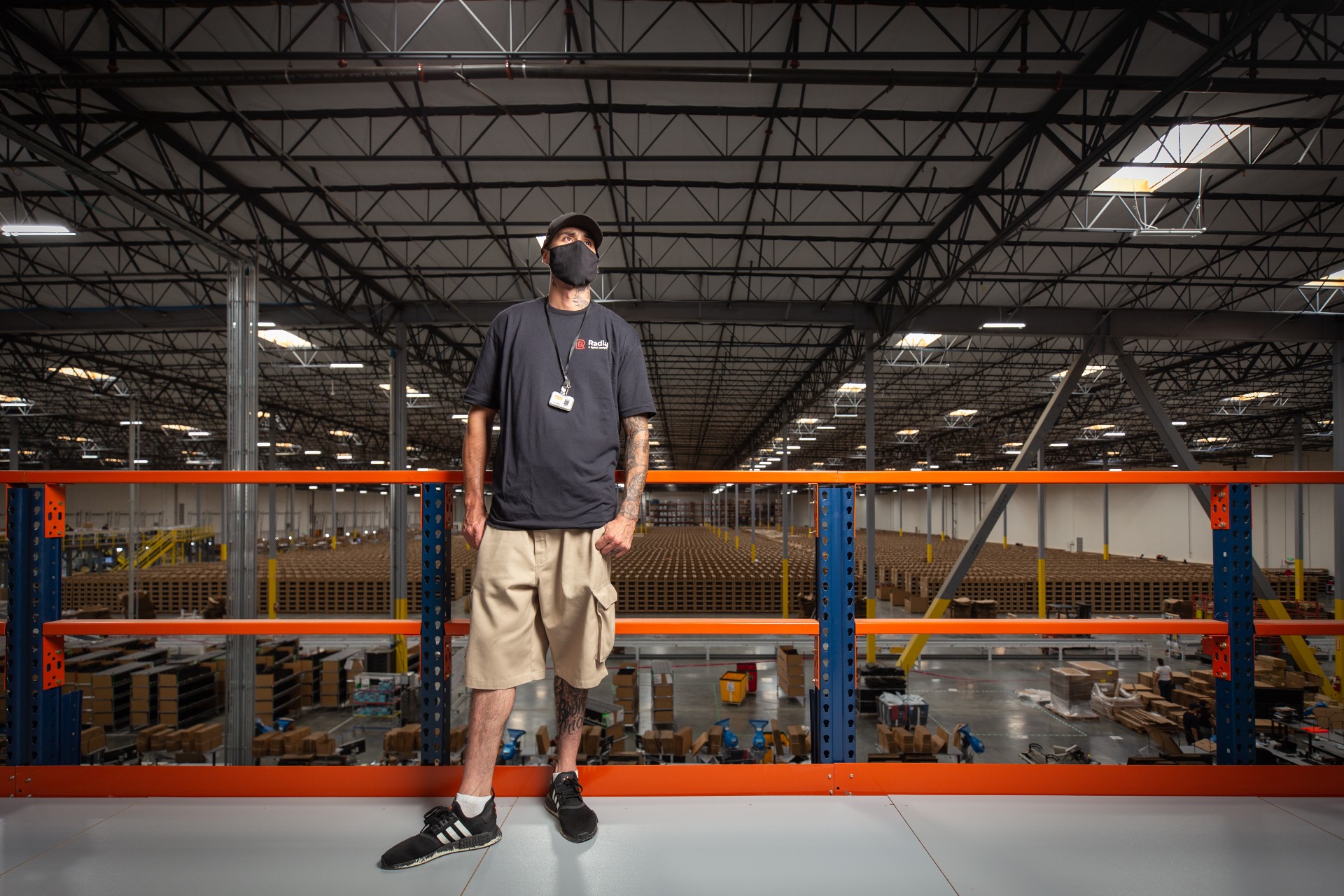
The sign on the door of Platform Beer’s Columbus, Ohio, taproom reads: “The entire Platform Columbus crew has quit. The taproom is closed until further notice. Thank you!”
The employees and their former(?) employer are battling it out on Twitter.
-vs-
Oliver Northern, the employee leading the walkout, told Alive Columbus that “employees started seriously discussing walking out about a week ago, frustrated by a growing list of grievances that he said the company had not taken steps to address.” He added that they initially intended to use the walkout as a bargaining tool with management, but that conditions had gotten so bad that no one had any interest in remaining with the company no matter its response.
What does it all mean?
1. If these employees simply walked off the job in protest instead of quitting their jobs, an alphabet soup of employment laws would have protected their jobs. The NLRA (protected concreted activity), FLSA (wage and hours), and OSHA (safety) are just a few examples of anti-retaliation protections these employees would enjoy. Because, however, these employees quit, these anti-retaliation measures are largely moot (although I could craft an argument that post-employment retaliatory acts such as defamation could still trigger one or more of these statutes).
2. This employer has a massive PR mess. No matter how meritorious or genuine the employees’ claims, the employees thought enough of them to quit their jobs en masse. An employer simply cannot allow these issues to fester until they boil over into a mass protest. If an employer doesn’t know that its employees have these concerns, then that employer’s managers and supervisors aren’t doing their jobs. They are your eyes and ears, and they must understand their role as such.
Moreover, open-door policies and other prophylactic measures aren’t worth their weight if you don’t take them (and the issues employees bring to you) seriously.
Without a time tracking program in place, it’s easy to lose track of which hourly employees did what and for how long, leading to mistakes in payroll.
Inaccurately tracking hours also creates compliance issue landmines. There are stiff penalties and fines for organizations that ignore local, state and federal wage-and-hour and overtime laws.
It’s a mistake to maintain relaxed standards or have no policy at all to track employee hours.
Time tracking allows you to accurately see how long any given task takes to complete, and who on your team works most efficiently whether they are hourly or salaried employees.Knowing how much time is spent on certain tasks helps employers to efficiently select how their workers should be using their time.
Still, there are some employers who don’t track employee time because they don’t want to offend employees. Introducing time tracking can be seen as micromanaging or an intrusion on employees’ privacy and shows “a lack of faith” in your own employees.
Instead, they rely on an employee monitoring their own time. Showing trust can build commitment to the company but it can open the door to fraud.
Before implementing an employee hour tracking solution, answer all questions your employees may have about the process. If employees don’t see the value of time tracking or it is not accurately communicated, your team may not buy in. A key component of streamlining the process of tracking employee hours begins with your honest, transparent communication.
Not tracking employee hours can result in thousands of dollars in lost revenue and invite expensive wage-and-hour violations. Following are five ways that you can track employee hours.
Whether you need to clean up your compensation and compliance practices, track employee activity on a job site, or gauge exempt employees’ time on a project, there are several ways to track employee hours.
Manual timekeeping — pen and paper.
Time clocks or punch-in tools.
Automated time-and-attendance solutions.
Mobile apps.
GPS clock-ins.
1. Manual timekeeping
If your company is small, using a pen and paper to track employee hours may be a workable option. A manual pen-and-paper system or an Excel spreadsheet at least offers a minimal way to track employees’ time at work. But its limitations quickly become evident as a company grows.
Manual timekeeping can lead to many difficulties for employers who want to accurately track employees’ time.
Managers face reams of paperwork on a regular basis, and it’s easy to misplace or lose timesheets. Employee paperwork also is cumbersome to store, and accessing the documents for recordkeeping or auditing is a challenge.
Manual timekeeping can also make calculating payroll seems like an endless task. If a manager’s time is spent sorting through messy, handwritten employee timesheets and contacting them with questions, they have less time to build the organization through more strategic tasks.
Correcting mistakes also could hold up the payroll process, which affects all employees.
Accurately tracking employee time becomes an issue. Employees and employers can only add or delete time manually, so they depend on memory to recall who came in when and at what time they took a break or went home.
Wage-and-hour fraud becomes a real possibility. Time theft practices like buddy punching are difficult to detect. Even if several employees falsely change their clock-in time by just five minutes every day, employers can unwittingly pay dozens of unworked hours over the course of a month.
Of course, the pendulum can swing the other way. Manual timekeeping opens the door to employer fraud. Unsuspecting employees can be cheated out of thousands of dollars in working hours. If and when the fraud is uncovered, wage-and-hour or overtime violations will lead to substantial penalties and potentially steep fines.
When payrolls are prepared manually, the process is not only time-consuming, mistakes are inevitable and payroll errors are costly. With the trend toward automation, more and more companies are incorporating advanced technology into the workplace to accurately track employee hours, among other functions.
Pen-and-paper timekeeping simply doesn’t offer the accuracy, versatility and security a digital time and attendance solution will provide. By leaving so much room for error, you risk losing big money for your company.
2. Time clocks
Time clocks were introduced to track employee time in the late 1800s. While typically more accurate than pen-and-paper timekeeping, time clocks have flaws.
Time clocks vary widely in levels of sophistication. And as with manual timekeeping, time clocks leave plenty of opportunity for time theft and abuse. There is no guarantee that your employees are on the job when they say they are.
Time clocks also are expensive. They require specialized equipment that is subject to malfunctions and require ongoing maintenance.
Though card swipes or fingerprint biometrics will provide more accuracy, they are particularly costly, especially when a business owner has multiple locations.
However advanced the time clock may be, they’re an impractical choice for a mobile workforce that will routinely work hours at different job sites.
Cleanliness should always be a concern in any workplace. You wouldn’t set out boxes of dirty tissues. Why should a time clock that’s not sanitized after constantly being touched be the lone option for employees starting and ending their working hours?
The functionality of a time clock is limited and typically cannot integrate with your other workforce management solutions.
3. Automated employee time tracking solutions
Automated workforce management systems aren’t just for the Fortune 1000 anymore. Solutions exist that are built to support behemoth enterprise organizations yet are flexible and customizable enough to solve a small business’s need to track employee hours.
Companies quickly realize the ways they save time and money once they start using an automated time tracking solution to track employee hours. Timekeeping software becomes your online paper trail that produces accurate, objective accounts of employees’ time and prevents dishonest employees from inflating their hours.
Besides being a strong deterrent tocostly time theft, quickly and easily accessing timesheets through an automated solution dramatically improves the accurate calculation of payroll. Time theft is easy to trace and can be quickly solved after you’ve begun to track employees’ hours. You will notice patterns of behavior and can act accordingly.
Before implementing an employee hour tracking solution, answer all questions your employees may have about the process. If employees don’t see the value of time tracking or it is not accurately communicated, your team may not buy in. A key component of streamlining the process of tracking employee hours begins with your honest, transparent communication.
Implementing Workforce.com’s time tracking solution provides your managers with an effortless time-and-attendance system that stays on top of employee productivity, eases administrative tasks and requires minimal training. Managers don’t have to send countless emails or wait for employees to turn in their timecards. The approval workflow handles it, with timesheets attached for easy review and simple approval.
Managers receive notifications when employees clock in and out, when they are running late or must call off at the last minute and when they’re about to incur overtime costs.
Tracking time with Workforce.com’s automated solution also boosts compliance with regulatory laws. Wage-and-hour and overtime laws vary by state and locality, which makes payroll a calculation and compliance headache.
Workforce.com’s proactive compliance tools, which were pioneered in Australia to manage the world’s most complicated wage laws, ensure simplified and automated adherence with U.S. federal FLSA, state and local labor regulations. It also includes built-in overtime pay calculations for all 50 states and territories to keep your numbers in compliance.
Integration with all workforce management systems becomes simple and easy. You control wage costs even further by integrating Workforce.com’s software with your current payroll, POS and HR tools via the cloud for faster, more efficient workforce management operations.
Verifying and exporting timesheets to your payroll system software is straightforward and fast thanks to the available integrations. Timesheets that have been verified and match scheduling are auto-approved, saving your managers time.
Ultimately, if your employees don’t feel comfortable using your time tracking solution, it will affect their productivity. Since they will use it every day, get them to experience a trial run with you. Building trust early on will amplify buy-in and confidence in your hourly time tracking strategy, making implementation and use simple and error-free.
4. Tracking employee hours with a mobile app
A huge advantage of an automated, cloud-based time-and-attendance system is the capability a mobile employee time tracking app or timesheet app provides to track employee hours. Mobile time tracking makes clocking in and out and sharing schedules easier for all employees, no matter their location.
With a time tracker app you can watch who is coming in that day, what time they’re scheduled to start, which location they’ll be working at and their hours on the clock straight from your phone.
There’s no need to camp behind a desktop computer in an office anymore. Your managers get a powerful mobile tool that boosts their ability to track employee hours any time, anywhere.
A mobile tracker app also empowers managers to follow employees in real time from anywhere and assure that all shifts are covered, update scheduling for any shift and continue tracking when an employee clocks in. Workforce.com’s mobile time clock app helps manage employees’ time and administer digital timesheets, payroll, budgeting and labor compliance reporting.
Communications become immediately simpler and faster, allowing them to call in someone for an unexpected absence, approve leave requests, and receive automatic notifications on the go.
5. GPS clock-in
While a time tracking app could be enough for your employees or those who travel between different job sites, you may need pinpoint accuracy to track employee locations. Some time tracker apps include location tracking, providing you with the ability to track enabled devices.
GPS tracking capabilities help everyone stay in the loop regarding an employee’s clock in and clock out when they arrive at their remote work location.
Workforce.com’s GPS clock-in takes your time tracking capabilities global. Timesheets automatically sync GPS locations of all clock-ins and outs. Some industries have varying pay rates depending on the job, location and employee’s position. Clock-in data intuitively assigns pay rates depending on the location, saving time and administrative work computing pay.
The time clock app with GPS also includes geofences. Geofencing creates a radius for a location and then it starts flagging shifts in the timesheet approval system, making it easy to track employee hours and identify shifts where someone has clocked in offsite.
The GPS clock-in app lets everyone clock in from their mobile device and gives managers an edge to track employee hours with the platform’s photo-verified clock-in system.
Tracking employee hours is crucial to your organization’s operations and profitability. It provides key labor cost data, accurate payroll information and a boost in productivity. Regardless of what process you select to track employee hours, use the function that fits your company. But an automated system is scalable to your company’s size and shifting needs and offers the flexibility to stay local or go global.
Payroll is tired of translating messy, handwritten timecards submitted by employees and managers, and a time clock is an impractical choice for your highly mobile workforce. An automated solution to track employee hours keeps you in compliance and builds your business success.
Workforce.com’s time clock app automates how your staff clocks in and out. Ask for a free demo today.
OSHA has cited a Missouri auto parts manufacturer for failing to implement and enforce coronavirus protections, which ultimately lead to an employee’s death. The details, from OSHA’s news release.
Two machine operators … who jointly operated a press tested positive for the coronavirus just two days apart, in late August 2020. The two workers typically labored for hours at a time less than two feet apart; neither wore a protective facial mask consistently. Ten days later, two more workers operating similar presses together tested positive. On Sept. 19, 2020, one of the press operators fell victim to the virus and died.
The total penalty was $15,604. For someone who died during a global pandemic because of his employer’s irresponsibility.
While I understand that OSHA lacks a specific standard covering most COVID-19 issues, these numbers seem awfully low. Look, I’ll be the first one to tell you that more government regulation and control is a bad thing.
But, if employers aren’t motivated by the carrot to take COVID-19 seriously (that being, having a healthy and safe workplace with employees who believe you care about their welfare), then perhaps they need the stick. Some $13,000, or $15,600 when someone dies, however, seems like a pretty small stick.
Ferguson Plarre is one of the longest standing and most renowned producers of hand baked goods. The family-owned business has a rich history of providing customers with sweets and savories since the 1800s.
The company faced a number of workforce challenges such as difficulty navigating excessive amounts of administration and spending on overtime due to scheduling inefficiencies.
Since finding Workforce.com, Ferguson Plarre has seen great success in improving day-to-day operations and employee satisfaction. “It has just freed up so much time for my leaders to be able to actually focus on the projects that make us money and are better for the business, rather than sitting there putting spreadsheets together, trying to figure out what labor is going to cost,” said Chris Tankard, culture and human resources manager at Ferguson Plarre.
$100,000 saved on wage spend, hundreds of hours saved on administration
After implementing Workforce.com, the company saved $100,000 on wage spend and reduced hundreds of hours in administrative work. They saved the equivalent of two full-time staff members when it comes to cutting of administration across production, scheduling and reporting. These valuable savings allowed them to reallocate their resources to other more valuable areas of the business.
Following their implementation of Workforce.com, Ferguson Plarre has adopted a highly optimized scheduling process, allowing them to accommodate for the constantly shifting demand for their products, significantly reducing the time spent maintaining staff schedules, absences and staffing costs.
How legacy systems and processes can dramatically hinder success
Ferguson Plarre is committed to delivering freshly baked goods to its stores. With a staff of more than 150 employees, their goal is to provide the best quality products while catering for constant shifts in their day-to-day sales. As such, they require a staff management system that can optimize their schedule according to demand data.
Previous systems used at Ferguson Plarre failed to achieve the results they needed to achieve their business mission. Their previous scheduling software was a platform that employees throughout the company avoided. Staff were reluctant to use it due to issues with reliability. Meanwhile, the managerial team found a great deal of effort was required to make basic adjustments to staff schedules, pay rates and documents.
Not having access to the tools they needed led to higher staffing costs, frustrated staff and the inability to dedicate time and energy to areas of the business that add value. As a result, the company was left with significant sunk costs in a system that didn’t give them outcomes and satisfaction in return.
Implementing a system that helps your business grow
Tankard set out to find a user-friendly system that would be eagerly adopted by his team, a solution that would allow his frontline staff to start thinking like business owners. Finding a great system functions more like a partnership than a service, especially when it comes to managing areas of the business as important as your employees.
Here’s how the team at Workforce.com works with Ferguson Plarre to manage and improve their operations and business:
Auto-scheduling software
Ferguson Plarre uses Workforce.com’s automated scheduling platform to create more efficient shifts for their staff.
Scheduling according to demand allows Ferguson Plarre to schedule staff on a room-by-room basis, ensuring they never over- or under-staff stations.
The shift swapping software lets staff easily request altered schedules, reducing the time managers spent maintaining it. It also helps protect the bottom line as the platform shows how much swaps will cost.
Auto-scheduling ensures that Ferguson Plarre keeps unnecessary overtime to a minimum, reducing staffing costs across the company.
Digital timesheets
Automatic timesheet generation means Ferguson Plarre can generate and approve accurately costed timesheets in bulk each pay period.
Timesheet software automatically flagged any variance in wage spend, aiding Tankard and the team in adhering to their budgeting KPIs.
Workforce.com’s dashboards and reporting suite means Tankard and the team could access valuable workforce metrics and modify their business practices for efficiency.
Digital reporting and storage means Ferguson Plarre can easily access historical reports and monitor their performance over time.
Compliance
Workforce.com’s labor compliance engine applies the correct pay rates, overtime, and allowances to completed shifts, eliminating the need to manually calculate pay rates and amend timesheets.
Thorough implementation guarantees a fast return on investment
Business tools only begin to return benefits when they are implemented quickly and adopted fully across the company. It’s not uncommon to find businesses adopting newer and better processes, only to be caught in the implementation stage, receiving fractional value for an extended period of time. For Ferguson Plarre, a gold standard implementation process was imperative.
Workforce.com assigned a dedicated implementation consultant to Ferguson Plarre. This ensures that the implementation would run smoothly, so they could start getting value from the system as soon as possible. Workforce.com assisted Tankard and his team through the setup, integrating their existing systems into Workforce.com and ensuring that staff knew how to use the system.
Simplifying the administrative processes to focus on creating value
Workforce.com provides Ferguson Plarre with greatly simplified administrative processes, allowing them to focus on the things that matter.
Moving forward, Ferguson Plarre will continue to build on its rich history and continue to delight customers. As the business landscape continues to shift, they are well-equipped to face these changes because they have a platform that enables them to be agile and make data-driven decisions.
Workforce management has a lot of moving parts, but it doesn’t have to be a burden. Workforce.com can take out the administrative side of managing your team so you can focus more on growing your business. See our platform in action and book a demo today.
Organizations were forced to rethink operations in 2020 and shift their strategies overnight, prompting new investments in workforce management technology. So, what’s to come in 2021?
We’ve compiled a list of the top 5 and specific workforce.com technology features we predict will be key trends this year. These include COVID recovery, labor compliance, automated scheduling, advanced workforce analytics and increased cloud and mobility functionality.
Labor compliance and minimum wage changes
The Biden administration is pushing to raise the federal hourly minimum wage to $15 by 2025. While legislation has yet to be passed, organizations will be preparing for minimum wage changes and complying correctly. Companies that fail to comply are at risk of facing stiff financial penalties and negative public attention.
Staying abreast of these changes will be crucial, and organizations will be looking to have an automated system in place that will make the transition easier. Organizations will require solutions that can simplify and automate labor law compliance. They will need a proactive platform that accounts for all applicable federal, state and local labor regulations from employee scheduling to payroll processing.
Workforce.com continues to invest in our fully automated and user customizable compliance engine, pioneered in Australia to manage the world’s most complicated and expensive wage laws and costs. Instead of manually updating or having to calculate different wages for schedules, overtime and payroll, organizations will be able to have changes automatically forecasted and updated. We predict labor compliance to continue to become increasingly complicated due to political, regional and union influence.
Higher wages will also mean increased labor cost and a need for companies to be smarter around how they schedule, track and spend on wages. Workforce management features that can boost employee productivity while providing wage oversight for owners and front-line teams to proactively manage will be key.
A way to address this will be the Workforce.com Live Wage Tracker, which provides a real-time view of staff count, exact costs and where there may be overspending per shift factored for compliance. It equips frontline managers to make decisions quickly and adjust staffing levels accordingly throughout the day. With this, businesses can be more efficient in controlling their labor costs and optimizing real-time operations.
As the world recovers from COVID-19 and shift work industries return to normal, it will remain paramount for organizations to have a workforce management platform in place for ensuring employee health, safety and feedback.
As workers return to their shifts in numbers, clear communication will be vital to responding to queries and staying agile as a team. Workforce.com innovations this year include the live 360-degree shift feedback and ratings feature so comments can be gathered from employees after each shift and proactively managed. Their responses enable managers to quickly address issues and apply necessary changes to future shifts. This tool promotes transparency and will provide an avenue for employees to speak up and be heard.
Tracking accurate time and attendance but minimizing contact with communal punch clocks will also continue to remain a priority for organizations. Instead of these older physical devices we predict an accelerated rise of next-gen mobile, app, GPS and tablet clocking in solutions that addresses these concerns.
For instance, with workforce.com GPS Clock ins instead of just one device for clocking in, staff will be able to use this feature to clock in on their own mobile device. Employees who are on the go can also use it to accurately log their start and end times, as well as their break and location while on shift. This results in a lower hardware and maintenance cost of ensuring accurate timesheets while reducing multiple touches to a communal device.
Workforce.com has also developed a completely free tool called Reopen to help businesses manage their capacity and social distancing requirements as they open. By allowing customers to make an appointment online, this will assist businesses in managing the number of people within their premises at a particular time. Organizations will be able to set opening hours, and customers can book in a time slot using their phone.
Auto employee scheduling
We predict further advancements in automated employee scheduling in 2021 with an introduction of advanced algorithms and automatic demand prediction, shift building and shift filling. The future of auto-scheduling looks to be creating ‘win-win’ shifts for employees and employers that drive maximum efficiency whilst optimizing for employee choice and flexibility
Demand prediction is considered the first key step in auto-scheduling. The more applicable information that can be collected about how busy it’s forecasted to be, the more accurate and confident the staff coverage. Workforce.com can currently integrate with any existing business system (I.e POS, MES, HMS, ERP’s etc) to capture this demand data and predict staffing requirements. This can then be adjusted for location unique factors such as events, weather, seasonal changes, trends and manager discretion.
I.e., This Super Bowl will be 20 percent busier than last year. Next Tuesday will be as busy as the average of the last three Tuesdays. Next Friday will be 40 percent less busy because it will be raining.
Once managers have confidence in their demand prediction, shift building is the next step. Software like Workforce.com can help managers create shift patterns for the amount of work that needs to be done, while keeping in mind regulations that set limits on how few or many people can be working at a given time. Still, managers need to ascertain certain information from employees to help make this possible, such as by approaching employees and getting hard numbers on how long it takes to complete basic tasks within their shifts.
Shift filling is where the most innovation comes in where managers will be able to effortlessly fill shifts factoring multiple constraints, such as labor costs, qualifications, roles and labor laws. If an employee is unavailable, managers can offer that shift to other available staff. Workforce.com can then show managers how much a potential shift swap costs, enabling them to stay on budget.
Being smart at shift building and shift filling against projected business demand will ultimately both make employees more satisfied and help control budget efficiency. Managers will be able to accomplish this with the right tools that give them the best potential technology and algorithms while also giving them the opportunity to put the employee in the process. Technology built on this win-win philosophy will be the future of automated employee scheduling with both employee and employer achieving desired outcomes.
These advancements in “one-click scheduling” are predicted to drastically save on manager administrative time, optimize labor cost and reduce over/under staffing.
Advanced workforce analytics and open APIs
Increased adoption of the workforce.com open API is expected to bring huge advancements in workforce analytics and promote internal innovation, integration and personalization. By leveraging the power of connectivity, enterprises can quickly eliminate the chaos of using multiple applications leading to rapid innovation and deeper insights into their workforces.
Companies that can efficiently discover patterns, spot potential problems and optimize their workforce quickly will stay ahead in 2021. This is only possible when organizations have access to their data and have the mechanisms to generate reports that are clear, easy to understand and make the most sense for stakeholders such as HR, payroll, managers and employees.
With Workforce.com’s advanced reporting suite and API, organizations will be able create custom reports and workflows for efficient analysis. Companies can choose to use customizable built-in reports or create their own by pulling information from any data point.
2021 will continue the rise of native SaaS cloud applications over clunky enterprise workforce management software with organizations preferring improved frontline manager/employee mobility options and ease of use. Employees should love to use the tools provided or they generally won’t use them at all.
Simple and modern UI has long been missing from workforce management solutions with organizations needing to solve their problems and complete tasks in the easiest and quickest way possible. Workforce.com remains the leader in workforce management design as we continue to invest in simplicity and ease of use to increase employee engagement, usability and lower support and implementation issues.
It’s also becoming paramount for organizations to lead with a mobile first strategy for their workforce management. Workforce.com will continue to expand our employee mobile app that staff and managers can use to clock in, see timesheets, create schedules and communicate with the rest of the team.
Implementation expectations adhere to these ease of use and quick-to-learn principles with organizations expecting higher standards and tighter deadlines when rolling out or switching from a legacy solution. Workforce.com implementation is now easier and faster ensuring that users can start using the platform in no time reaping benefits of upgrading faster.
In 2021 we predict an increased migration to cloud computing services like workforce.com due to increased functionality, reliability, scalability, security, continual R&D and decrease in cost.
There are currently 300,000 users on the Workforce.com platform, with a 4.75 app star-rating average and 99 percent client retention. Find out why and try Workforce.com today.
The headline reads, “Ex-Manager Sues Ample Hills in Lawsuit Alleging Harassment and Unsafe COVID-19 Protocols” (boldface/emphasis mine).
Here’s the lede:
Bryce Mottram, a former general manager at one of quirky ice cream purveyor Ample Hills’ scoop shops, has filed a lawsuit in New York Eastern District Court alleging that he was fired from the company in retaliation for speaking up about instances of sexual harassment and unsafe COVID-19 workplace protocols at the company.
I firmly believe that for the next year-plus, just about every employment-related lawsuit will contain a COVID-19 whistleblower tag-along claim.
In other words, employees will sue for discrimination and safety-related retaliation, or harassment and safety-related retaliation, or breach of contract and safety-related retaliation, or fill-in-the blank and safety-related retaliation. I’ve already seen it happen in cases, and it makes an already complicated employment dispute that much more complicated and dangerous.
This likely reality means that employers must double down on implementing and enforcing COVID-19 safety rules in the workplace. Have a written COVID-19 safety policyand strictly enforce it. If you don’t know what should be in this policy, OSHA recently published a terrific guide.
Separate and send home infected or potentially infected people from the workplace.
Implement physical distancing in all communal work areas, including remote work and telework.
Install barriers where physical distancing cannot be maintained.
Suppress the spread of the hazard using appropriate and properly worn face coverings.
Improve ventilation.
Provide the supplies necessary for good hygiene practices.
Perform routine cleaning and disinfection.
These points are just a start, and I recommend you consult with OSHA counsel or a COVID-19-knowledgable safety consultant to draft and implement your plan (including training your employees).
At some point over the next few months, some (most?) of your employees will receive the COVID-19 vaccine.
Depending on the rules of your state, the nature of your business and the age or medical issues of your employees, some may already have. I’ve previously covered the legal issues surrounding the vaccine, here, here, and here. Today I want to cover a practical issue — time off related to the vaccination.
1. Please offer your employees paid time off to obtain both doses of the vaccine. To reach herd immunity (the only thing that will end this pandemic), we need between 75 and 85 percent of the population to be vaccinated. We want to make it easier for employees to be vaccinated, not more difficult. Please don’t make employees choose between their paychecks and a vaccine. The hour or two you will pay for the amount of time they spend getting vaccinated will pale in comparison to the weeks off they will need if they catch the virus.
2. Understand that a certain percentage of your employees will have a reaction to the virus and be too sick to come to work in its immediate aftermath. The most common side effects, which most commonly follow the second dose, include pain at the site of the injection, painful, swollen lymph nodes in the arm where the vaccine was injected, tiredness, headache, muscle or joint aches, nausea and vomiting, fever or chills. For some, these side effects will mirror the virus itself in causing a high, debilitating fever. These side effects typically last no more than 24 hours. If I’m you, I’m telling employees that if they experience side effects you will provide a paid day off for recuperation. Again, we want to have policies that encourage employees to get shots in arms, not forcing a choice between a paycheck and a vaccine.
This pandemic won’t end until enough people are vaccinated. Employers, do your part by having policies in place that encourage as many vaccinations as possible.
For the past three years, the Department of Labor has been trying to get employees PAID for their unpaid overtime and minimum wages.
That’s PAID, as in the Payroll Audit Independent Determination program, a creation of the Trump administration that allowed employers to self-report FLSA violations to the Department of Labor without risk of litigation, enforcement proceedings, or liquidated damages.
As of last week, however, the PAID program is history, as the DOL announced its immediate end.
“Workers are entitled to every penny they have earned,” said Wage and Hour Division Principal Deputy Administrator Jessica Looman. “The Payroll Audit Independent Determination program deprived workers of their rights and put employers that play by the rules at a disadvantage. The U.S. Department of Labor will rigorously enforce the law, and we will use all the enforcement tools we have available.”
Pay close attention to that last sentence: “The U.S. Department of Labor will rigorously enforce the law, and we will use all the enforcement tools we have available.” The era of federal agencies playing nice with employers through education and outreach is over. At least for the next four years, businesses should expect agency priorities to be enforcement, not education.
This means that if you have not recently audited all of your employment practices, your time is running out.
In the context of the FLSA, the question is not whether companies need to audit their wage and hour compliance, but whether they properly prioritize doing so before someone calls them on it.
It is immeasurably less expensive to get out in front of a potential problem and audit on the front-end instead of litigating or settling a claim on the back end. The time for companies to get their hands around these issues is now, and not when employees, their lawyers, or the DOL start asking the difficult questions about how employees are paid.
Health care organizations faced numerous challenges when the pandemic hit. Residents in care facilities faced a high risk of contracting the coronavirus as many are between the vulnerable ages of 80 and 90 years old with underlying conditions.
Beyond the physical stress, residents and staff alike experience mental health challenges. Employees are burdened with adapting to new ways of working, such as dealing with absences, implementing new health protocols, and the emotional toll of seeing patients affected by the virus. At the same time, residents can also pick up such cues and feel the burden themselves — restrictions such as limited visits from loved ones added to the toll too.
“Care organizations in particular have been under immense strain. We’ve never asked them to do more to protect the most vulnerable members of our society,” said Bryce Davies, general manager of Workforce.com UK. But there’s another story here, and that’s human ingenuity and creativity can be used to help us all adapt. It’s called resilience.”
The ability of organizations to bounce back from challenges and show resilience is what can help them thrive during a pandemic. Davies identified four core areas of resilience that can help businesses navigate through this time.
Keeping communication lines open
Communication is key for both staff and patients or customers. But with the pandemic, keeping communication lines open tends to become challenging given restrictions and volatile work patterns. This resulted in information getting diluted and not being communicated to the right person at the right time, which prevents teams from adapting quickly to circumstances.
“Identify your mission-critical communication channels and build redundancy into these,” Davies said. The speed of communication channels should also be considered and identify possible causes of delays.
Open and transparent communication lines are vital to empowering staff to step in and take over in case of a teammate’s absence or operational changes. Furthermore, it’s also critical to documenting processes, which lessens onboarding time and equips teams to stay agile.
Ensuring safety on shift
Fatigue is detrimental to the safety of patients and health workers alike. When care facility staff is exhausted, they are more prone to making errors, forgetting things, having difficulty processing information and reacting slowly.
Workforce managers can prevent their staff from experiencing fatigue through efficient scheduling and leave management. However, staff schedules can be difficult to plan and subjects staff to work in shift patterns, which fail to account for other factors such as demand, leave and time for training.
“Try planning your schedule out as far in advance as possible to lock in both the time for leave and training,” Davies explained. Monitoring annual leave balances throughout the year also helps allocate resources accordingly and make sure the staff gets enough time off to curb the effects of stress.
Technology such as Workforce.com provides managers oversight into all the essential factors with staff scheduling. Minus the paperwork, managers can use the platform to make better decisions when creating schedules and ensure that time off, training, and demand are accounted for.
Promoting financial security
Labor costs and demand are difficult to control and forecast. If not managed properly, it can drive up expenses, resulting in the organization becoming less financially agile. This can make team members feel insecure about the company and may cause them to leave.
“Build a mock schedule well in advance and cost it using employees’ base pay and overtime to help predict cost. Test different scenarios,” Davies advised. Identifying key demand trends and indicators can also help in forecasting costs.
It’s also crucial to pay close attention to the variance between schedules and actual timesheets. Investigate probable causes of overspending and optimize your operations to address them.
More importantly, health care organizations should have a way to proactively manage demand and cost rather than acting on issues after the fact. Having access to labor analytics is vital to do that. Workforce.com captures real-time costs and revenue throughout the day, allowing managers to react quickly and make cost-effective decisions on the fly.
Complying with labor laws is a must, but keeping up with changes can be tough.
“Promote compliance as a culture, not as one person’s job,” Davies said. Integrate compliance to every part of workforce management. Ensure that processes and systems are designed to stay at pace and adhere to labor laws.
Companies can start with digitizing their documents so that files can be remotely audited and monitored. Compliance can also be accounted for in creating employee schedules. Workforce.com’s employee scheduling platform factors in labor laws and alerts managers if a schedule is at risk of violating regulations. Legislation that affects payroll is also crucial for companies to pay close attention to as it impacts labor costs and treatment of overtime and holidays.
When systems are integrated for labor compliance, all activities are tracked and fixing potential noncompliance risk would be quicker.
“Resilience is something that we can build into all of our businesses, and it’s never too late to start,” Davies said. Recognizing the gaps is half of the battle. The other half is finding the right solution to address them.
Workforce.com has been partnering with businesses in different industries to help them engage their teams, safeguard their finances and stay compliant. See our solutions in action and book a demo with us today.
“Wear a mask and stay 6 feel apart.” It might sound like Groundhog Day to keep repeating this mantra. It’s also the most basic and most important steps we can take to remain safe, healthy and COVID-free.
Not distinguishing between workers who are vaccinated and those who are not: Workers who are vaccinated must continue to follow protective measures, such as wearing a face covering and remaining physically distant, because at this time, there is not evidence that COVID-19 vaccines prevent transmission of the virus from person-to-person. The CDC explains that experts need to understand more about the protection that COVID-19 vaccines provide before deciding to change recommendations on steps everyone should take to slow the spread of the virus that causes COVID-19.
COVID-19 is strengthening. New variants of the virus are making it more transmissible and potentially more virulent. Now is not the time to loosen COVID safety rules, especially around the most basic of steps we must take to remain safe and healthy—masks and physical distancing. This holds true even if your employees are vaccinated, as science does not yet know if the vaccine prevents the transmission from person-to-person.
The vaccine does offer us a light at the end of the very long and dark COVID tunnel, but we cannot allow it to give us a false sense of security. COVID-19 is fighting back; we must continue to fight back, too.