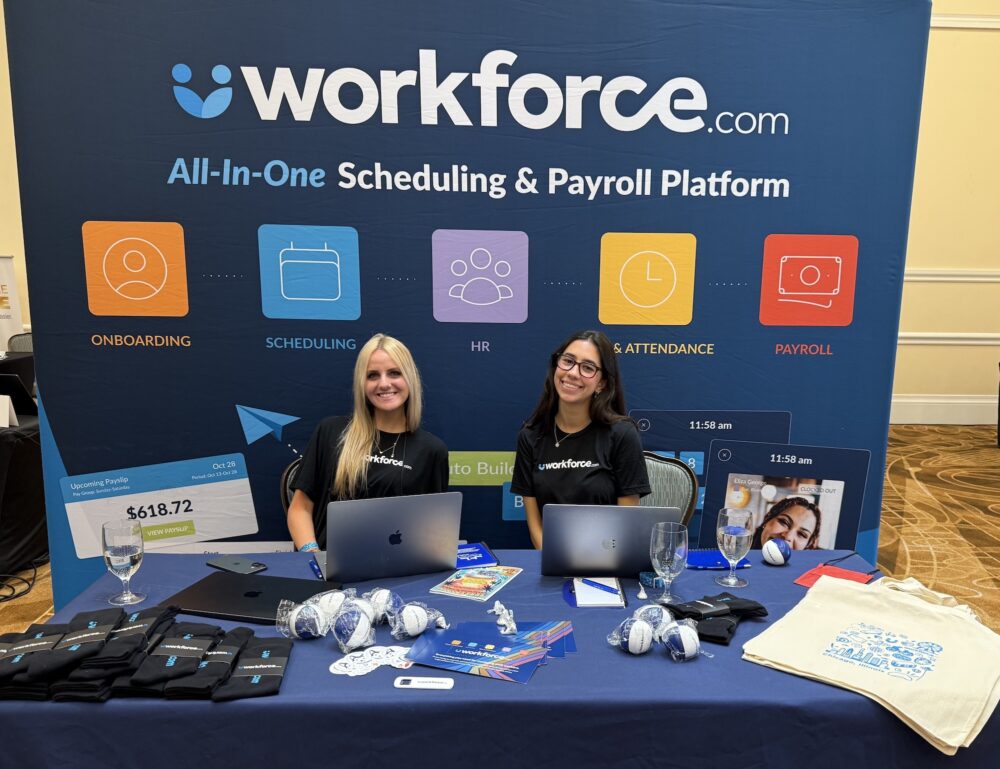
Three days at Sk8 Expo 2026 gave our team plenty of opportunities to talk with FEC operators and industry peers about what’s happening across the industry.
From the software they rely on to the costs they’re watching more closely, a few themes kept coming up. Here’s what we heard.
Integrations are the first questions operators ask
If there’s one question we heard more than any other, it was some version of: “What do you integrate with?”
It makes sense. FEC operators may already be working across POS systems, scheduling, payroll, and other operational tools. Adding another system shouldn’t mean adding more manual work along with it.
For us, it reinforced just how important interoperability is when operators evaluate new software. Before getting into features, many want to know whether a new platform will work with the systems they already depend on.
Operators are paying closer attention to software costs
Another recurring theme was cost transparency, particularly around software pricing and fees.
With recent changes such as the QuickBooks Online price increase, operators have good reason to look more closely at what they’re spending across their tech stack and how predictable those costs are.
That doesn’t necessarily mean replacing what’s already working. But it does make this a good time to review the systems you’re paying for, what you’re getting from them, and whether they still make sense for how your business operates today.
Labor was another consistent theme in our conversations.
Operators are thinking about how to get more value from their labor spend while also investing strategically in areas that help bring guests through the door. The takeaway wasn’t simply about cutting costs. It was about being more intentional with where money goes and making sure those investments deliver value.
For labor, that puts greater emphasis on accurate demand forecasting, so operators can better anticipate staffing needs, schedule accordingly, and keep labor costs in check without compromising the guest experience.
Looking ahead
Our conversations at Sk8 Expo pointed to a common thread: Operators are taking a closer look at the systems they use, what they cost, and whether they’re actually helping the business operate more efficiently.
For operators reviewing their approach, labor optimization is a good place to start.
If you’re looking to get more from your labor spend and simplify how you manage your team, Workforce.com can help. Book a call today.
Unnecessary overtime and an increase in labor cost can be caused by several factors, one of which is the lack of an efficient HR and payroll system.
Overtime is not inherently bad, but if it becomes excessive, it can affect your bottom line and cause employee burnout.
The right software can curb labor cost increases without sacrificing operations and employee satisfaction.
Labor costs and overtime take up a significant portion of business expenses. While extended work hours are occasionally necessary, they can quickly become a burden if they occur too often and strain your finances.
But what causes unnecessary overtime and increase in labor costs? Common culprits include failure to anticipate demand, antiquated HR and workforce management systems, and the lack of real-time operational visibility. These issues not only impact your bottom line but can also harm employee engagement and disrupt work-life balance.
So, how do you reduce labor costs and overtime without sacrificing operations and employee well-being? Here are eight practical ways Workforce.com can help you achieve just that.
1. Forecast labor demand.
An effective cost reduction strategy is to anticipate demand. Sure, no one knows what exactly will happen on the next business day or week, but having an estimate based on relevant data points can give you a good idea of staffing needed per shift.
Workforce.com can forecast labor demand by analyzing indicators such as weather, foot traffic, historical sales, economic trends, events, holidays, booked appointments, and other relevant factors. With these insights, you can better anticipate demand for a given period, reducing the risks of overstaffing.
Starbucks Australia is one of the organizations that experienced lower labor costs when they started using Workforce.com. Because they have many store locations, anticipating demand was challenging since each store is different. However, with Workforce.com, they can create labor-efficient schedules based on demand up to four weeks in advance, ensuring the right amount of staff is always scheduled for the right number of customers.
2. Quickly fill vacant shifts due to no-shows or last-minute absences.
No-shows or last-minute absences are inevitable in managing a team, but how they affect your operation and labor costs will depend on how effectively you address them.
When an employee notifies you that they can’t work a shift at the last minute, you must quickly cover the vacant shift. Otherwise, you may need to rely on overtime, driving up labor costs unnecessarily.
Workforce.com equips frontline managers to offer a vacant shift to other qualified team members. Case in point:The Winnipeg Jets. Before using Workforce.com, they had difficulty managing no-shows, especially when they experienced 80 replacements in a week, and there was no centralized way of managing these swaps. Using Workforce.com, managers can offer vacant shifts and fill them quickly, all in one platform, without calls, emails, or texts.
“With Workforce.com, switching shifts is so much easier. I don’t know anyone who’s not using it,” says Kristin LaCroix, TrueNorth’s Director of Technology Services. “Everyone got on board with it pretty quickly.”
3. See labor costs in real-time when creating schedules.
Staying on top of labor costs means understanding your expenses before they’re incurred. Workforce.com offers that visibility.
When scheduling or creating shifts, Workforce.com displays wage costs in real time, enabling managers to keep staffing levels aligned with labor budget allocations and customer demand.
“We know for each shift, what its cost is without having to crunch any numbers on a spreadsheet,” says Troy Persad, General Manager atBridge Control Services. When building schedules, every shift tile displays wage costs, which he uses to optimize shifts according to the budget and crew’s needs.
The same goes for The Winnipeg Jets, “Workforce.com is preparing us to become a little bit more strategic in how we schedule,” shares LaCroix. “It helps us move staff to different times if we see inefficiencies, helping us provide a better experience to our guests.”
Workforce.com plays a massive role in helping you schedule in a way that keeps overtime costs low. Scheduling software tracks work hours and unavailability, automatically suggesting the most cost-effective people for coverage while avoiding unnecessary overtime. It lets you see wage costs for every shift, so you’ll always know how much your business spends on labor in real time.
This kind of automation reduces the overtime errors that come with scheduling via spreadsheets. For instance, Workforce.com will alert managers whenever they try to schedule a shift that will cause an employee to dip into overtime. It also keeps track of maximum work hours and prevents managers from scheduling employees for more than is legally allowed, depending on your state.
4. Track employee hours and overtime down to the minute.
Workforce.com’s time and attendance management software helps you track, manage, and calculate overtime and labor expenses. It alerts your frontline managers whenever an employee hits overtime and automatically records overtime hours andtime and a half pay on digital timesheets. These timesheets display scheduled vs. actual hours and labor cost variances, making it easy to pinpoint where and when you are spending too much on overtime.
“There was no real way with our old system to compare variance,” says Kayleen Nemanishen, a configuration analyst forRanch Ehrlo Society. “With Workforce.com, it’s super apparent – if somebody works 30 minutes longer than scheduled, it shows right on their timesheet.”
More importantly, automated employee time tracking helps you avoid tricky situations where employees claim to have worked more overtime than you have on record. By default, the Department of Labor assumes that the employee is right about the number of overtime hours they worked unless the business owner can provide proof otherwise.
With timesheets recorded daily, you avoid time reporting disputes, protect your business from paying out overtime that was never actually worked, and stay compliant with labor laws. This increases accountability and ensures your overtime tracking is airtight, helping you avoid costly DOL fines and employee lawsuits.
5. Set a labor budget.
Set a cap on an amount or the number of hours you can allocate every day to meet demand for every day, week, or month. This is all about finding the right balance between supporting your employees and improving your bottom line. Setting hard limits on hours worked encourages managers and employees to adapt and become more efficient with navigating overtime.
On Workforce.com, you can set labor budgets and track schedules and shifts against your set allocation. You can set and plan labor budgets by location or department. Budgets can be shown either in hours or wages.
Of course, setting limits doesn’t disqualify you from paying overtime worked beyond them. The law stipulates that any time over 40 hours has to be paid as overtime. So, if someone has exceeded your overtime budget, ensure you have an accurate way of recording, calculating, and alerting managers to all overtime pay owed.
6. Offer flexibility with sending schedules in advance.
Flexibility is different for hourly workers. For them, it’s about knowing their shifts well in advance so they can plan other areas of their lives, such as childcare, medical appointments, or PTO. But is scheduling shifts far in advance always productive?
The answer is yes—if done correctly, Workforce.com can help you schedule in advance because it can predict demand and create shifts quickly. You can even create reusable shift templates for consistent schedules, streamlining the process week after week.
Publishing schedules in advance reduces no-shows and last-minute absences and helps control labor costs by minimizing disruptions. Additionally, it ensures compliance withpredictive scheduling or Fair Workweek laws in cities where these regulations apply, protecting your business from potential fines.
7. Equip your team with the right labor tracking tools.
Unnecessary labor costs often stem from minor errors or administrative oversights, such as missed log-ins or accidentally scheduling employees beyond their allowed hours. These mistakes are easy to overlook, mainly when relying on manual processes or inefficient systems.
Workforce.com streamlinetime-consuming administrative tasks and reducing the errors associated with manual input.The Amenity Collective saw a drastic drop in time spent on admin work since implementing Workforce.com in their organization—from 20 hours a week to just 3 hours.
“With Workforce.com, we’ve been able to reduce the time our staffers spend publishing schedules by 85% – that is a huge efficiency gain for our organization and for our employees,” says Adam Chen, CIO of the Amenity Collective. “What that allows our employees to do is spend more time building stronger relationships.”
Workforce.com offers a real-time view of what’s happening in every shift. It shows who clocked in, who’s running late, and who’s about to go into overtime. HR and operational data can be accessed anytime—no need to wait for month-end reports.
In addition, Workforce.com has a powerful employee self-service system that enables staff to clock in and out easily, view their work schedules, get notified for open shifts, request leaves, and update their information. These tools lighten the administrative workload and reduce errors and inaccuracies.
8. Cross-train to bolster your workforce.
If only a few of your team members can carry out specific tasks, you’ll end up in a situation where the same few people get overtime. This can lead to employee turnover , as excessive overtime disrupts work-life balance. At the same time, it can dampen employee morale as staff who aren’t offered overtime opportunities may feel unfairly treated, missing out on the extra pay.
The solution? Conduct cross-training programs for different roles. This way, you can fill vacant shifts with a larger pool of qualified employees. Cross-trained employees not only help you avoid scheduling unnecessary overtime but also allow you to divvy overtime in a fairer manner if needed.
Workforce.com’s performance management system makes this process more efficient. It lets you track employee progress and development, identify their strengths, and provide targeted training to expand their skill sets.
Stay on top of labor costs and overtime with Workforce.com
Running a cost-effective operation starts with the right tools. Manual processes increase the risk of unnecessary overtime costs and waste valuable time on tasks that could be completed in minutes with a more efficient system.
Workforce.com has a comprehensive suite of solutions to help you stay on top of your labor budgets, reduce overtime, and simplify payroll processing. Want to see what else Workforce.com can do for your business?Book a call today.
Calculating labor costs can be complicated, involving things like benefits, taxes, and overhead expenses.
While labor costs are a natural part of running a business, there are ways to cut down on them without sacrificing employee or customer experience.
Scheduling and labor forecasting software is vital for calculating labor costs accurately.
A crucial part of any company’s profitability is calculating labor costs correctly. Whether you’re a small cafe, a chain of restaurants, or a global enterprise, you need to know how to calculate the cost of your labor and understand how it affects your bottom line.
Here are three essential things to consider when trying to figure out how much you’re actually spending on labor, how to remain profitable, and how to ensure your employees are getting paid accurately.
1. Labor costs go beyond wages.
Obviously, wages make up the majority of your labor costs; however, you need to remember that you are spending much more on employees than just wages.
For employee compensation alone, wages and salaries cost employers 69% of the total cost, while 31% accounts for benefits, according to the Bureau of Labor Statistics (BLS). On top of that, there are other things to account for, such as taxes and overhead costs. Here’s a quick rundown:
Salary – As mentioned, this takes up a considerable portion of your labor costs. This is the monetary value that you pay your employee for the work they perform.
Payroll taxes – Some of these are taxes withheld from the employees and are typically matched by employers by a certain percentage, including Social Security payroll tax and Medicare payroll tax.
Meanwhile, there are payroll taxes that are shouldered by employers alone, such as the federal unemployment tax (FUTA).
In addition, you should also account for payroll taxes imposed on a state and local level.
Benefits – Benefits such as paid time off, health insurance, and dental insurance also factor into your labor costs, particularly if the majority of your workforce is salaried.
Overhead costs – These are costs associated with running the business, such as building costs, utilities, property taxes, transportation, and administrative costs.
Clearly, calculating labor costs should be inclusive of both direct and indirect expenses. Direct expenses are for producing a product, such as the wages of people in charge of production or rendering your services. While indirect costs are supplementary to that, such as administrative staff wages and building and equipment costs.
Navigating the different factors affecting your labor cost is complicated and laborious, but it’s vital to understand all the costs and expenses that go into it. Doing so helps you determine profitability, spot areas where you can save, adjust your pricing, and determine business feasibility.
2. Yes, you can save on labor costs.
A lot goes into labor, and, of course, most of its cost is necessary. However, the good news is that labor is your most controllable expense; this means that the easiest way to reduce your overall operating costs is to optimize where and how you are spending on labor. Here are some of the things you can do to cut down on unnecessary labor costs:
Eliminate time theft
Time theft occurs when employees receive pay for time spent not working while technically on the clock. Buddy punching, inaccurate clock-ins, falsifying timesheets, unrecorded breaks, and attending to personal affairs while on the clock are some of the ways time theft is committed.
The thing about time theft is it can be difficult to notice since instances of it are typically small and irregular. But over time, these occurrences can balloon into significant dollars lost.
Solving time theft ensures everyone is working when and where they should be. To do this, you need an airtight time and attendance system complete with geofencing, photo-ID clock-ins, and pin numbers. All of these measures and more help ensure the right people are recording their time accurately and truthfully.
Accurate demand forecasting is the key to both saving on labor costs and improving your ability to meet customer needs. Knowing exactly where and when you expect high foot traffic or sales can prevent accidentally over or understaffing shifts. Being prepared also helps reduce instances of unnecessary overtime as you’re less likely to request staff to keep working after the end of their shift due to an unforeseen rush.
This all sounds well and good – but how does one actually forecast demand? What factors go into it?
Well, a lot of factors affect demand and required labor. To have an accurate forecast, you need to look at things like historical sales, booked appointments, economic trends, weather, foot traffic, and more. A robust labor forecasting system uses machine learning to account for all of these factors. With it, you can paint an accurate picture of your upcoming demand and schedule your staff accordingly.
Classify employees correctly
Managing labor costs starts with classifying employees correctly. Salary, benefits, tax rates, and eligibility for federal and state-based policies depend on their classifications.
Assigning the correct classification to employees is critical to paying them correctly and complying with labor laws. Therefore, you also avoid the risk of legislation and penalties due to non-compliance.
Sync scheduling and time tracking
Tracking where you are overspending on labor helps solve a majority of your labor cost issues. By syncing your scheduling and attendance systems, you’ll be able to see variances on timesheets between scheduled time and actual time worked. At a glance, you’ll be able to quickly see the shifts where you are spending more than expected.
Global pizza chain Domino’s saw tremendous success using this technique, reducing labor costs by 11% across Europe, Oceania, and Asia.
Employee engagement has a significant impact on the cost of your labor. According to Gallup, disengaged employees cost the world $7.8 trillion lost in productivity. That’s 11% of the global GDP. Aside from low productivity, poor employee engagement can also result in high turnover – this means increased recruitment, onboarding, and training costs.
While employee engagement programs usually come at a cost, that doesn’t mean you must break the bank for these initiatives. At the end of the day, it’s all about employees finding value in the work they do. Tailor programs that foster growth, flexibility, and good communication. Prioritizing these things doesn’t always mean hosting lavish events and activities; what’s more valuable is integrating regular feedback loops into daily workflows.
3. Technology is vital to calculating labor costs, but…
You need to find a software system that suits your business; otherwise, it will just cause confusion, additional admin work, and potentially higher costs. When you use an inadequate system, you risk forfeiting a healthy ROI due to constant reworking and prolonged training expenses.
When looking for an HCM platform to help you with labor cost calculations, here are a few functionalities you’ll need to consider:
Labor forecasting
Go for a platform that has a robust labor forecasting capability. With solid labor forecasting, you can accurately schedule your employees according to demand. This, alone, can curb your labor expenses as you’re not at risk of over or understaffing, and you can keep overtime and differentials to a minimum.
Many platforms claim to have some form of labor forecasting, but not all are comprehensive enough. Look at how the platform forecasts and which factors it takes into account when creating demand predictions. Is it only creating predictions based on historical sales data? If so, there is a good chance it lacks flexibility and only looks at surface-level data.
Accurate time and attendance tracking
Time and attendance tracking is vital to paying people correctly, preventing time theft, and optimizing labor costs.
Make sure you go for a system that enables employees to clock in and out easily, whether on-site or out in the field. Another vital area is the speed by which these clock-ins are recorded on timesheets. A platform that can do it in real time would be ideal.
Determine how the system spots and flags potential issues with time and attendance. The last thing you want is to scour through timesheets manually to spot irregularities.
Timesheet to payroll processing is another crucial element. What are the safeguards the platform has in place to ensure accurate computations? How easy is it to transfer approved timesheets to payroll? What’s the level of admin work needed, if any?
Strong payroll system
Payroll systems have a basic but extremely important task: withhold necessary deductions, pay employees on time, and pay employees accurately. This might seem straightforward, but this whole process can be tedious when different employee classifications, benefits, and pay rates come into play. It can become even more difficult if scheduling and timesheet data have already been corrupted upstream due to poor time and attendance management.
Labor compliance
To avoid costly DOL fines and class action lawsuits, you need to prioritize compliance with both federal and state wage and hour laws. Like forecasting, many HCM platforms claim to have some form of labor compliance feature. But not all are robust enough to keep pace with federal and state-based regulations.
An ideal HCM system ensures compliance at every step of the employee lifecycle. This means it should be able to flag potential risks during employee scheduling, timesheet export, and payroll calculations. Furthermore, it should be consistent with any developments or changes in federal and state-based rules.
Employee engagement tools
How the platform handles employee engagement is another vital feature you should be looking for. Most HCM software help with sending out and processing employee engagement surveys. While that’s important, it also pays to have a feature that allows for more immediate feedback and employee recognition. It also pays to understand how they process the information gathered from these surveys and feedback loops so that you’ll know whether it would be beneficial in your decision-making process.
Control your labor costs with Workforce.com
While it might seem like a daunting task to find a platform that covers all these areas, there is actually a fairly simple solution.
Workforce.com is an HCM platform tailor-made for calculating labor costs for shift-based businesses. Within its ecosystem are tools for time and attendance tracking, demand-based employee scheduling, labor forecasting, labor compliance, employee engagement, HRIS, and payroll.
Find out more about how Workforce.com can help you calculate labor costs by booking a call today.
Most hourly staff businesses have struggled with labor shortages since the pandemic. Government restrictions, initial mass layoffs, and a shift in consumer preferences have all been touted as the underlying cause of the pandemic-induced staffing shortage.
Except the pandemic wasn’t the main cause, the staffing shortage was already underway.
Prior to the pandemic, unemployment was already at record lows at 3.5%.
The actual cause is America’s changing demographics. Its aging workforce has caused a collapse in the US labor force participation rate, dropping from 67% at the turn of the millennium to 63.3% in February 2020. A 2019 study by the Brookings Institution estimated that the labor force participation rate would decrease to 58% by 2050 due to the aging workforce. However, because of the pandemic, we’re already four years ahead of schedule. The pandemic simply accelerated the staffing shortage timeline.
While the severity of staffing shortages will rise and fall with the business cycle, it will continue to worsen. Every business will have to pick how they adjust to the shortage:
Pay higher salaries to attract staff from a shrinking talent pool
Reduce the operations and revenue of your business
Schedule smarter and become more efficient with your staffing levels
If you’re not actively pursuing (3), you’re accepting the first two by proxy. It might not occur in the next three months, but it will happen. The inertia of our aging workforce is half a century in the making.
The path to avoiding higher wages and reduced operations requires you to fine-tune the way you run your workforce.
How to staff more efficiently
Use precise labor forecasts
Choosing staffing levels based on manager intuition has been the default for most companies. This approach may prevent egregious over and understaffing, but it misses the small shift details that add up. Staffing based on a “busy lunch rush and a quiet afternoon” isn’t specific enough and will create many instances of overstaffing, even if it’s only 15 minutes of someone’s shift.
Across a whole team, these 15 minutes per worker can result in your needing multiple extra staff over a day. To thrive, you must know your demand indicators, create staffing ratio to demand units, and then ensure all your managers are building schedules according to this demand.
Adjust staffing levels during shifts
Another outdated concept is the belief that a schedule is finished once it’s published; this assumes that nothing changes once a schedule is created and staff are working their shift. The problem is that call-outs, no-shows, and random downturns in demand are almost inevitable. Your managers must be prepared to anticipate and react to these challenges during shifts, adjusting labor accordingly.
Enable your managers to make the right decisions
You can’t leave staffing levels to chance. Your managers need the right tools to support them so they can optimize their schedules to customer demand. Beyond this, you need to have complete visibility into when, where, and how managers are actively adjusting their labor – this is the only way to know for certain that you are staffing efficiently.
Many businesses won’t do this. They will continue on their current path of paying higher labor costs to attract a shrinking talent pool, as well as reducing their operations and losing customers because they don’t have enough staff.
You need to make the choice not to be left behind.